
Free ADHD Planner 2027: Hyperlinked PDF Built for Busy Brains
If you have ADHD, you have probably bought a planner, loved it for a week and then lost it under a pile of good intentions. That isn’t a willpower problem. It is often executive dysfunction. Most planners are built for brains that remember to open them. This free ADHD planner is built for the days you don’t.
It is part of our free digital planner collection, where you can compare all three free editions.
Quick answer: The free HyperPlanners ADHD planner (ADHD Lite) is a 31-page hyperlinked PDF dated for 2027. It replaces long to-do lists with a daily Top 3, and adds a brain dump, loose time blocks, a dopamine menu and a no-guilt restart button. Download it free from Gumroad and use it in GoodNotes, Notability or any PDF app on iPad or Android.
What Makes a Planner ADHD-Friendly?
An ADHD-friendly planner does less, not more. (Our guide to choosing an ADHD planner for adults covers this in depth.) It should:
- Show fewer tasks. A list of 15 things freezes you. Three gets started.
- Get you to today in one tap. If finding the right page takes effort, you won’t open it.
- Give racing thoughts somewhere to go. Writing them down frees your attention for the task in front of you.
- Make restarting easy. Missed a week? The planner should welcome you back, not show you a wall of blank pages.
ADHD Lite is built around those four ideas. If you are curious why hyperlinks help so much, read why a hyperlinked digital planner works for ADHD.
What’s Inside the Free ADHD Planner
ADHD Lite has 31 fully hyperlinked pages for 2027:
- A year at a glance page where every date is tappable
- All 12 monthly calendars, each with a focus box and a don’t-forget list
- Weekly spreads and daily pages linked to their month
- Brain dump and focus sections throughout
- Tabs on every page, so you never scroll through thumbnails
All links are active as soon as you download. You don’t need to set anything up.
How Each Page Helps on a Hard Day

Top 3 instead of a to-do list
Each daily page asks for three things, not thirty. Pick the one that matters most, one that’s quick and one you’ve been avoiding. If you finish all three, that was a good day.
Brain dump
When your head is full, empty it onto the brain dump page before you plan. Sort it later. If long lists make you freeze, our brain dump method for task paralysis walks through it step by step.
Loose time blocks
Hour-by-hour schedules tend to collapse by 10 am. Loose time blocks let you put a task in a rough part of the day, like the morning or after lunch, instead of a fixed minute. Our time blocking for ADHD guide explains the method.
Dopamine menu
A short list of things that give you energy without a two-hour scroll: a walk, a song, a snack, five minutes outside. Check it when you feel stuck. Learn how to build yours in our dopamine menu guide.
No-guilt restart button
Fell off the planner for two weeks? The restart button is there for exactly that moment. Skip the catching up and pick up from today.
A 5-Minute Daily Routine
- Open the planner and tap today’s date on the year page.
- Brain dump anything that’s on your mind for two minutes.
- Pick your Top 3 from the dump.
- Drop each one into a loose time block.
- In the evening, tick what you did and move the rest with one line.
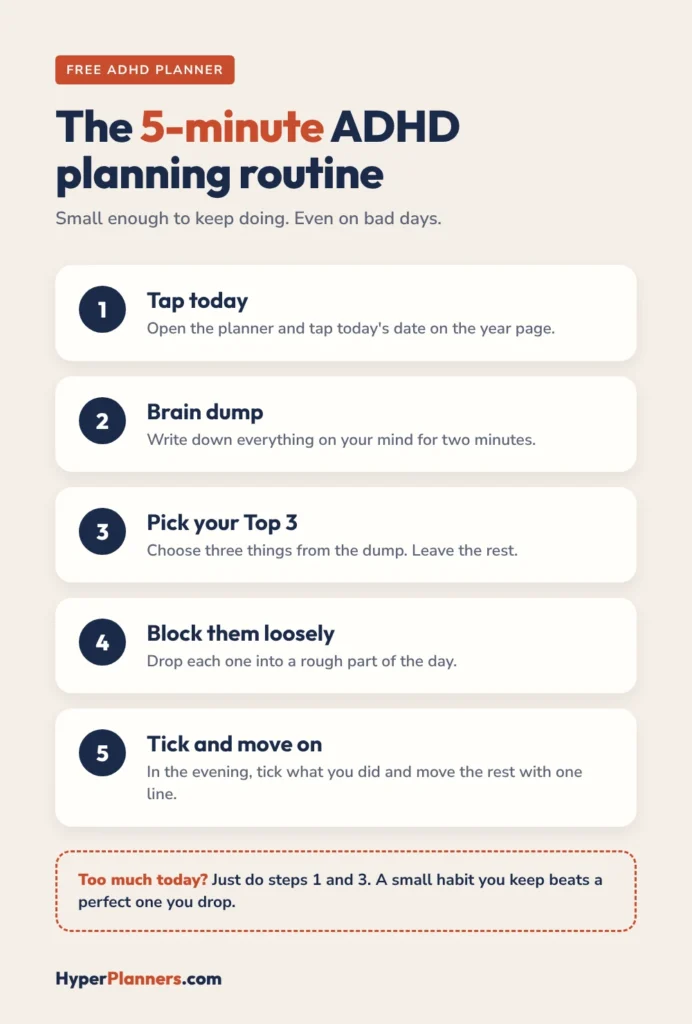
That’s it. If five minutes feels like too much, do steps 1 and 3 only. A small habit you keep beats a perfect one you drop. If you often lose track of time during the day, our guide to ADHD time blindness planning tools has more ideas.
For example days and a full daily layout, see our ADHD daily planner guide.
Why ADHD Planners Get Abandoned (and the Fix)
- The setup takes too long. Hours of stickers and colour codes use up the excitement before you plan anything real. Fix: use the planner as it comes for the first two weeks.
- The lists get too long. Every undone task stares back the next morning. Fix: stick to the Top 3 and leave the rest in the brain dump.
- It is out of sight. A planner buried in a folder is easy to forget. Fix: keep the app on your home screen or Dock, and open it at the same moment each day, like with your morning coffee.
- One missed day becomes a missed month. Fix: never back-fill old pages. Turn to today and carry on.
None of these are personal failures. They are design problems, and the planner is built to work around them.
Prefer a single page? Grab our free daily planner template too.
Which App Should You Use?
The free ADHD planner is a standard PDF, so it works in GoodNotes, Notability, Xodo, PDF Expert, Samsung Notes and Adobe Acrobat. Most people use GoodNotes on iPad. Our GoodNotes planner for ADHD setup guide shows a layout that sticks, and our free digital planner for iPad guide covers the other apps.
Free vs Paid ADHD Planner
The free edition is a complete planner for 2027, not a demo with locked pages. The full ADHD Planner adds much more room, plus a choice of styles:
| Planner | Pages | Styles | Price |
|---|---|---|---|
| Free ADHD Lite | 31 | One | $0 |
| ADHD Planner | 490 | Minimal, Paper or Complete | $19 |
Start with the free one. If you find yourself opening it every day, the full ADHD Planner keeps the same layout with more pages. To compare it with other brands, see our best digital planners 2026-2027 roundup.
Want reminders and a focus timer as well? HyperFokus is our app version of this system, with focus timers, streaks and an AI coach. It is free while in beta.
Not sure which planner fits you? Take our free 60-second ADHD planner quiz and get a match, plus a free version to try first.
Free ADHD Planner FAQ
Is the free ADHD planner really free?
Yes. There is no coupon code and no subscription. The free price is already applied at checkout, and the PDF is yours to keep.
What makes this planner good for ADHD?
It keeps each day to a Top 3, gives you a brain dump page for racing thoughts, uses loose time blocks instead of strict schedules, and has a restart button so a missed week doesn’t mean starting over.
Is the free ADHD planner dated or undated?
It is dated for 2027. The year page and all 12 monthly calendars have real dates, so you can start on 1 January with no setup.
Do I need an iPad?
No. It works on Android tablets in Samsung Notes, Xodo or GoodNotes for Android, and on laptops in Adobe Acrobat Reader. An iPad with GoodNotes is the most popular setup.
Is a digital planner better than paper for ADHD?
For many people, yes, because it is always on the device they already carry and links take you to today in one tap. Paper still suits people who are distracted by screens, so pick the one you will actually open.
Get Your Free ADHD Planner
Download ADHD Lite, open it to today and write three things. That’s enough to start.
Want every free option in one place? Visit the free digital planner page.