
Hyperlinked Digital Planner for ADHD: Why It Works (and How to Start)
If your planners keep ending up abandoned by February, the problem probably isn’t you. Most planners are built for brains that happily flip through pages, remember where things live and come back after a missed week without a second thought. ADHD brains need something different: less friction, fewer decisions and an easy way back in.
That’s exactly what a hyperlinked digital planner gives you. This guide explains how hyperlinks help with ADHD, how they compare to a static PDF, how to set one up in a few minutes and how to keep using it. For the full checklist of what to look for, see our guide to choosing an ADHD planner for adults.
Quick answer: A hyperlinked digital planner is a PDF planner with clickable tabs and buttons, so you tap once to jump to any month, week, day or section instead of scrolling. For ADHD, that matters because it cuts out the friction, distractions and small decisions that make people abandon planners. Pick one with short daily pages, a Top 3 and a brain dump, open it in GoodNotes or Notability, and use one view for the first week.
What Is a Hyperlinked Digital Planner?
A hyperlinked digital planner is a PDF file with links built into every page. Tap a month tab and you land on that month. Tap a date and you’re on that day. Tap the home icon and you’re back at the index. It feels more like using an app than reading a document.
You open it in a note-taking app like GoodNotes, Notability, Xodo or Noteshelf and write on it with a stylus or your finger. If you’re brand new to the idea, our beginner’s guide to hyperlinked planners covers the basics.
Why Hyperlinks Help ADHD Brains
For most people, scrolling through 300 pages to find today is a small annoyance. With ADHD, small annoyances add up fast and quietly kill the habit. Hyperlinks remove four of the biggest drop-off points.
1. Less friction to start
Every extra step between “I should plan” and actually planning is a chance to quit. With one tap to today’s page, the whole start takes seconds, which makes it far easier to begin on low-energy days. It’s one of the simplest ways to work around executive dysfunction.
2. Fewer distractions
Scrolling is where attention wanders. You pass an old list, a half-finished note or a page you meant to fill in, and suddenly ten minutes are gone. Jumping straight to the right page keeps you in planning mode.
3. Fewer decisions
A good ADHD planner makes the next step obvious: month, then week, then today. You don’t have to decide where things go or how to get there, which saves your energy for the tasks themselves.
4. An easy way back after a missed week
Missed days are normal. With a static PDF, coming back means scrolling past a trail of empty pages, which can feel like a reminder of failure. With hyperlinks you tap today and start fresh. Our ADHD Planner even has a “Restart here, no guilt” button for exactly this.
Hyperlinked vs Static PDF Planner for ADHD
Both are digital and both work in the same apps. The difference is how it feels to use them every day.
| Feature | Static PDF planner | Hyperlinked planner |
|---|---|---|
| Getting to today | Scroll through pages | One tap |
| Moving between views | Scroll or search | Tabs on every page |
| Distractions on the way | Many | Very few |
| Restarting after a break | Scroll past empty pages | Tap today and go |
| Best for | Occasional, light use | Daily planning and ADHD |
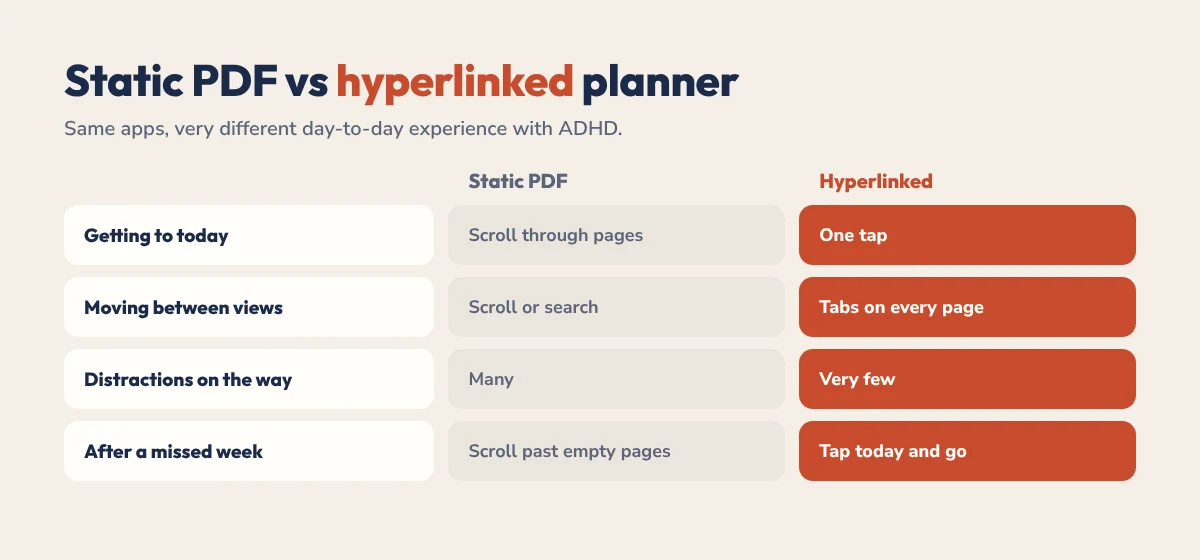
A static PDF can be fine if you only plan once in a while. If you want to plan daily or weekly, especially with ADHD, a hyperlinked planner is the better fit.
What to Look For in a Hyperlinked ADHD Planner
- Short daily pages. A Top 3 instead of a 20-line to-do list.
- A brain dump. One place to empty your head before you plan.
- An energy check. So you can plan around how you actually feel.
- Links on every page. Not just the index, so you never get lost.
- Habit and mood trackers. Simple ones you can fill in seconds.
- A dopamine menu. Quick rewards for getting started. See our dopamine menu guide.
- A forgiving design. Undated or easy-restart pages, so a missed week doesn’t break the system.
How to Set It Up in 10 Minutes
- Download the PDF to your tablet or phone.
- Import it into GoodNotes, Notability or another PDF app. Our GoodNotes import guide and Notability planner guide show the exact steps.
- Switch to read-only or view mode and tap a tab to check the links work.
- Pick one view for the first week: daily or weekly, whichever feels less overwhelming.
- Add it to your home screen or favourites so it’s one tap away.
- Set one daily reminder at the same time each day to open it.
A Simple Daily Routine That Sticks
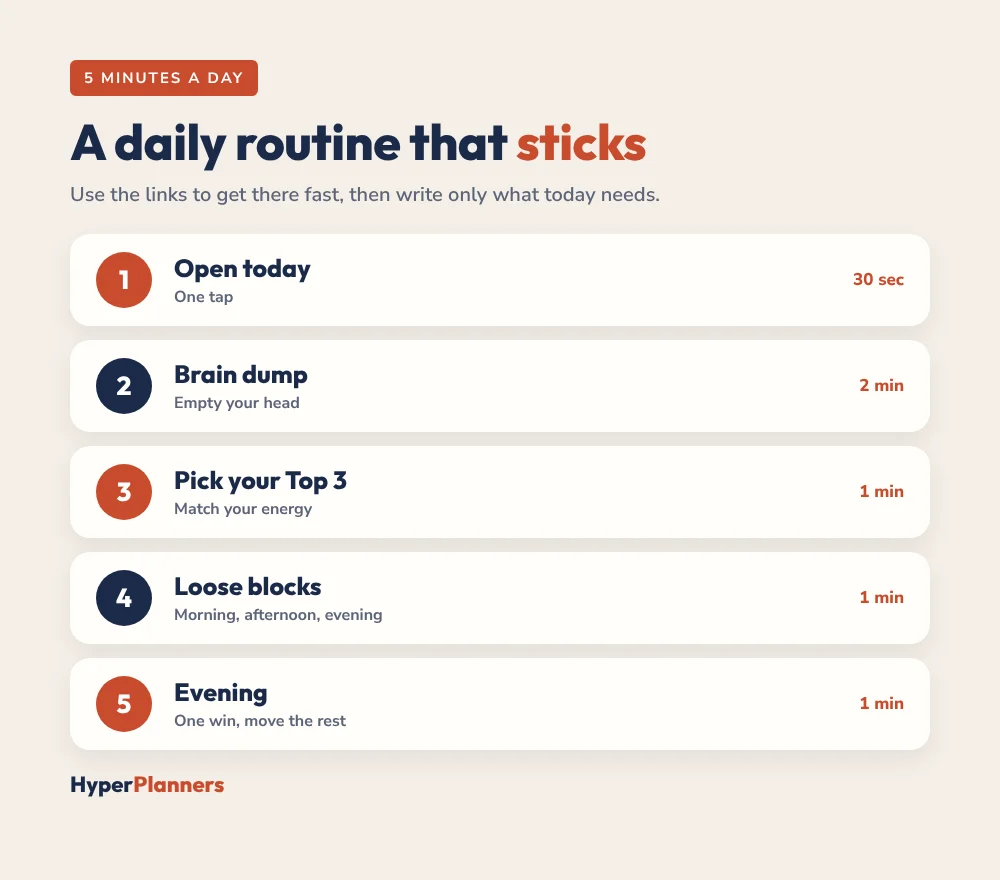
- Open today’s page with one tap (30 seconds).
- Brain dump anything on your mind (2 minutes).
- Pick your Top 3 and match them to your energy (1 minute).
- Give each a loose block: morning, afternoon or evening. Our time blocking for ADHD guide explains how.
- In the evening, note one win and move anything unfinished, without guilt.
Want help building the routine itself? Try our free ADHD daily schedule builder.
Common Mistakes to Avoid
- Using every section in week one. Start with one view and add more later.
- Decorating instead of planning. Stickers are fun, but the Top 3 is what moves your day.
- Skipping the index. Learn the main tabs once and navigation becomes automatic.
- Starting over after a bad week. Tap today and carry on.
- Switching apps every month. Pick GoodNotes or Notability and stay there.
The HyperPlanners ADHD Planner
Our 2027 ADHD Planner has 490 hyperlinked pages built around all of the above: a daily Top 3, brain dump, energy check and win of the day, plus a dopamine menu, habit and mood trackers, budgets and the “Restart here, no guilt” button. It comes in 4 themes with 72 covers and starts at $19 with no subscription. Not sure it’s for you? Start with the free 31-page ADHD Lite, or take our 60-second planner quiz.
Ready for every page? Get the full 2027 ADHD Planner.
Hyperlinked ADHD Planner FAQ
What is a hyperlinked digital planner?
It’s a PDF planner with clickable tabs and buttons on its pages, so you can tap to jump to any month, week, day or section instead of scrolling. You use it in a note-taking app like GoodNotes or Notability.
Why is a hyperlinked planner good for ADHD?
It removes friction. One tap gets you to today, so there’s less scrolling, fewer distractions and fewer decisions, and it’s easy to restart after a missed week.
Is a hyperlinked planner better than a static PDF?
For daily planning, yes. A static PDF works for occasional use, but a hyperlinked planner is much faster to navigate and easier to come back to, which matters most with ADHD.
Which apps work with hyperlinked planners?
GoodNotes, Notability, Xodo, Noteshelf, Samsung Notes and most PDF annotation apps on iPad, Android and Windows tablets. Use read-only or view mode to tap the links.
Is there a free hyperlinked ADHD planner?
Yes. HyperPlanners ADHD Lite is a free 31-page hyperlinked planner for 2027 with a Top 3, brain dump, loose time blocks and a dopamine menu.
Start With One Tap
Download a hyperlinked planner, open today’s page and write your Top 3. That’s the whole first step. The links do the rest by making it easy to come back tomorrow.