
2026-2027 Collection | Available Now
The Hyperlinked Digital Planner 2026-2027 for ADHD, Students and Every Device
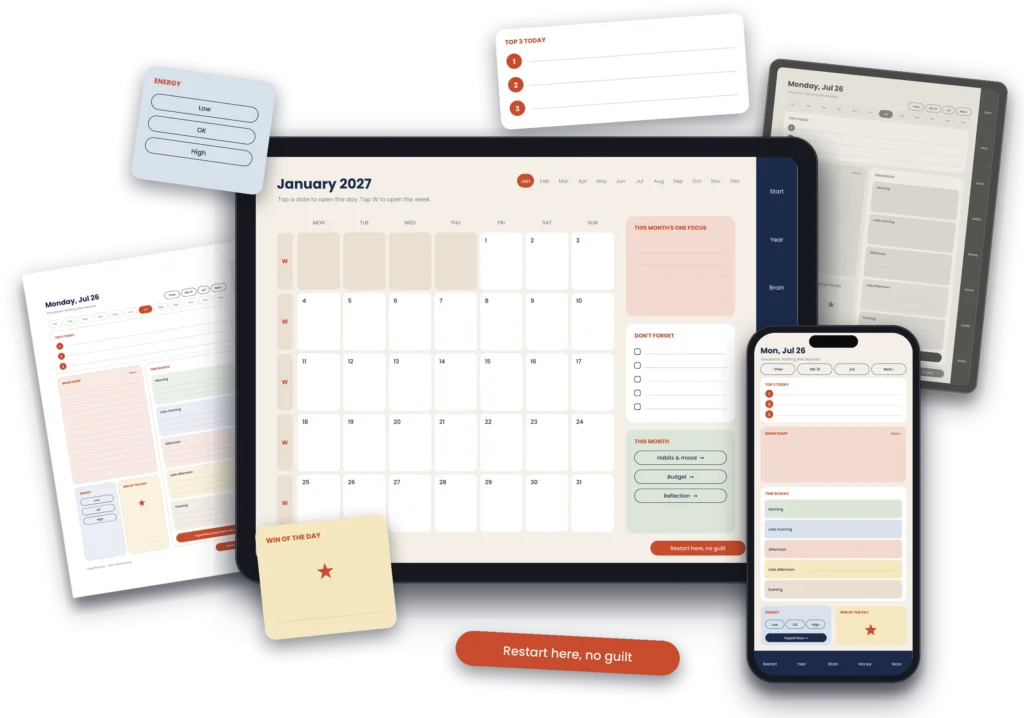
HyperPlanners makes hyperlinked digital planners for 2026 and 2027. Built for ADHD adults, students and solopreneurs who need a system that survives a missed week. One tap to any date or section, on iPad, Android tablets, phones, reMarkable and Kindle Scribe, or printed on paper.
Launch offer: EARLY2027 30% off until 31 October.
Instant download
Full hyperlinks work offline
Lifetime access
Tablet, phone and print
Free sample first
Built for every kind of planner
One digital planner 2026-2027, built for the way your brain actually works.
Five different audiences. One consistent system. Hyperlinked navigation that works the same whether you’re managing ADHD, studying for exams, or running a freelance business.
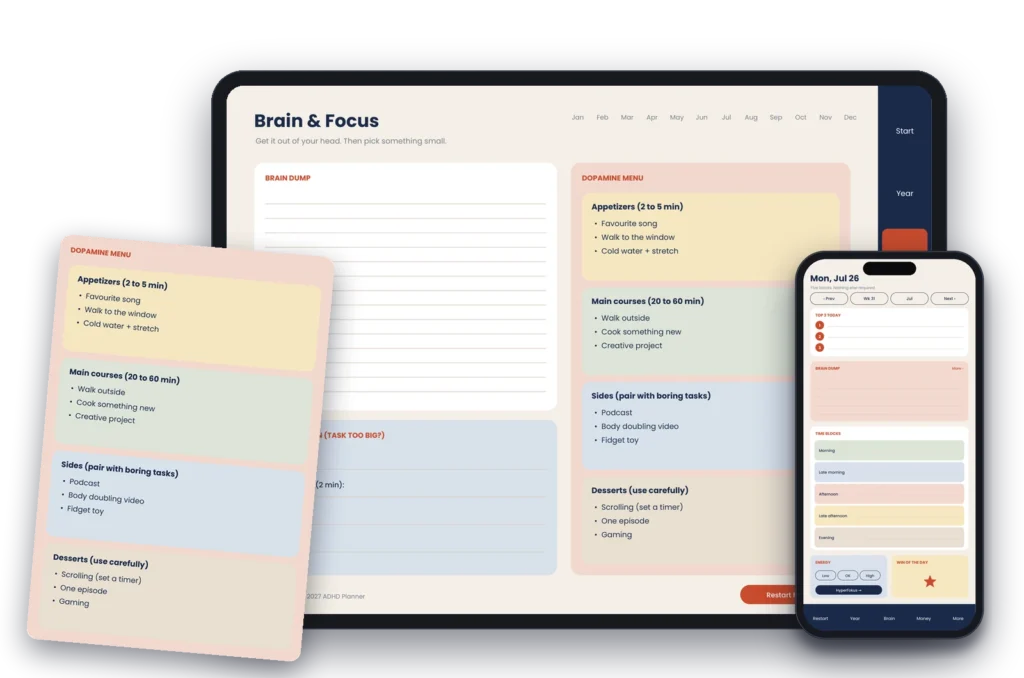
ADHD & Executive Function Planner 2026-2027
One tap to any section. No scrolling, no losing track. Structure that works with your brain, not against it.
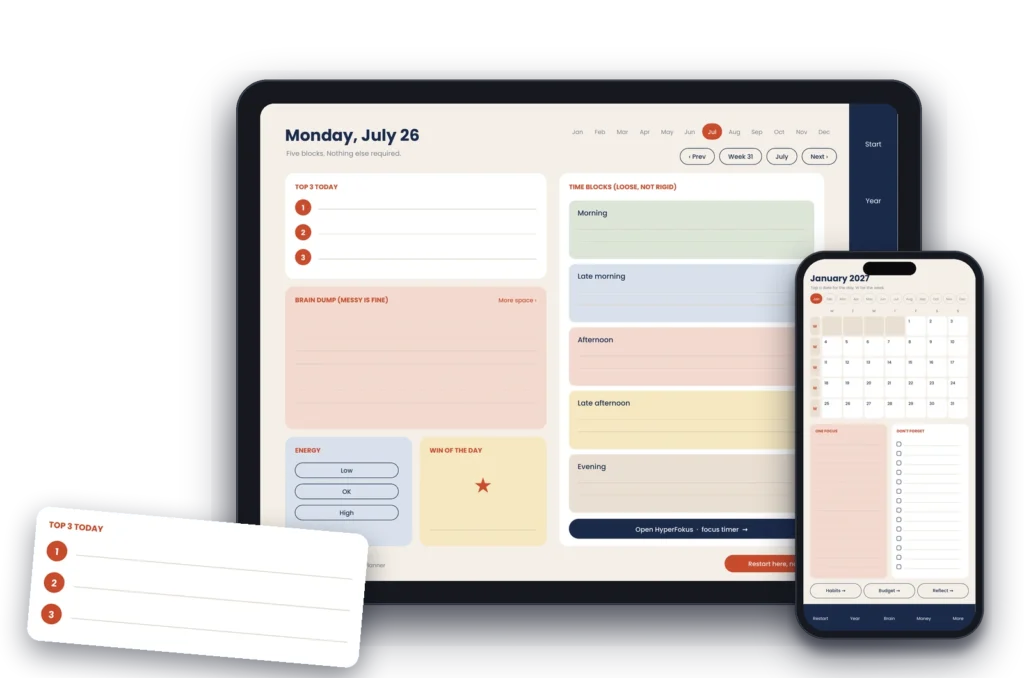
iPad & GoodNotes Digital Planner 2026-2027
Every hyperlink works on download. Apple Pencil or fingertip, import in minutes and plan the same day.
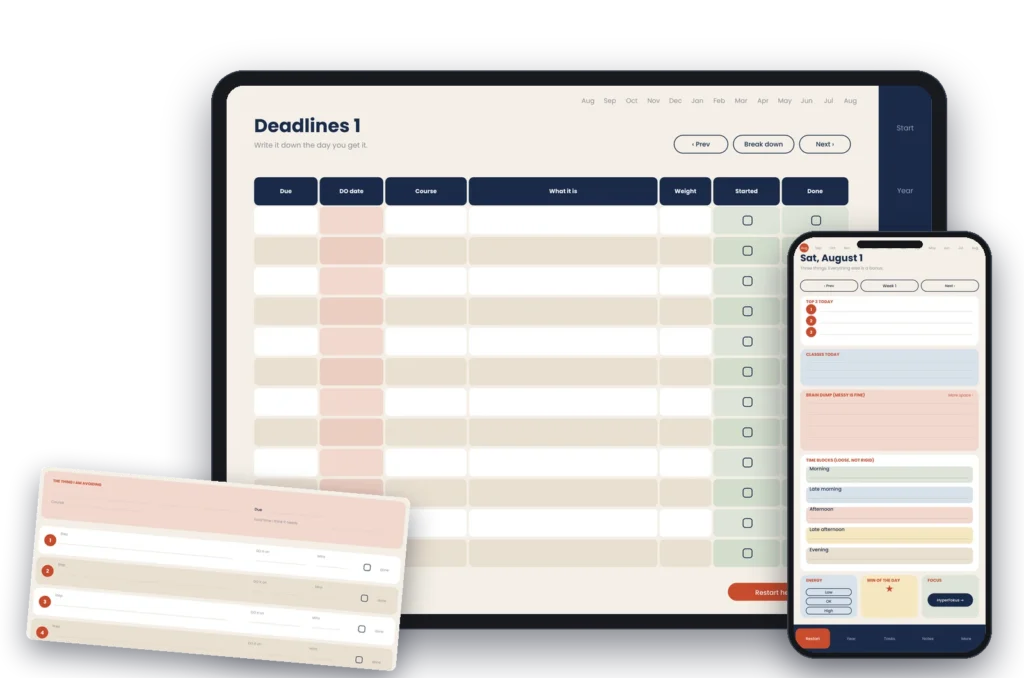
Student Digital Planner 2026-2027
Classes, deadlines, projects, all in one place. One tap between any of them, any time.
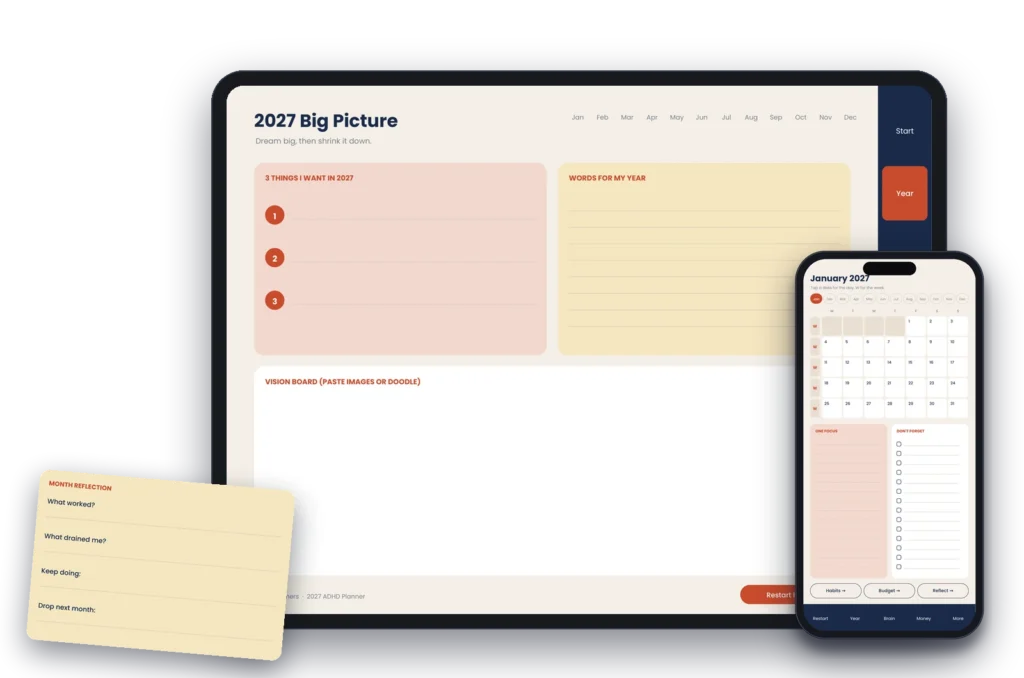
Professional Digital Planner 2026-2027
Budget tracker, daily structure and goal pages. Review your whole month in one view.
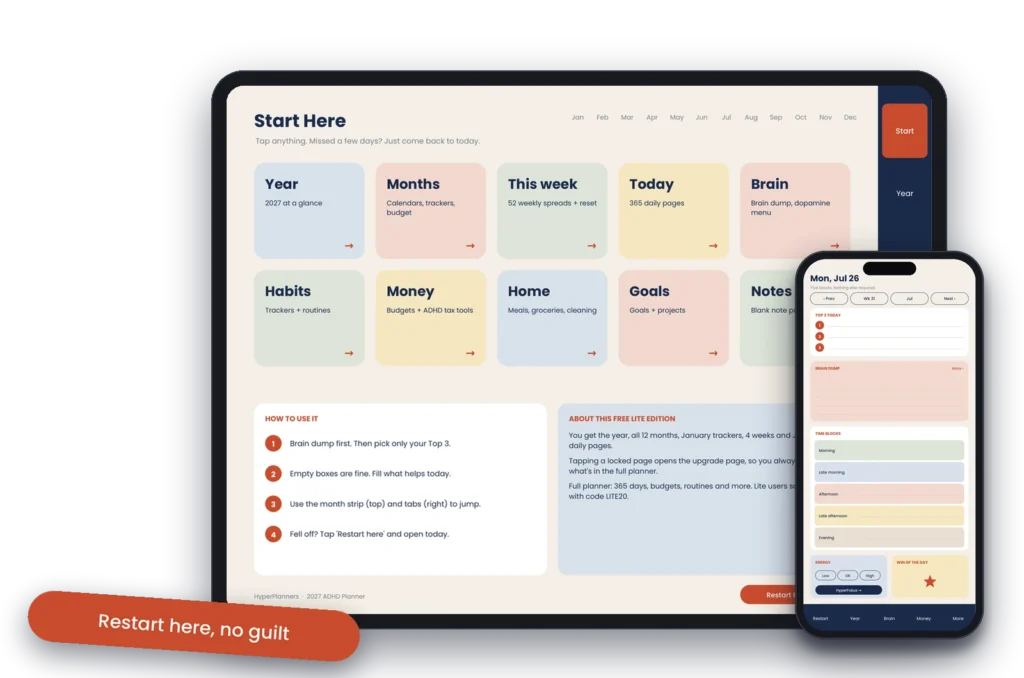
Beginner Digital Planner 2026-2027
Full hyperlinks, zero commitment. Try it free, no separate app needed.
The full 2026-2027 collection
Choose your digital planner 2026-2027
Launch offer: EARLY2027 30% off until 31 October.
Everyday life
2027 Digital Planner All-in-One
Your days, money, meals, habits and goals in one hyperlinked notebook.
ADHD & busy brains
ADHD Digital Planner 2027
For brains that do not run on a to-do list.
Students
Academic Digital Planner 2026-2027
For students who keep missing deadlines they knew about.
Free simple
Free Lite Digital Planner 2027
Pick one of three free Lite editions. Each one has real hyperlinked pages from the full planner, so you can test the links and layout in your own app.
Our digital planner 2026-2027 works on what you already own
Every HyperPlanners planner ships in five formats: landscape for iPad, Android tablets, laptops and desktops; portrait for tablets held upright, reMarkable, Kindle Scribe and Boox; phone for iPhone and Android; and printable A4 and US Letter.
GoodNotes 5 & 6
iPad · Mac
Notability
iPad · Mac
Xodo PDF
Android · Windows
PDF Expert
iPad · Mac
Samsung Notes
iPad · Mac
Adobe Acrobat
Windows · Mac
The planning tools we actually use
A planner is one part of the system. These are the tools we run HyperPlanners on, tested on our own work before we wrote a word about them. Some links are affiliate links, which means we earn a commission if you buy. It costs you nothing and it never decides what goes on this list.
Reclaim.ai
Auto-schedules my tasks around meetings so the calendar
stays honest. Free tier is enough to start.
Metricool
Schedules every Pinterest and Instagram post for
HyperPlanners. One dashboard, all platforms.
New to digital planning?
Step-by-step guide for every device, iPad, Android, and desktop.
Real users
What people say after switching to a digital planner.
I’ve tried dozens of planners. This is the first where hyperlinks actually eliminate the ‘out of sight, out of mind’ problem. I can find anything in under a second.
Carlos M.
Personal Trainer
Time blindness meant I was always late and overwhelmed. The visual structure finally made time feel real, I can actually see when I’m overcommitting before it happens.
Jennifer K.
ADHD Adult
Keeping track of classes, deadlines, and projects used to be overwhelming. The hyperlinked navigation saves me time every single day, I genuinely use this every morning.
Sophia M.
University Student
Learn more
Digital planner guides and setup walkthroughs
Digital planner 2026-2027 questions, answered
Yes. Every planner ships in landscape, portrait and phone formats that open in Xodo, Samsung Notes, OneNote or any Android PDF app that supports internal links.
Yes. Every planner includes A4 and US Letter versions, redrawn with light ink coverage. A What to Print page lists the page range of every section so you never print all 578.
Yes. The portrait format is built for e-ink tablets held upright, including reMarkable, Kindle Scribe and Boox.
No. GoodNotes, Notability, Noteshelf, Xodo, OneNote, CollaNote and PDF Expert all work. Any PDF app that supports internal links will do.
No. You pay once and the file is yours. There is nothing to renew and nothing to cancel.
Every page has a Restart button that takes you to today. There is no catching up to do and no streak to rebuild.
Your most organised year starts with one tap.
No more scrolling through 500 pages to find today. No more losing track of goals, budgets, and deadlines. Just one planner, every section one tap away, on every device you own.
Secure checkout via Gumroad