
GoodNotes Planner for ADHD: The Setup Guide That Actually Sticks
If you’ve bought planners before and stopped using them by week three, your brain isn’t the problem. Most GoodNotes planners fail ADHD adults because they add friction instead of removing it: too many sections, too much setup and pages too pretty to actually write on.
This guide shows you how to set up a GoodNotes planner that works with ADHD, week by week, with the settings, habits and mistakes that make the difference. For the full checklist of what to look for in any planner, see our guide to choosing an ADHD planner for adults.
Quick answer: The best GoodNotes planner setup for ADHD is a hyperlinked planner with short daily pages, used one view at a time. Import it, turn on read-only mode for navigation, add it to your favourites and start with only a weekly page or a daily Top 3 for the first week. Add one feature at a time, keep a brain dump page for stray thoughts and restart on today’s page whenever you fall behind.
Why GoodNotes Works Well for ADHD
- One tap to any page. With a hyperlinked planner, there’s no scrolling past old pages and no getting lost on the way to today.
- Handwriting keeps you engaged. Writing with an Apple Pencil helps many people focus and remember better than typing. Our iPad accessories guide covers which pencil to get.
- Nothing gets lost. No loose sheets, no forgotten notebooks. Your planner is always on your iPad.
- Mistakes don’t matter. Erase, move things with the lasso or duplicate a page. No messy crossings-out.
New to hyperlinks? Read why a hyperlinked planner works for ADHD.
What Your GoodNotes ADHD Planner Needs
- Hyperlinked navigation on every page, not just the index.
- A short daily page with a Top 3 instead of a long to-do list.
- A brain dump page to empty your head before you plan.
- An energy check so you can plan around how you actually feel.
- Simple trackers for habits and mood that take seconds to fill in.
- An easy restart for the weeks you fall behind.
Anything beyond that is optional. More sections usually means more ways to feel behind.
Set Up GoodNotes in 10 Minutes
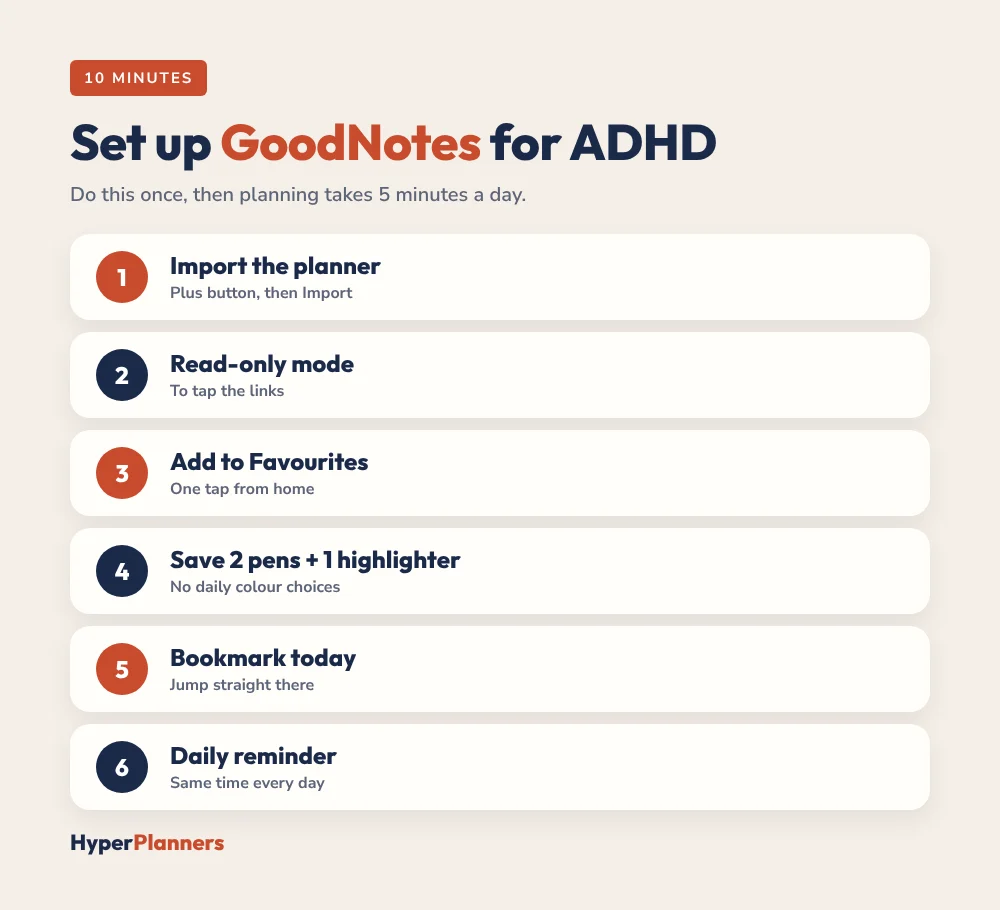
- Import the planner. Tap the plus button, choose Import and select the PDF. Our GoodNotes import guide has the full steps.
- Turn on read-only mode when you want to tap links, and switch back to the pen to write.
- Add the planner to Favourites so it’s one tap from the GoodNotes home screen.
- Pick two pens and one highlighter. Save them as favourites so you’re not choosing colours every day.
- Bookmark today’s page or the current week, so you can jump straight there.
- Set one daily reminder on your iPad at the same time each day to open the planner.
The Week-by-Week Setup That Sticks
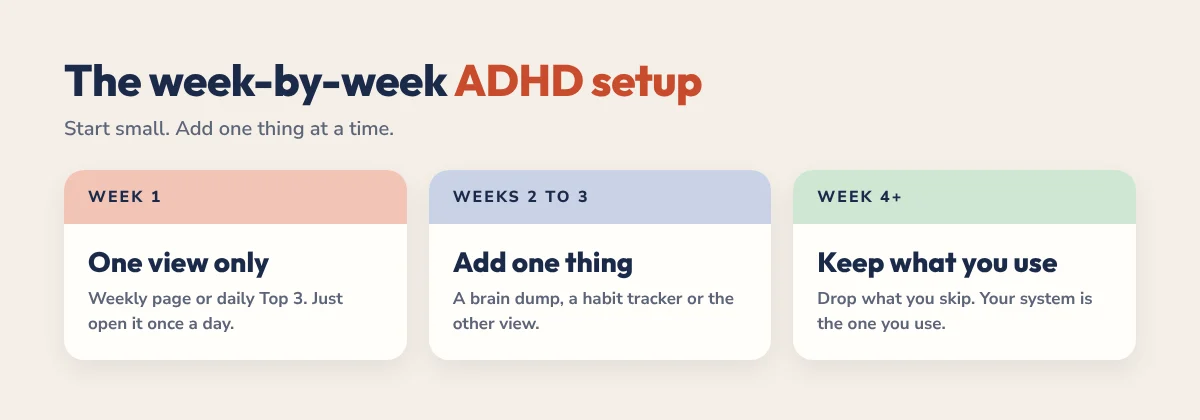
Week 1: One view only
Use either the weekly page or the daily page, not both. Write three priorities and any appointments. Your only goal this week is to open the planner once a day. That’s a win.
Weeks 2 to 3: Add one thing
If week one worked, add a single feature: a brain dump page, a habit tracker or the other view. Try it for a week. Keep it if it helps, delete it without guilt if it doesn’t.
Week 4 onwards: Keep what you use
By now you know which pages you actually open. Stick with those. Ignore the layouts you thought you’d need. The system you use is the right system.
Need a routine to anchor it? Our free ADHD daily schedule builder plans your day around your energy, and you can copy the blocks into your planner.
A 5-Minute Daily Routine in GoodNotes
- Open the planner from Favourites and tap to today.
- Brain dump for two minutes.
- Pick your Top 3 and match them to your energy.
- Give each a loose block: morning, afternoon or evening. Our time blocking for ADHD guide explains how.
- In the evening, tick off what’s done, note one win and move the rest with the lasso tool.
GoodNotes vs Notability for ADHD
GoodNotes is usually the better fit if your main goal is planning. Navigation is smooth, handwriting feels natural and there’s a huge choice of planner layouts. Notability is a good choice if you also take a lot of class or meeting notes, because it can record audio while you write. Either way, pick one and stay with it for at least a month. Read our full GoodNotes vs Notability for ADHD comparison if you’re still deciding.
Common Mistakes (and Easy Fixes)
- Starting with every section. Begin with one view and add more only when you miss them.
- Customising before using. Use the planner as it is for one week, then change what doesn’t work.
- Using it as a second brain. Plan and reflect here. Keep random notes in a separate notebook.
- Waiting for the perfect page. A messy page you use beats a beautiful one you avoid.
- Starting over after a bad week. Tap today and carry on. Old empty pages don’t matter.
- Switching apps when it gets boring. Boredom around week three is normal. Give it until week five before changing anything.
The HyperPlanners ADHD Planner for GoodNotes
Our 2027 ADHD Planner is built for exactly this setup. It has 490 hyperlinked pages with a daily Top 3, brain dump, energy check and win of the day, plus a dopamine menu, habit and mood trackers, budgets and a “Restart here, no guilt” button for the weeks that go sideways. It comes in 4 themes with 72 covers and works in GoodNotes, Notability and any PDF app.
Start with the free 31-page ADHD Lite and use it for a week. If it clicks, the full planner is a one-time payment from $19. Not sure which planner fits you? Take the 60-second planner quiz.
Ready for every page? Get the full 2027 ADHD Planner.
GoodNotes ADHD Planner FAQ
Is GoodNotes good for ADHD?
Yes, for many people. Hyperlinked planners in GoodNotes cut out scrolling and searching, handwriting keeps you engaged and nothing gets lost. Keep the setup simple and use one view at a time.
What is the best GoodNotes planner for ADHD?
One with hyperlinks on every page, short daily pages with a Top 3, a brain dump, an energy check and an easy way to restart after missed days, like the HyperPlanners ADHD Planner.
How do I set up a GoodNotes planner for ADHD?
Import the PDF, add it to Favourites, use read-only mode to tap links and start with one view for the first week. Add one feature at a time after that.
Should I use GoodNotes or Notability for ADHD planning?
GoodNotes is usually better for planning, while Notability suits people who also take lots of notes with audio. Pick one and stick with it for at least a month.
Is there a free GoodNotes planner for ADHD?
Yes. HyperPlanners ADHD Lite is a free 31-page hyperlinked planner for 2027 with a Top 3, brain dump, loose time blocks and a dopamine menu. It works in GoodNotes and Notability.
Start Small Today
Import a planner, tap to today and write three things. That’s the whole system for week one. GoodNotes and the hyperlinks do the rest by making it easy to come back tomorrow.