
The Best Digital Planner for University Students (2026-2027)
Lectures, readings, group projects and three deadlines in the same week. Most students start the year with a notes app, a few reminders and good intentions. Then midterms arrive and something slips through.
A digital planner on your iPad or tablet keeps the whole semester in one place: every class, deadline and exam, one tap away. This guide covers what the best digital planner for university students needs, how the main options compare and how to set yours up in your first week.
Quick answer: The best digital planner for university students is a hyperlinked PDF planner that runs on the academic year, with a semester overview, a class timetable, a deadline tracker and exam planning pages, used in GoodNotes or Notability. Try our free student planner first, then move to the full Academic Planner 2026-2027 (August to August) if it fits.
What the Best Digital Planner for University Students Needs
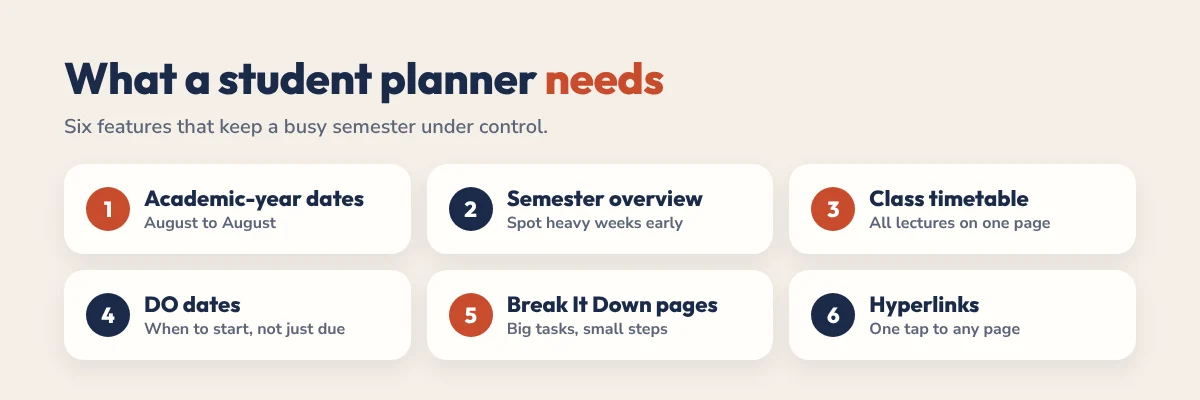
A university planner isn’t just a to-do list. It has to handle several courses at once, deadlines that move and exams that cluster at the worst times. Look for these six things:
- Academic-year dates. August to August, so your planner starts when your year does, not in January.
- A semester overview. See every heavy week at a glance and spot exam clusters before they hit.
- A class timetable. Your weekly lectures, labs and seminars on one page.
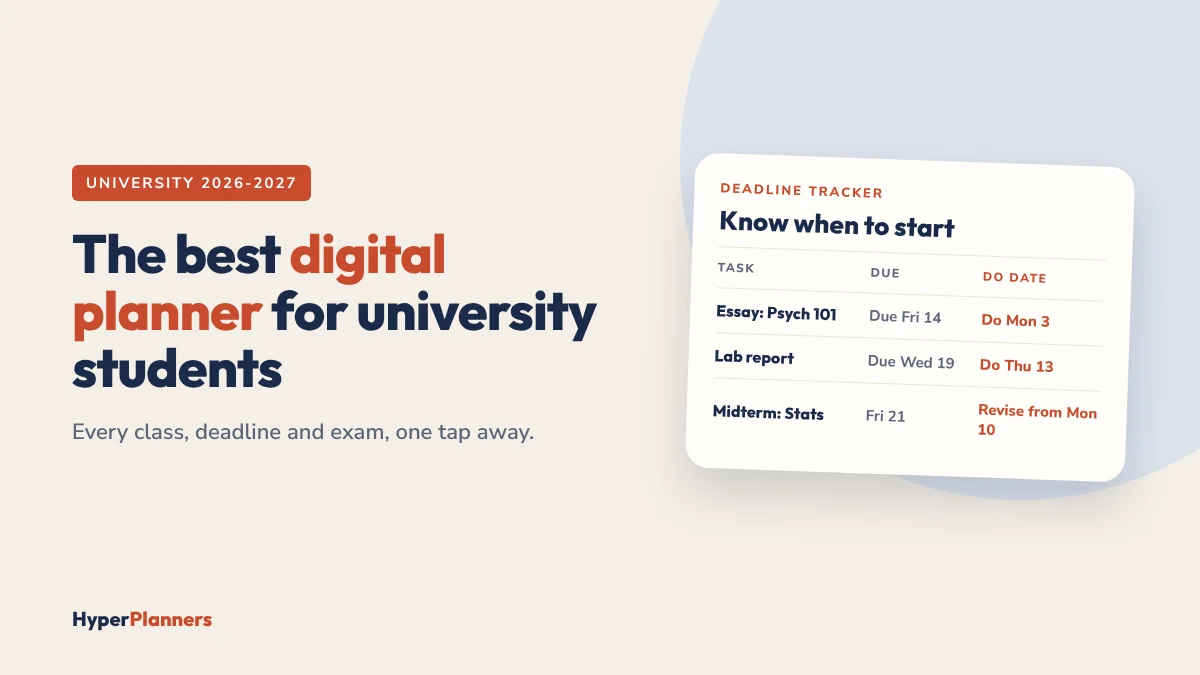
- A deadline tracker with DO dates. The due date tells you when it’s due. A DO date tells you when to start. That second date is what stops all-nighters.
- Exam and assignment pages. Space to break a big essay or revision plan into small steps.
- Hyperlinks everywhere. One tap from today’s page to the deadline tracker and back. Read what a hyperlinked planner is if you’re new to them.
Digital Planner Options for Students Compared
You have four realistic choices. Here’s how they compare for a busy semester:
| Option | Best for | Watch out for | Cost |
|---|---|---|---|
| Hyperlinked PDF planner | A ready-made semester system with handwriting | Needs a note app like GoodNotes | Free to about $19, one-time |
| Blank notebook in GoodNotes or Notability | Students who like to design their own pages | Hours of setup, easy to abandon | App plan only |
| OneNote | Free syncing across laptop and phone | Typing-first, weak for planning ahead | Free |
| Phone calendar and reminders | Fixed times like lectures | No space for priorities or breaking work down | Free |
Many students combine two: a planner for priorities and deadlines, plus a calendar app for lecture times. That works well. Just keep deadlines in one place only.
Not sure which note app to use? Read our comparison of GoodNotes vs Notability.
Best Digital Planner for University Students With ADHD
If you have ADHD, the planner matters even more. Deadlines feel far away until they suddenly don’t, and a complicated system gets dropped by week three. Look for:
- Short daily pages. A Top 3 for the day, not a 15-line list.
- DO dates on every deadline. They turn “due in two weeks” into “start on Tuesday”.
- Break It Down pages. Big assignments become small first steps, which helps with getting started.
- An easy restart. Missed a week? Go to today and keep going. No catching up.
For a full setup, read our ADHD digital planner guide for college students and our tips on time blocking for students.
How to Set Up Your Planner in Your First Week
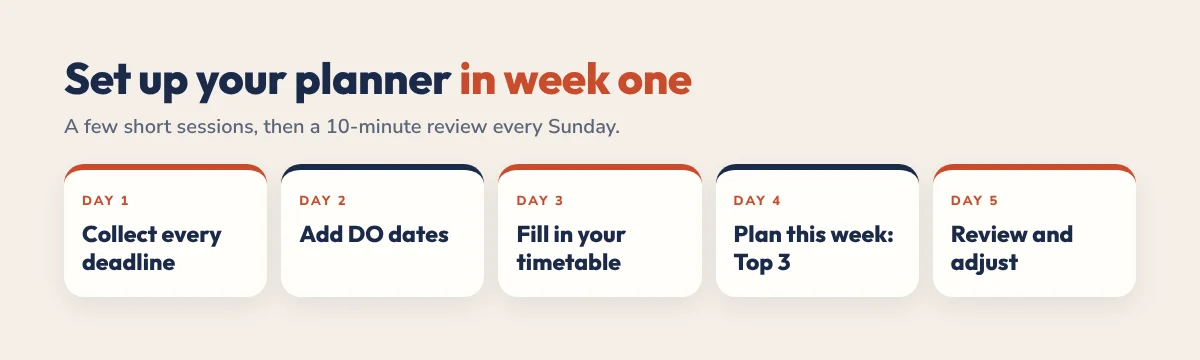
- Day 1: Collect every deadline. Go through each syllabus and add every assignment, exam and project date to your deadline tracker. It takes about 30 to 45 minutes and saves you all semester.
- Day 2: Add DO dates. For each deadline, pick a start date: about a week before for essays, two to three weeks before for exams.
- Day 3: Fill in your timetable. Lectures, labs, seminars, work shifts. Anything fixed.
- Day 4: Plan this week. Each day, write a Top 3 and give each a rough slot: morning, afternoon or evening.
- Day 5: Review and adjust. Is it working? Are you opening it? Remove anything you don’t use.
After week one, keep a 10-minute weekly review every Sunday: check the next two weeks of deadlines and move DO dates into your daily pages. Our study planner guide has a free weekly study template you can use alongside your planner.
Our Academic Planner 2026-2027
We built the Academic Planner for exactly this setup. It’s a hyperlinked PDF that works in GoodNotes, Notability and any PDF app, with no subscription.
- 578 hyperlinked pages covering August 2026 to August 2027.
- Semester planner, timetable and exam planner to see the whole term at once.
- Deadline tracker with DO dates so you start work in time.
- Break It Down pages for big assignments and revision.
- From $19, paid once.
Want to try first? Our free student planner (Academic Lite) has a semester overview, timetable, deadline tracker with DO dates and an exam countdown. Prefer an ADHD-first daily layout? See the 2027 ADHD Planner, or compare every option in our guide to the best digital planners.
FAQ
What is the best digital planner for university students?
A hyperlinked PDF planner that follows the academic year, with a semester overview, timetable, deadline tracker and exam pages, used in GoodNotes or Notability. The HyperPlanners Academic Planner 2026-2027 is built around these features, and a free Academic Lite version lets you try it first.
Is GoodNotes good for university students?
Yes. GoodNotes is fast, easy to organise and works well with hyperlinked planners and lecture notes. Notability is a good alternative if you want audio recordings synced to your notes.
What is a DO date?
A DO date is the day you plan to start a task, separate from its due date. Adding DO dates to every deadline helps you start assignments early instead of rushing the night before.
Can I use a digital planner on a laptop?
Yes. A PDF planner opens in any PDF reader, and the hyperlinks usually still work. You lose handwriting, so most students use the planner on a tablet and check it on a laptop when needed.
Is there a free digital planner for students?
Yes. Our free student planner (Academic Lite) is a hyperlinked PDF with a semester overview, timetable, deadline tracker with DO dates and an exam countdown. It works in GoodNotes, Notability and any PDF app.