
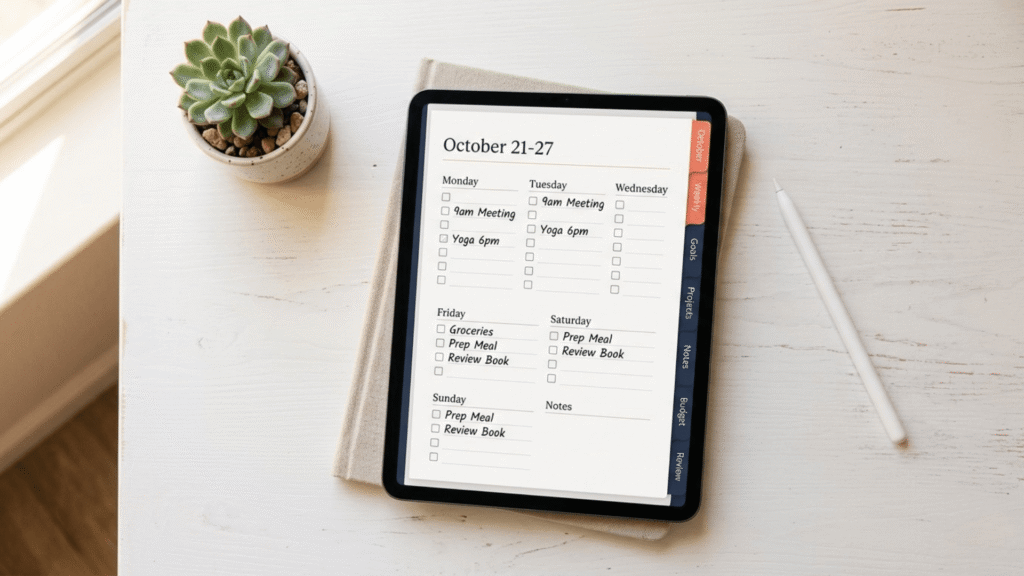
You’ve probably tried planners before. Maybe several. And at some point, each one stopped working—not because you lacked discipline, but because the system itself didn’t work for how your neurodivergent brain actually functions. The rigid structure, the cognitive load, the guilt when you skipped a day. None of that was your fault.
A neurodivergent friendly planner doesn’t ask you to change your brain. It works with your brain instead of against it.
Why Most Planners Fail Neurodivergent Friendly Digital Planner Users
Traditional planners—whether paper or digital—are built on assumptions that don’t hold for neurodivergent minds. They assume you can estimate time accurately (time blindness laughs at this). They assume rigid structures motivate you (executive dysfunction says otherwise). They assume missing a day is a failure, not just a Tuesday. For students navigating this at university, read: ADHD Digital Planner for College Students
Most planners create cognitive overload before they create any benefit. There’s too much navigation, too many sections, too many decisions to make each time you open them. By the third day, your brain has already decided it’s easier to avoid the planner than use it.
And the guilt—the subtle guilt that comes from a half-filled page or a missed day—this alone kills consistency for neurodivergent adults.
What Makes a Neurodivergent Friendly Digital Planner Different
A planner designed for neurodivergent brains does four things differently:
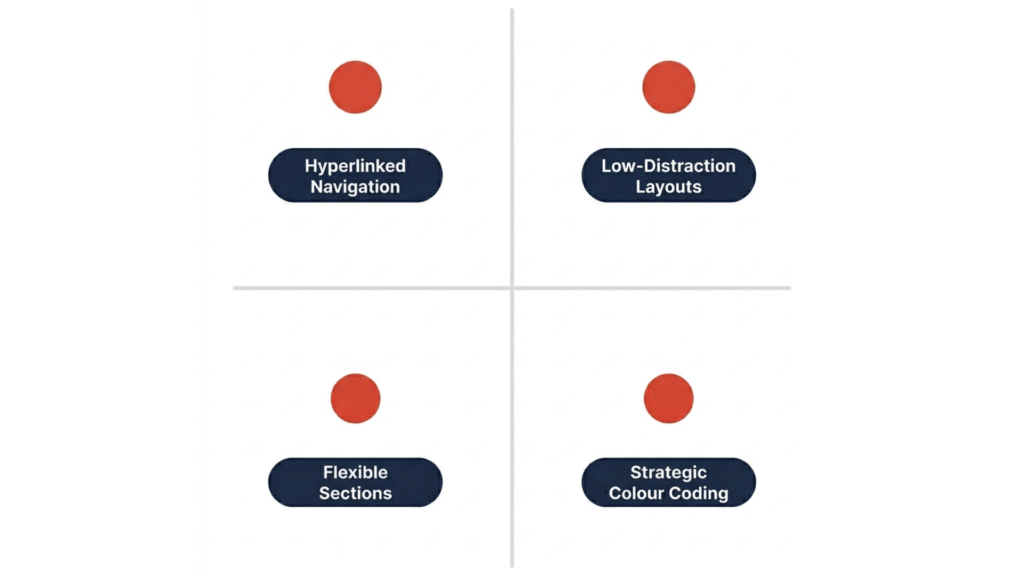
1. Hyperlinks — The Core Feature of Any Neurodivergent Friendly Digital Planner
You open the planner. You tap a link. You’re on the page you need. No scrolling through dozens of pages trying to remember what you’re looking for. This single feature cuts the friction in half and makes the difference between opening your planner and avoiding it. This is the core principle behind every hyperlinked digital planner built for ADHD and neurodivergent brains.
2. Low-Distraction Layouts Built for Neurodivergent Attention
Minimalist design isn’t just aesthetic—it’s neurological. Fewer elements on the page mean less cognitive demand. You’re not fighting competing visual information every time you write something down.
3. Flexible Sections That Adapt to Neurodivergent Planning Patterns
Some days you’ll plan weekly. Some days you’ll only plan daily. Some days you’ll skip planning entirely. A neurodivergent friendly planner lets you do all of this without breaking the system or triggering shame.
4. Strategic Color Coding for Neurodivergent Brains
Colors help neurodivergent brains organize information. But too many colors create cognitive noise. The right balance—using color purposefully, not decoratively—becomes a feature that actually helps you think.
💡 The neurodivergent difference: Most planners are designed to look beautiful. Neurodivergent friendly planners are designed to reduce friction and cognitive demand. Beauty comes second.
How HyperPlanners Became the Most Neurodivergent Friendly Digital Planner for iPad
HyperPlanners exists because traditional digital planners kept failing neurodivergent adults. Every feature was built specifically to address where other planners break down.
Hyperlinked navigation: Every page has clickable links that jump you instantly to where you need to be. One tap instead of 20 swipes. That friction reduction is the difference between consistency and avoidance.
Works with apps you already use: HyperPlanners is a PDF that imports into GoodNotes or Notability. You’re not learning a new app. You’re not dealing with subscriptions or notifications. You’re using tools you already know, in a way that works for your brain.
Layout designed for ADHD/neurodivergent attention: Every page prioritizes the essential and removes the decorative. No guilt-inducing habit trackers. No shame-inducing goal sections. Just space for what you actually need to plan.
Want to see the full system? Explore our hyperlinked digital planners designed specifically for how your neurodivergent brain works.
How to Set Up Your Neurodivergent Friendly Digital Planner in 5 Minutes
The setup is intentionally friction-free. Here’s the exact process:
Step 1: Download Your Neurodivergent Friendly Digital Planner
Purchase from Gumroad, download the PDF to your iPad. That’s it—no account creation, no login, no syncing complications.
Step 2: Import to GoodNotes or Notability
Open GoodNotes or Notability. Create a new notebook. Drag the PDF into it. The hyperlinks activate automatically. For a full breakdown of how to Import to GoodNotes or Notability, read: Import to GoodNotes or Notability for ADHD.
Step 3: Start Planning Without Configuration
Open to today’s page. Write what you need to write. Use the hyperlinks to jump between weekly, monthly, or reflection pages. Use Apple Pencil to write, type to add notes—whatever feels right in the moment.
That’s the setup. No configuration, no customization required. You’re ready to plan in under five minutes.
Start Using a Neurodivergent Friendly Digital Planner Today
Neurodivergent brains don’t need better discipline or willpower. They need tools that reduce friction and respect how you actually think. A planner designed for your brain—one that works with time blindness instead of ignoring it, one that adapts to executive dysfunction instead of punishing it—makes the difference between avoiding planning and actually doing it.
If you’ve tried other planners and they haven’t stuck, it’s not you. It’s been the wrong tool for your brain.
Your neurodivergent brain isn’t the problem. Your planner just wasn’t designed for it.


