
Reclaim.ai Review 2026: Is the New AI Calendar Good for ADHD?
Disclosure: some links in this review are affiliate links. If you sign up through them, we may earn a commission at no extra cost to you. It never changes our verdict. How we handle affiliate links.
Most ADHD planning advice starts once you’re already working. Reclaim.ai tackles the step before that: getting the work onto your calendar in the first place, and keeping it there when the day falls apart. For many ADHD brains, that’s the hardest part of every day.
In 2026 Reclaim changed a lot. Reclaim 2.0 added an AI assistant you can chat with, AI agents that look after your focus time and habits, and a Preview Mode that shows changes before they happen. This review covers what Reclaim does now, where it genuinely helps with ADHD, what it costs and who should skip it.
Quick answer: Reclaim.ai is one of the most useful AI calendars for adults with ADHD who work from Google Calendar or Outlook. It automatically finds time for your tasks, habits, focus time and breaks, and moves them when meetings change. Reclaim 2.0 lets you manage all of this by chatting, and Preview Mode means nothing moves without your OK. There’s a free Lite plan, and paid plans start at about $10 per month billed yearly. Skip it if you rely on Apple Calendar.
What Is Reclaim.ai?
Reclaim.ai is an AI scheduling assistant that sits on top of your existing Google Calendar or Outlook calendar. It doesn’t replace your calendar. It reads it, then places your tasks, habits, focus time and breaks into the free gaps, and reschedules them when something changes. Reclaim has been part of Dropbox since 2024.
Think of it as an assistant who rebuilds your plan every time a meeting moves, so you don’t have to.
What’s New in Reclaim 2.0
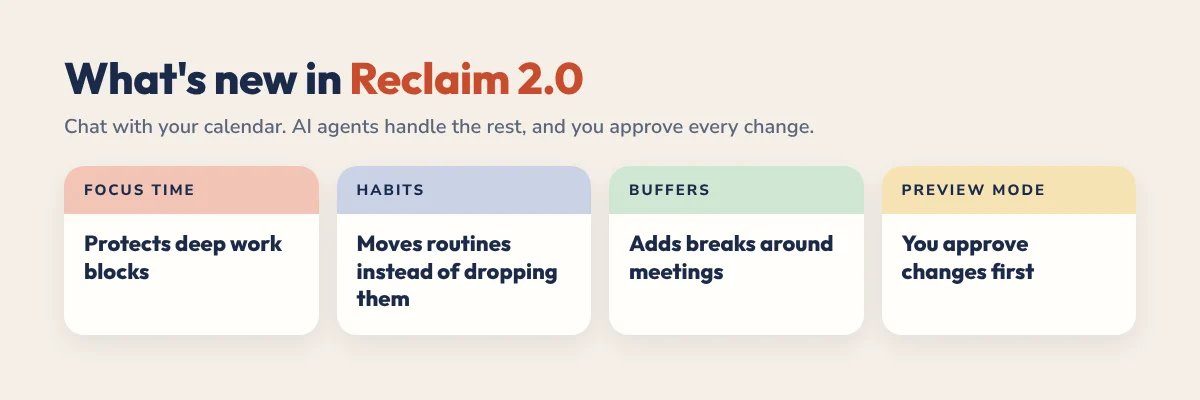
Every account created since May 2026 uses Reclaim 2.0, and older accounts can switch from a banner in the app. The big changes:
- Reclaim Chat. An AI assistant next to your calendar. Ask “what should I work on now?” or “move my writing block to tomorrow” in plain language.
- AI Agents. Agents that keep looking after parts of your week: Focus Time, Habits, Buffers, Smart Meetings, and an Essentials agent that flags meetings with no agenda or link.
- Preview Mode. Proposed changes are staged first. Nothing goes live until you apply it.
- Works with ChatGPT and Claude. Through MCP integrations, AI tools you already use can read and update your Reclaim schedule. See our guide to ChatGPT or Claude vs Reclaim for how they compare.
Why Preview Mode matters for ADHD: a common worry about auto-scheduling is that things move without warning, which can feel chaotic. Preview Mode keeps the automation but puts you back in control. You see the plan, then say yes.
Why Reclaim Helps With ADHD
Time blindness
Reclaim schedules work into the time you really have, not an imaginary day where everything fits. If your Tuesday only has 90 free minutes, it won’t pretend you can do four hours of work. Our guide to ADHD time blindness explains why that matters.
Decision fatigue at the start of the day
“What should I do first?” is already answered when you open your calendar. That removes one of the biggest triggers for ADHD procrastination.
Habits that don’t disappear
Set a habit like “30 minutes of exercise, three times a week, between 7am and 9am” and Reclaim finds the slot each week. If a meeting lands on top of it, the habit moves instead of vanishing.
Focus time that survives meetings
Set a weekly focus goal and Reclaim protects those blocks. They stay flexible while your calendar is open, then lock in as the week fills up, so deep work doesn’t quietly get eaten by meetings.
Buffers between tasks
Reclaim can add prep and recovery time around meetings. If back-to-back calls leave you scattered, those 10 or 15 minutes make a real difference.
Meetings eating your deep work? Our guide on how to protect focus time with ADHD covers 7 strategies, including how Reclaim defends focus time for you.
Set Up Reclaim in 15 Minutes
- Connect your main calendar. Use the Google or Outlook calendar you actually live in, usually your work calendar.
- Set your working hours. Be realistic, including when your energy drops.
- Add one habit. Pick the routine you most often skip, like a 10-minute daily plan or a lunch break.
- Turn on Buffers. Start with 10 minutes after meetings.
- Add three tasks with deadlines and time estimates, or connect Todoist, Asana, ClickUp, Jira, Linear or Google Tasks. See our Todoist and Reclaim setup guide.
- Check Preview Mode each morning before you apply changes.
Start small. One habit and a few tasks is enough for the first week. If you want a paper-like place to decide what matters before Reclaim schedules it, pair it with our time blocking for ADHD method.
Reclaim.ai Pricing in 2026
| Plan | Price | Best for |
|---|---|---|
| Lite | Free | Trying it: 1 calendar sync, unlimited tasks, unlimited buffers, 1 habit, 1 scheduling link |
| Starter | About $10 per seat a month billed yearly (about $12 monthly) | Most individuals with ADHD: unlimited habits and integrations, 8-week planning range |
| Business | About $15 per seat a month billed yearly (about $18 monthly) | Teams: unlimited scheduling links and smart meetings, delegated access |
| Enterprise | About $22 per seat a month, yearly only | Large organizations: SSO and user provisioning |
New accounts start with a free trial of paid features before moving to Lite. Students and educators can get 50% off (see our Reclaim guide for students). Prices change, so check Reclaim’s pricing page for the current numbers.
Which plan for ADHD? Start on Lite. If the single habit feels too limiting or you want your task app connected, Starter is where the ADHD benefits really kick in.
Pros and Cons
What works well for ADHD:
- Removes daily scheduling decisions, the hardest part of planning for many ADHD brains.
- Habits and focus time move instead of disappearing.
- Reclaim Chat makes changes quick when your plans fall apart.
- Preview Mode stops surprise changes.
- Connects to the task app you already use.
- The free plan is genuinely usable.
Real limitations:
- Google Calendar and Outlook only. No iCloud or Apple Calendar support.
- Built mainly for web and desktop, so it suits desk-based work better than planning on the go.
- Setup takes some thought: habits, priorities and working hours.
- Pricing is per seat, aimed at teams as much as individuals.
- It schedules your time but doesn’t give you space for reflection, brain dumps or handwriting.
Reclaim.ai vs a Digital Planner: Do You Need Both?
They solve different problems. Reclaim decides when things happen and defends that time. A planner helps you decide what is worth doing and why.
| Reclaim.ai | Digital planner | |
|---|---|---|
| Main job | Schedules tasks and protects time | Clarifies priorities and thinking |
| Works best for | Meeting-heavy, changing weeks | Daily Top 3, brain dumps, reflection |
| How you use it | Runs in the background | 5 minutes of handwriting a day |
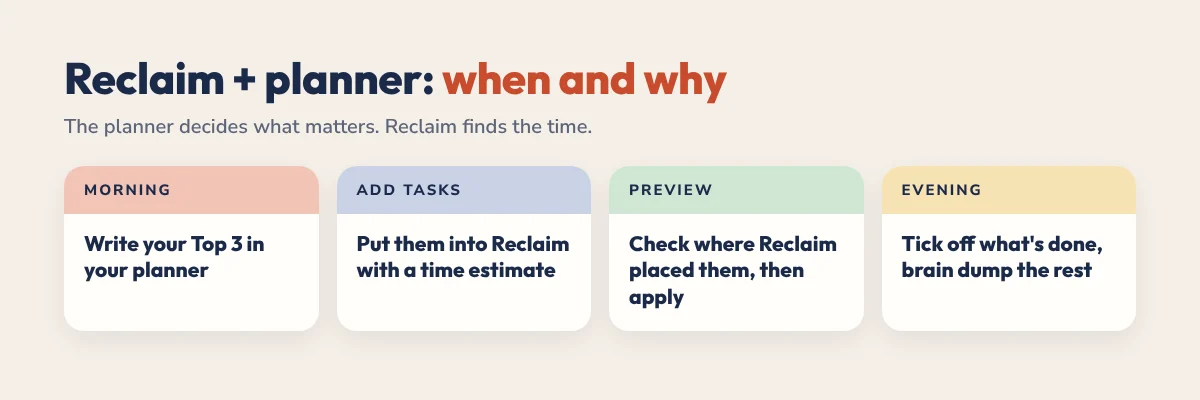
The combination that works for many ADHD adults: write your Top 3 in your planner each morning, add them to Reclaim as tasks, and let Reclaim find the time. Our 2027 ADHD Planner has a daily Top 3, brain dump and energy check built for exactly this. You can start with the free 31-page ADHD Lite.
Who Should Use Reclaim?
Use Reclaim if you:
- Work from Google Calendar or Outlook.
- Have meetings that break up your day unpredictably.
- Keep skipping routines because something always comes up.
- Already use a task manager and want it on your calendar.
- Like the idea of an AI assistant but want to approve changes first.
Look elsewhere if you:
- Live in Apple Calendar.
- Mostly plan from your phone.
- Have a quiet, self-directed day with few meetings. A simple daily schedule may be enough.
- Want handwriting and reflection more than automation.
Comparing options? See our guide to the best time blocking apps for ADHD and our Reclaim vs Google Calendar comparison.
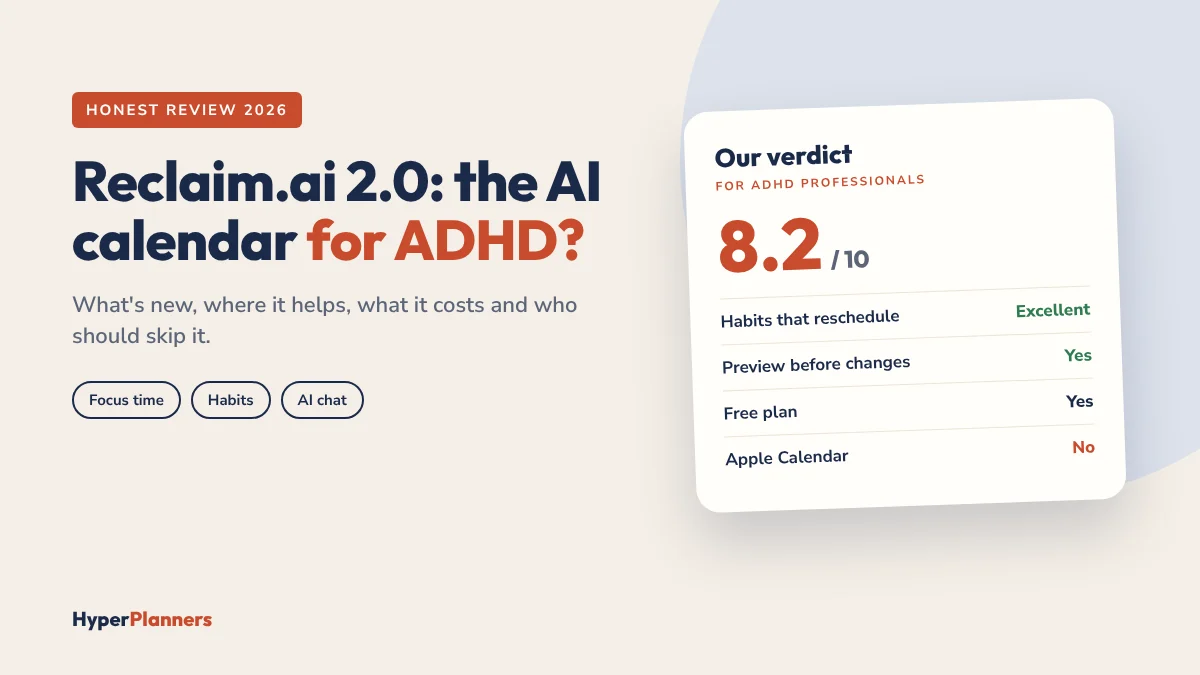
Verdict: 8.2 out of 10
Reclaim.ai is one of the most useful tools for ADHD adults with busy, changing calendars. Habits that reschedule themselves and focus time that survives meetings solve real problems no planner can fix alone. Reclaim 2.0 makes it easier to use, and Preview Mode answers the biggest worry about auto-scheduling. The lack of Apple Calendar support is the main reason to skip it. If you use Google or Outlook, start on the free plan and see how your first week feels.
Reclaim.ai FAQ
Is Reclaim.ai good for ADHD?
For many adults with ADHD, yes. It removes daily scheduling decisions, protects focus time and keeps habits from disappearing when meetings move. It works best with Google Calendar or Outlook and a desk-based workday.
Is Reclaim.ai free?
Yes. The Lite plan is free and includes 1 calendar sync, unlimited tasks, unlimited buffers, 1 habit and 1 scheduling link. Paid plans start at about $10 per seat a month billed yearly.
What is new in Reclaim 2.0?
Reclaim 2.0 added Reclaim Chat, an AI assistant you can talk to about your schedule, AI agents for focus time, habits, buffers and meetings, Preview Mode to review changes before they apply, and integrations with AI tools like ChatGPT and Claude.
Does Reclaim.ai work with Apple Calendar?
No. Reclaim works with Google Calendar and Outlook. Apple Calendar users would need to move their main calendar to Google or Outlook first.
Can I use Reclaim with ChatGPT or Claude?
Yes. Reclaim 2.0 supports MCP integrations, so compatible AI tools such as ChatGPT and Claude can read and update your Reclaim schedule.
Does Reclaim have a student discount?
Yes. Students and educators can get 50% off paid plans. Check Reclaim’s pricing page for current terms.