
Best Time Blocking Apps for ADHD (2026): 7 Honest Picks
Disclosure: some links in this post are affiliate or referral links. If you sign up through them, we may earn a commission or credit at no extra cost to you. It never changes our verdicts. How we handle affiliate links.
Time blocking works well for ADHD because it turns a vague list into real slots on your day. The catch is the tool. Pick one that’s too complex and it’s abandoned by week two. Pick one that expects you to re-plan by hand and the blocks fall apart the first time a meeting moves.
We compared seven popular time blocking apps on what matters for ADHD: how fast you can start, how they handle a day that goes wrong, and what they cost. There’s also a no-subscription option at the end.
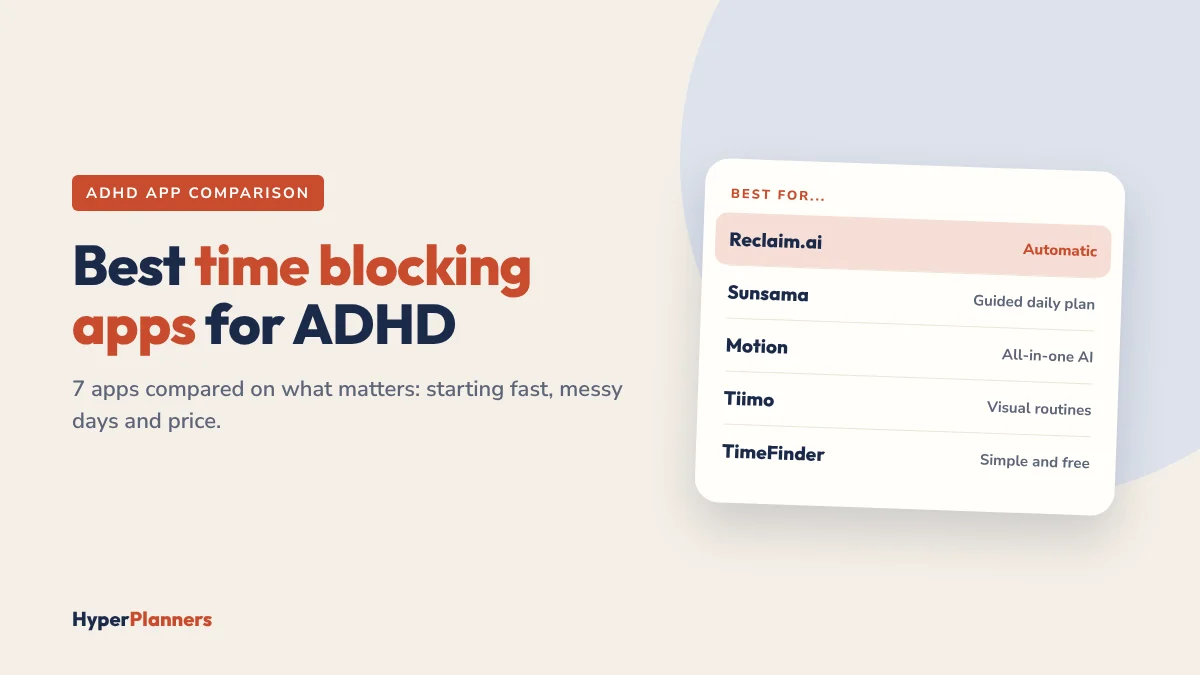
Quick answer: For most adults with ADHD, Reclaim.ai is the best place to start: it has a free plan and moves your blocks automatically when your day changes. Sunsama is best if you want a calm, guided daily planning ritual. Tiimo is best for visual routines, Motion for an all-in-one AI workspace if budget isn’t an issue, and a digital planner if you’d rather not pay monthly.
What Matters in a Time Blocking App for ADHD
- Fast to start. If seeing today’s plan takes more than a couple of taps, you’ll stop opening it.
- Forgiving re-planning. ADHD days rarely go to plan. Moving blocks should be easy, or better, automatic.
- Visible time. Blocks you can see, not a list with times next to it. This matters for time blindness.
- Limits on overplanning. Capacity warnings or a daily cap stop you from booking 12 hours of work into an 8-hour day.
- A price you’ll keep paying. An app you stop using still costs money every month. Free plans and trials help you test first.
The 7 Best Time Blocking Apps for ADHD
1. Reclaim.ai: Best for Automatic Time Blocking
Reclaim sits on top of Google Calendar or Outlook. You add tasks, habits and a weekly focus goal, and it finds time for them, then moves them when meetings land. With Reclaim 2.0 you can also chat with it and approve changes in Preview Mode.
- Good for ADHD: no daily re-planning, focus time that defends itself, habits that reschedule instead of disappearing.
- Watch out for: it works with Google and Outlook, not Apple Calendar, and it’s a calendar tool, not a place to brain dump.
- Price: free Lite plan. Paid plans from about $10 a month billed yearly. 50% off for students.
Read our full Reclaim.ai review for ADHD or see Reclaim vs Google Calendar.
2. Sunsama: Best for a Guided Daily Planning Ritual
Sunsama walks you through planning each morning: pull in tasks from your inbox and apps, estimate them, and drag them onto your calendar. It warns you when you’ve planned more than your working hours, and ends the day with a short shutdown routine.
- Good for ADHD: the guided ritual removes the blank-page freeze, and workload warnings stop overplanning.
- Watch out for: it doesn’t reschedule your calendar for you, and it’s one of the pricier options.
- Price: about $20 a month billed yearly or $25 monthly, after a free trial.
3. Motion: Best All-in-One AI Workspace
Motion combines an AI calendar with projects, tasks, docs and meeting notes. It plans your day automatically and reshuffles it as things change, which is powerful if you manage a lot of projects.
- Good for ADHD: one place for everything, with automatic scheduling.
- Watch out for: it’s the most expensive option here, and the trial asks for a card up front. All those features can also feel like a lot.
- Price: roughly $29 to $49 a month for individuals, depending on plan and billing.
4. Tiimo: Best for Visual Routines
Tiimo was built for neurodivergent people. Routines are laid out visually with colours and icons, and a circular timer shows how much time is left in each block.
- Good for ADHD: very low effort to read, and the visual timer helps with time blindness.
- Watch out for: better for routines than for complex work projects.
- Price: free basic plan on iOS and Android. Pro is about $8 a month, or less billed yearly.
5. Amazing Marvin: Most Customisable
Amazing Marvin lets you switch productivity “strategies” on and off, such as time blocking, Pomodoro or gamification, so the app can match how your brain works that week.
- Good for ADHD: flexible without forcing one system on you.
- Watch out for: so many options that setup can become its own distraction.
- Price: paid subscription after a free trial. Check the current price on its site.
6. Morgen: Best for Calendar Power Users
Morgen brings several calendars and task lists into one view, with an AI Planner that suggests time blocks for your tasks.
- Good for ADHD: everything on one screen, with help deciding where tasks fit.
- Watch out for: you still confirm and adjust the plan yourself.
- Price: about $15 a month billed yearly or $30 monthly, after a 14-day free trial.
7. TimeFinder: Simplest and Cheapest
TimeFinder is a simple time blocking app: a task list on one side, your day on the other. Drag tasks into slots and you’re done.
- Good for ADHD: almost no setup, so you can start today.
- Watch out for: no automation, so re-planning is up to you.
- Price: free to start, with an optional paid upgrade.
Side-by-Side Comparison
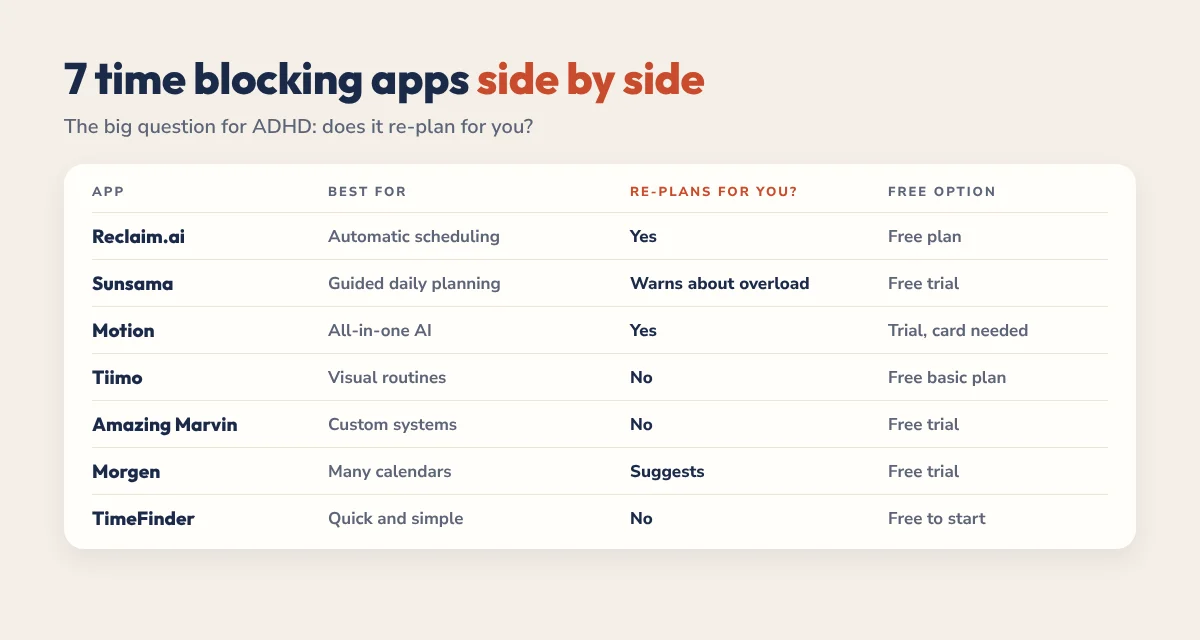
| App | Best for | Re-plans for you? | Free option |
|---|---|---|---|
| Reclaim.ai | Automatic scheduling | Yes | Free plan |
| Sunsama | Guided daily planning | No, warns about overload | Free trial |
| Motion | All-in-one AI workspace | Yes | Short trial, card needed |
| Tiimo | Visual routines | No | Free basic plan |
| Amazing Marvin | Custom systems | No | Free trial |
| Morgen | Many calendars in one view | Suggests, you confirm | Free trial |
| TimeFinder | Quick, simple blocking | No | Free to start |
Prices change often, so check each app’s pricing page before you subscribe.
Which One Should You Choose?
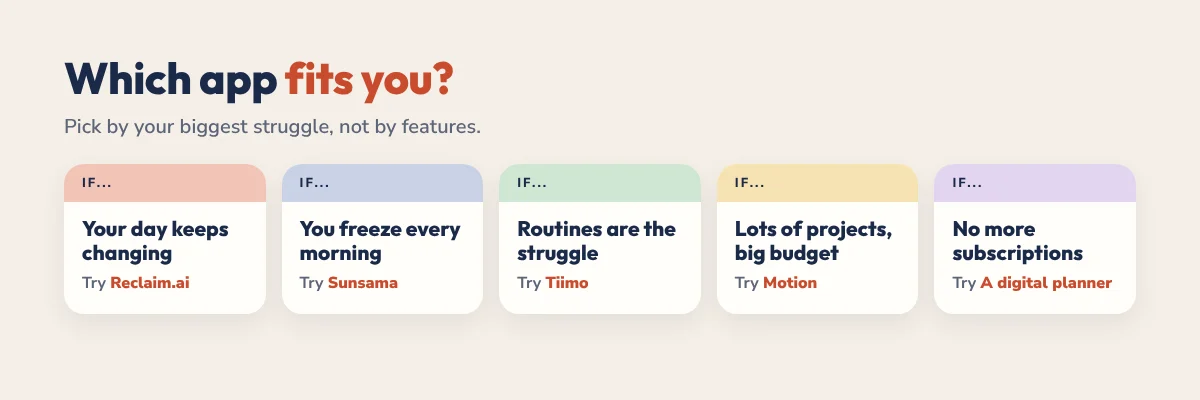
- Your day keeps changing and you hate re-planning: Reclaim.ai.
- You freeze at the start of the day: Sunsama.
- You run lots of projects and have the budget: Motion.
- Routines are your main struggle: Tiimo.
- You get bored of systems quickly: Amazing Marvin.
- You just want to start today for free: TimeFinder or Reclaim’s free plan.
Not sure how time blocking works yet? Start with our time blocking for ADHD guide, then come back and pick a tool.
The No-Subscription Option: A Digital Planner
Some people don’t want another app. A hyperlinked digital planner on your tablet gives you loose time blocks, a daily Top 3 and a brain dump, with no monthly fee and no notifications. Many people pair one with a free calendar app for fixed appointments.
- Free daily template: a one-page ADHD daily planner template with morning, afternoon and evening blocks.
- Free ADHD Lite: a 31-page hyperlinked planner for 2027. Download it free.
- 2027 ADHD Planner: 490 hyperlinked pages with 365 daily pages, from $19, paid once. See the ADHD Planner.
For a full comparison of planner types, read our guide to the best planner for ADHD adults.
FAQ
What is the best time blocking app for ADHD?
For most adults with ADHD, Reclaim.ai is a strong first choice because it has a free plan and reschedules blocks automatically when your day changes. Sunsama is better if you want a guided daily planning routine, and Tiimo is better for visual routines.
Is there a free time blocking app for ADHD?
Yes. Reclaim.ai has a free Lite plan, Tiimo has a free basic plan on iOS and Android, and TimeFinder is free to start. A free printable or digital planner template is another no-cost option.
Is Sunsama or Reclaim better for ADHD?
Reclaim is better if re-planning is your biggest struggle, because it moves your blocks automatically. Sunsama is better if starting the day is the hard part, because it guides you through planning each morning.
Is Motion worth it for ADHD?
Motion is powerful if you manage many projects and want everything in one AI workspace, but it’s the most expensive option here and can feel like a lot. Try a free plan like Reclaim’s first if you mainly need time blocking.
Do I need an app to time block with ADHD?
No. A digital or paper planner with loose time blocks works well for many people, especially if apps and notifications distract you. Many people combine a planner for priorities with a free calendar app for appointments.