
Can ChatGPT or Claude Manage Your Calendar? AI Assistants vs Reclaim for ADHD
Disclosure: some links in this guide are affiliate links. If you sign up through them, we may earn a commission at no extra cost to you. How we handle affiliate links.
If you already talk to ChatGPT or Claude every day, it’s tempting to hand them your calendar too. “Plan my week.” “Find time for my report.” “Move everything after 3pm.” Both assistants can now connect to Google Calendar, so why pay for a separate AI calendar?
The short answer is that they work in very different ways, and for ADHD that difference matters a lot. This guide explains what AI chat assistants can and can’t do with your calendar in 2026, how an always-on AI calendar like Reclaim.ai compares, and how to use them together.
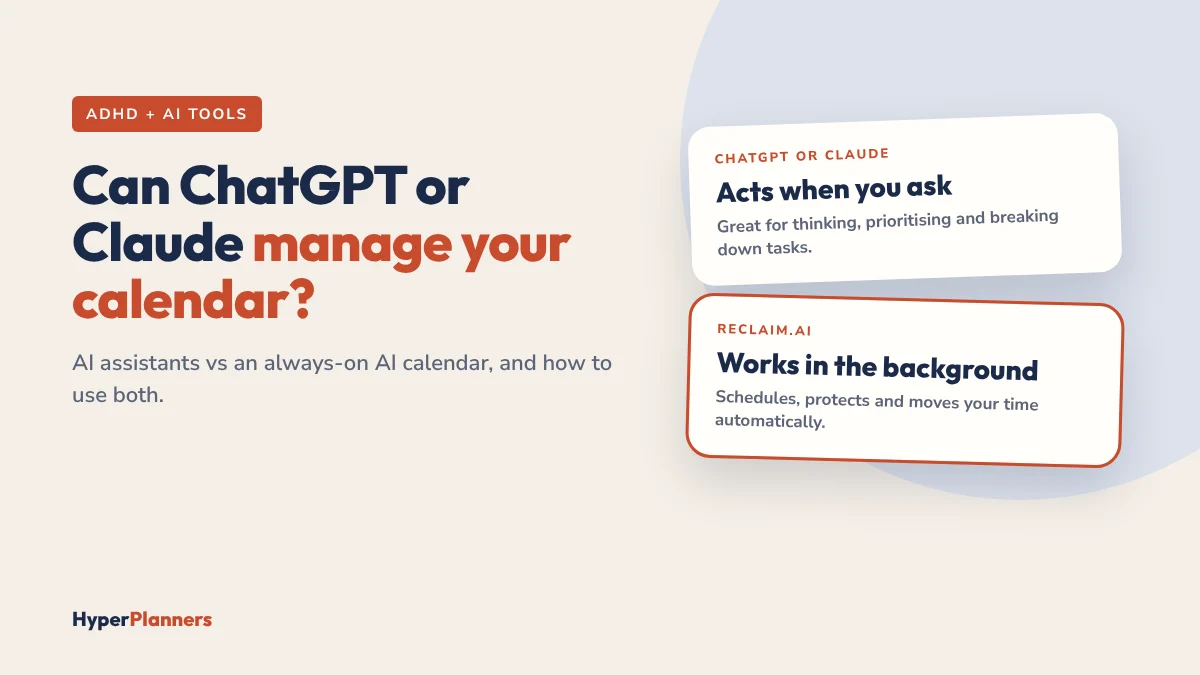
Quick answer: ChatGPT and Claude can read your Google Calendar and create events when you ask, but they don’t watch your calendar or fix it on their own. Reclaim.ai runs in the background, schedules your tasks, habits and focus time, and moves them when plans change. For ADHD, where remembering to ask is often the hard part, an always-on calendar does the heavy lifting. The best setup uses both: an AI assistant to think and prioritise, and Reclaim to keep the plan alive.
What ChatGPT and Claude Can Do With Your Calendar
Both assistants offer calendar connections in 2026. Here’s what they can do, based on their current integrations:
- Read your schedule. Summarise your week, list upcoming meetings, spot free time.
- Create events when you ask. “Add a 45-minute writing block tomorrow morning.” Claude asks for your approval before each change by default.
- Help you think. Turn a messy brain dump into a prioritised list, break a big task into steps or plan the order of your day.
And what they don’t do on their own:
- They don’t act unless you start them. Neither assistant watches your calendar in the background.
- They don’t fix conflicts automatically. If a meeting lands on your focus block, nothing moves until you ask.
- The events they create are fixed. A block added by an assistant stays where it is, even when your day changes.
Features and availability vary by plan and region. For example, ChatGPT’s Google connectors aren’t available in some countries, so check what your account offers.
What Reclaim.ai Does Differently
Reclaim.ai is a calendar assistant, not a chat assistant. You tell it what needs doing once, and it keeps working:
- Schedules tasks into your real free time, based on deadlines and priority.
- Protects focus time and habits, and moves them when meetings appear.
- Adds buffers between meetings.
- With Reclaim 2.0, you can also chat with it, and Preview Mode lets you approve changes before they apply.
Read our full Reclaim.ai review for ADHD for features, pricing and limits.
Side-by-Side Comparison
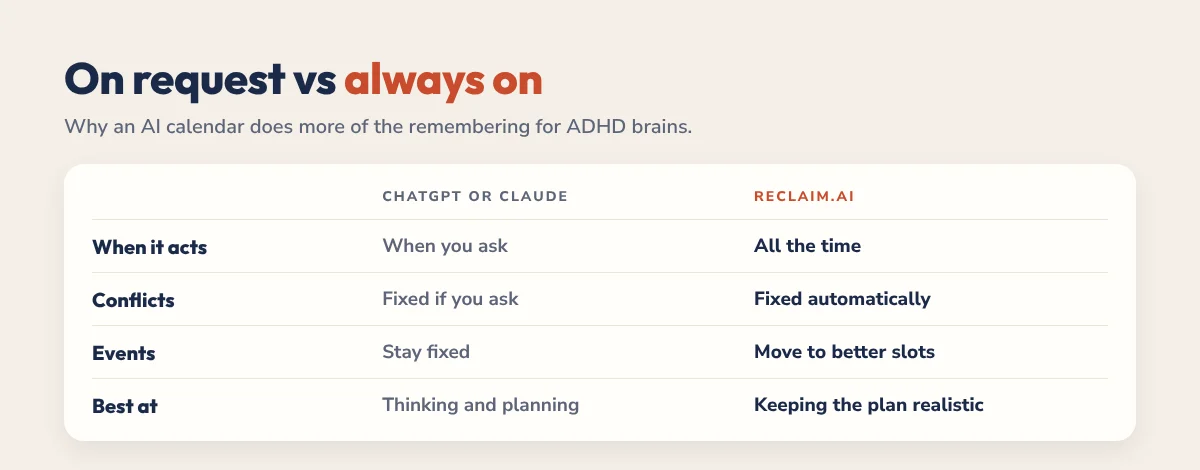
| ChatGPT or Claude | Reclaim.ai | |
|---|---|---|
| When it acts | When you ask | All the time, in the background |
| Schedule conflicts | Fixed only if you ask | Detected and resolved automatically |
| Events it creates | Fixed in place | Flexible, move to better slots |
| Focus time and habits | Blocked once on request | Protected and rescheduled every week |
| Best at | Thinking, prioritising, writing | Keeping your calendar realistic |
| Calendars | Mainly Google Calendar | Google Calendar and Outlook |
| Free option | Depends on your plan | Free Lite plan |
Why This Difference Matters for ADHD
Most ADHD planning problems aren’t about knowing what to do. They’re about starting, remembering and adjusting when the day falls apart.
- You have to remember to ask. An assistant only helps when you open it. On a scattered day, that’s exactly when you forget.
- Plans break quietly. When one meeting runs over, a fixed calendar doesn’t adjust. You discover the problem at 4pm.
- Re-planning is tiring. Rebuilding your afternoon after every change takes energy many ADHD brains don’t have spare.
An always-on calendar removes those steps. That’s the main reason we recommend an AI calendar over relying on a chat assistant alone, especially if time blindness is part of your day.
The Best Setup: Use Both
You don’t have to choose. Chat assistants are excellent at the thinking part of planning, and Reclaim is excellent at the scheduling part. Reclaim 2.0 even connects to ChatGPT and Claude through MCP integrations, so they can work with your Reclaim schedule.
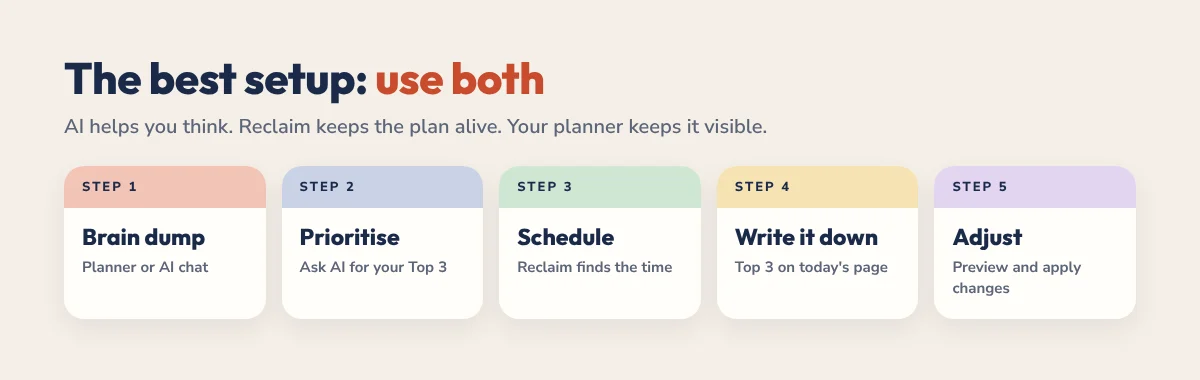
- Brain dump. Write everything on your mind in your planner or paste it into ChatGPT or Claude.
- Prioritise with AI. Ask: “Pick my 3 most important tasks today and estimate how long each takes.”
- Schedule with Reclaim. Add those tasks to Reclaim with deadlines. It finds the time and protects it.
- Write your Top 3. Copy them onto today’s planner page so you see them all day.
- Let Reclaim adjust. When meetings move, check Preview Mode and apply the changes.
If you get stuck at the brain dump stage, our ADHD task paralysis guide shows how to break a frozen list into first steps.
Prompts to try
- “Here’s my brain dump. Group it into today, this week and later, and keep today to three tasks.”
- “Break ‘finish the client report’ into steps under 30 minutes each.”
- “Look at my calendar this week and tell me which day is most overloaded.”
Which Should You Use?
| If you… | Start with |
|---|---|
| Have a busy, changing calendar | Reclaim.ai |
| Mostly need help deciding what to do | ChatGPT or Claude |
| Forget to plan once the day starts | Reclaim.ai |
| Use Apple Calendar only | An AI assistant plus a planner (Reclaim needs Google or Outlook) |
| Want the full system | Both, plus a planner for your daily Top 3 |
Reclaim has a free plan, so you can test the always-on approach without paying.
Where Your Planner Fits
AI tools are good at logistics. They’re less good at the five quiet minutes where you decide what actually matters today. That’s what a planner is for. Our 2027 ADHD Planner has a daily Top 3, brain dump and energy check that pair naturally with an AI calendar. Try the free 31-page ADHD Lite first.
Want more tools? See our list of the best AI tools for ADHD adults and our guide to time blocking for ADHD.
FAQ
Can ChatGPT manage my calendar?
ChatGPT can read your Google Calendar and create events when you ask, on plans and in regions where its connectors are available. It doesn’t watch your calendar or reschedule things on its own.
Can Claude add events to Google Calendar?
Yes. With the Google Calendar connector, Claude can read your calendar and create events, and it asks for your approval before making changes by default. It acts only when you ask.
Is Reclaim.ai better than ChatGPT for scheduling?
For ongoing scheduling, yes. Reclaim runs in the background, protects focus time and habits and moves them when plans change. ChatGPT is better for thinking through priorities and breaking down tasks.
Can Reclaim work with ChatGPT or Claude?
Yes. Reclaim 2.0 supports MCP integrations, so compatible AI tools like ChatGPT and Claude can work with your Reclaim schedule.
What is the best AI calendar for ADHD?
For people who use Google Calendar or Outlook, Reclaim.ai is one of the strongest options because it schedules and protects time automatically. Pair it with a planner for daily priorities and reflection.