
Best Visual Timers for ADHD (2026): Tools That Make Time Visible
Disclosure: some links in this guide may be affiliate links. If you buy through them, we may earn a commission at no extra cost to you. How we handle affiliate links. As an Amazon Associate I earn from qualifying purchases.
“Ten more minutes” turns into an hour. A task you meant to start after lunch is still waiting at dinner. If time slips away from you like that, you’re not alone. Many adults with ADHD describe it as time blindness: time doesn’t feel like it’s passing until it’s gone.
A visual timer won’t fix that on its own, but it does something a phone clock can’t. It shows time shrinking in front of you, so you can see how much is left at a glance. This guide covers the best types of visual timers, which one fits which situation and how to use one with your planner.
Quick answer: The best visual timer for most adults with ADHD is a simple disc timer like the Time Timer MOD: you twist the knob, a coloured disc shrinks as time passes, it runs silently and the end alert can be switched off. Choose a larger Time Timer PLUS or Original if you want to see it from across the room, a flip cube timer like Ticktime for quick Pomodoro sessions, or start free with our online focus timer to see if a visual timer helps you at all.
Why Visual Timers Help With ADHD
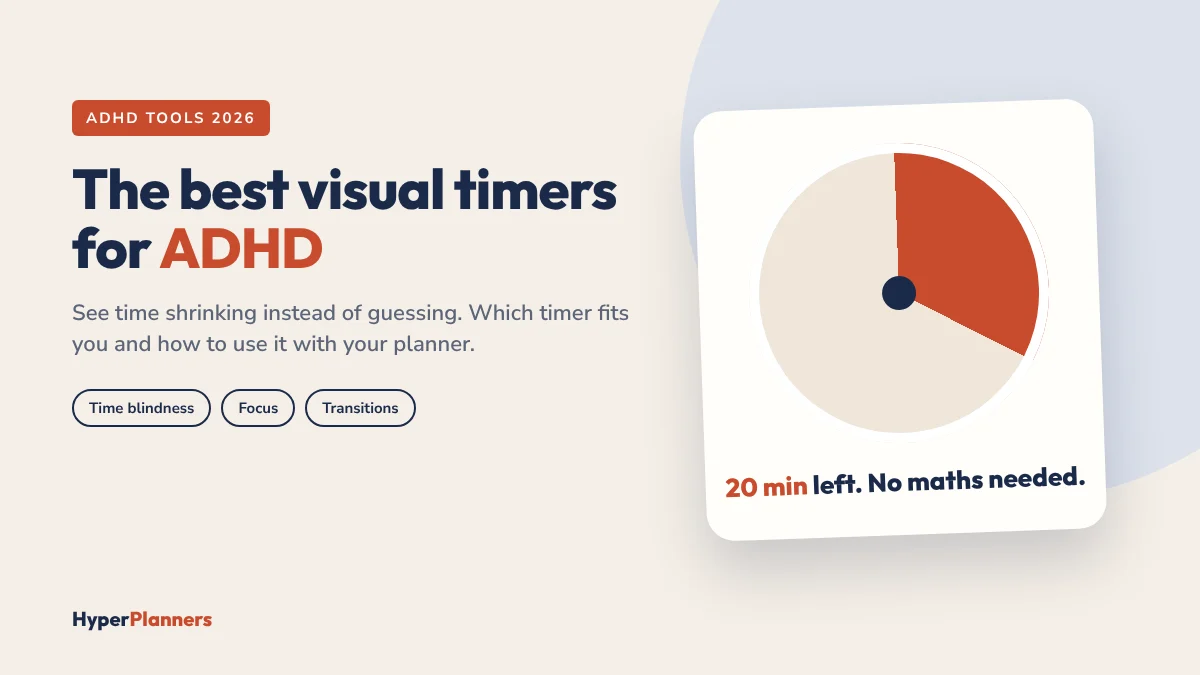
Numbers on a clock ask you to do maths: it’s 2:40, I need to leave at 3:15, so that’s 35 minutes. A visual timer skips that step. You simply see a shrinking block of colour. Half the disc gone means half the time gone.
- Starting is easier. “Just 15 minutes” feels possible when you can see exactly where it ends.
- Stopping is easier too. The disc running out gives you a clear cue to switch, even in hyperfocus.
- Transitions get softer. You see the end coming instead of being surprised by it.
- No phone needed. One less reason to pick up the device that distracts you most.
If visual timers are new to you, test the idea first with our free ADHD focus tool, which has a colour ring that empties as time runs down. If it helps, a physical timer on your desk is the next step.
The Best Visual Timers for ADHD
1. Time Timer MOD: best overall
The Time Timer MOD is the timer most people mean when they say “visual timer”. It’s small (about 3.5 inches), you set it by turning one knob up to 60 minutes and a coloured disc disappears as time passes. It runs silently, and the end alert can be turned on or off. It uses one AA battery.
- Good for: desk work, carrying between rooms, short focus sessions.
- Watch out for: the 60-minute limit, and a small face that’s hard to read from far away. Some people find the end beep abrupt.
2. Time Timer PLUS or Original 8-inch: best for seeing from across the room
If your timer will sit on a shelf, a wall or a fridge, size matters. The Time Timer Original 8-inch has a big face and a magnetic back for whiteboards and fridges. The Time Timer PLUS has a carry handle, a pause button and a volume control for the end alert, and there’s a 120-minute version for long work blocks.
- Good for: home offices, kitchens, morning routines, long deep-work sessions.
- Watch out for: they’re bulky on a small desk and not very portable.
3. A flip cube timer like Ticktime: best for Pomodoro
Cube timers have preset times on each side. Flip it and the countdown starts. Many have pause, silent flash or vibration alerts and a magnetic back. It’s the fastest way to start a session, which matters when starting is the hard part.
- Good for: Pomodoro sessions, cleaning sprints, “just 10 minutes” starts.
- Watch out for: it shows numbers rather than a shrinking disc, so it does less for the feeling of time passing.
4. A budget 60-minute disc timer: best for trying one cheaply
Several brands make simple disc timers that work like the Time Timer for less. They’re a good way to find out whether a visual timer suits you before you spend more.
- Good for: testing the idea, or having one in each room.
- Watch out for: the build and knob are usually less precise, and similar-looking models differ in whether they tick or run silently. Check that the listing says silent.
5. A sand timer: best for no-batteries simplicity
An hourglass is the original visual timer. There are no buttons, no beeps and nothing to charge. Flip it and watch. Hourglasses come in different lengths, so check the time in the listing. Shorter ones work well for quick tasks and breaks.
- Good for: short tasks, breaks, kids and adults alike.
- Watch out for: no alert at all, so it won’t pull you out of hyperfocus.
Which Visual Timer Should You Choose?
| If you want… | Choose |
|---|---|
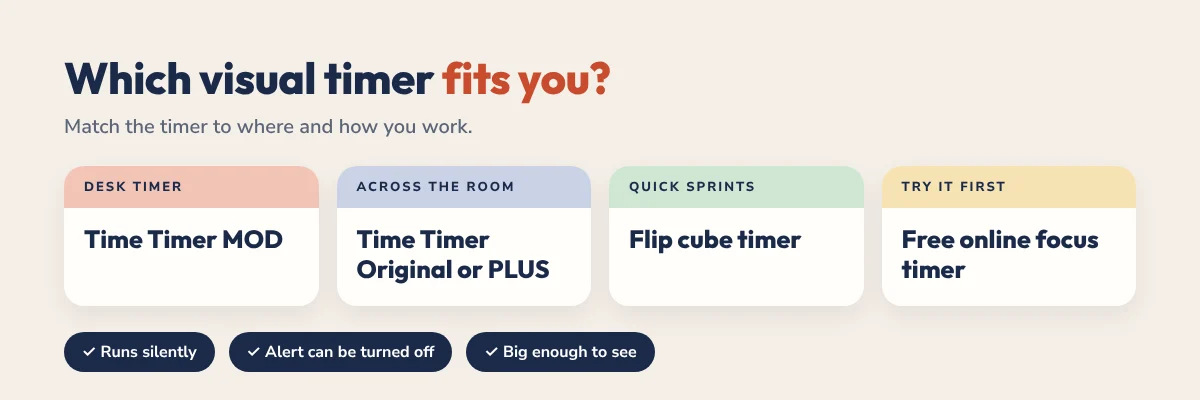
| One simple timer for your desk | Time Timer MOD |
| To see time from across the room | Time Timer Original 8-inch or PLUS |
| Long work blocks over an hour | Time Timer PLUS 120 |
| The fastest way to start a session | A flip cube timer |
| To test the idea cheaply | A budget silent disc timer, or our free online focus timer |
| No batteries or beeps at all | A sand timer |
Three things to check on any timer: that it runs silently (no ticking), that the end alert can be turned off or softened and that it’s big enough to see from where you work.
How to Use a Visual Timer With Your Planner
A timer tells you how long. Your planner tells you what. Together they turn a to-do list into a day you can actually see.
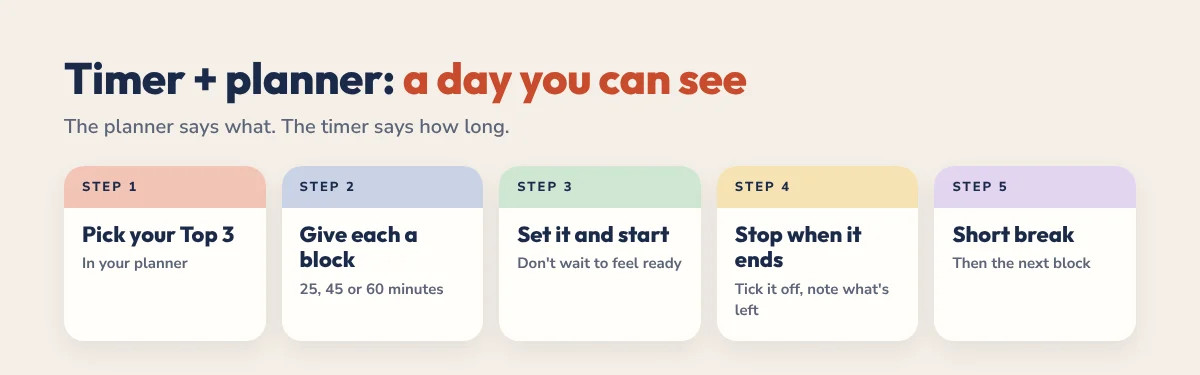
- Pick your Top 3 for the day in your planner.
- Give each one a time block, like 25, 45 or 60 minutes. Our time blocking for ADHD guide shows how.
- Set the timer and start. Don’t wait to feel ready. The disc does the waiting for you.
- When it ends, stop and tick it off, even if you’re not finished. Note what’s left.
- Take a short break with a smaller timer, then start the next block.
Prefer short sprints with breaks? Read our Pomodoro vs time blocking comparison to choose the right method.
Common Mistakes
- Setting it and leaving the room. A visual timer only works if you can see it.
- Using your phone as the timer. It works, but it’s one tap away from scrolling.
- Blocks that are too long. Start with 15 or 25 minutes and build up.
- Ignoring the end. When time’s up, stop and decide. Otherwise the timer becomes background noise.
If time is often getting away from you and it’s seriously affecting your work or life, it’s worth talking to a doctor or ADHD specialist. A timer is a helpful tool, not a treatment.
Pair Your Timer With a Planner Built for ADHD
Our 2027 ADHD Planner has a daily Top 3, a brain dump, an energy check and loose time blocks that work perfectly with a visual timer. It’s 490 hyperlinked pages for GoodNotes, Notability and any PDF app, from $19. Want to try first? The free 31-page ADHD Lite has the same daily layout.
For more strategies, read our full guide to ADHD time management.
Visual Timer FAQ
What is the best visual timer for ADHD?
For most adults, a simple silent disc timer like the Time Timer MOD. You set it with one knob, a coloured disc shrinks as time passes and the end alert can be turned off. Larger models like the Time Timer PLUS are better if you need to see it from across a room.
Do visual timers help with time blindness?
Many people with ADHD find them helpful because they show time passing instead of making you read and calculate numbers. They don’t cure time blindness, but they make time easier to see and manage.
Is a visual timer better than a phone timer?
For many people, yes. A physical timer stays visible all the time and doesn’t tempt you to check notifications. A phone timer is fine if you can use it without getting distracted.
How long should I set a visual timer for?
Start with 15 to 25 minutes for focused work and 5 to 10 minutes for breaks. Increase the time once that feels easy.
Is there a free visual timer?
Yes. Our free ADHD focus tool at hyperplanners.com/adhd-focus-tool/ has a visual ring that empties as time runs down. It’s a good way to test whether visual timers help you before buying one.