
Reclaim.ai vs Google Calendar (and Gemini): Which Works Better for ADHD?
Disclosure: some links in this post are affiliate links. If you sign up through them, we may earn a commission at no extra cost to you. It never changes our verdict. How we handle affiliate links.
Google Calendar is everywhere. It syncs with Gmail and your phone, it’s free, and it now has Gemini built in. So why do so many adults with ADHD still feel like their calendar is failing them?
The usual problems aren’t about opening the app. They sound like this: “I forgot to block focus time.” “Meetings keep eating my deep work.” “I scheduled it but never did it.” Google Calendar shows you those problems clearly. It doesn’t solve them. This guide compares Google Calendar (with Gemini) and Reclaim.ai for ADHD, with real examples, pricing and a simple way to try both.
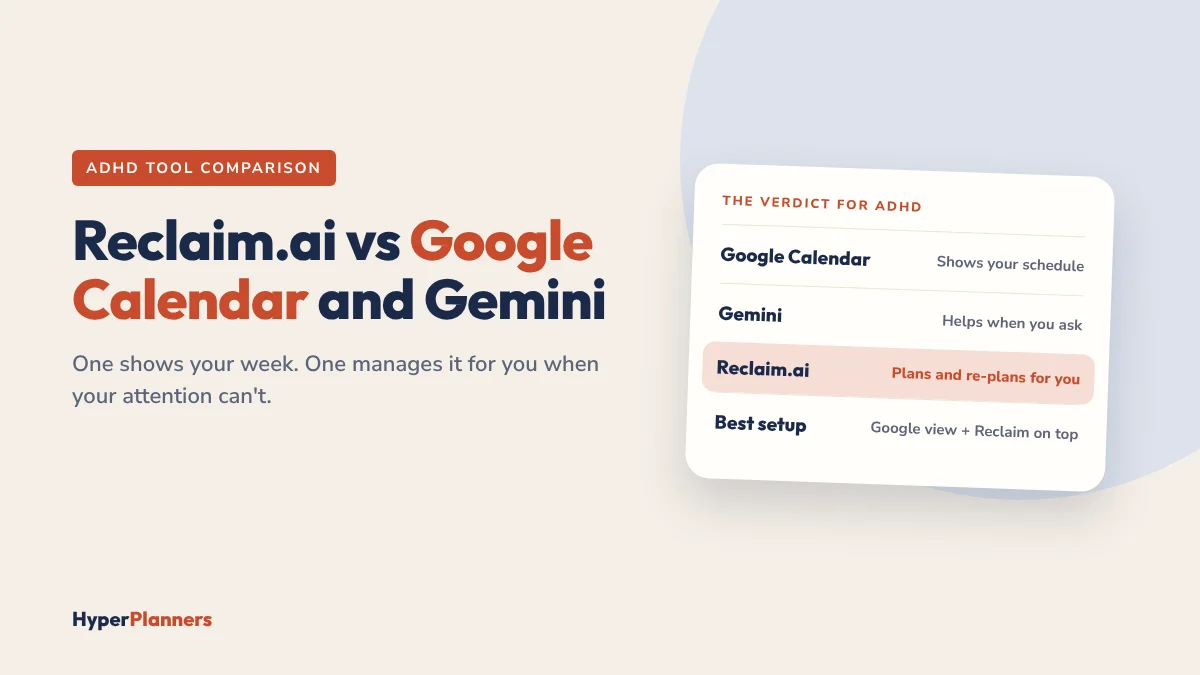
Quick answer: Google Calendar is a great place to see your schedule, but you have to plan, protect and re-plan everything yourself. Gemini helps when you ask it to, but it doesn’t watch your week. Reclaim.ai sits on top of Google Calendar or Outlook and does that work in the background: it schedules your tasks and habits, protects focus time and moves things when meetings change. For ADHD, Reclaim usually wins. Keep Google Calendar as your main view and add Reclaim’s free plan on top.
What Google Calendar Does Well
Let’s be fair. Google Calendar is a genuinely good calendar. It syncs with Gmail, Google Meet and your phone, it’s quick to use, you can colour-code events and share calendars, and the basic version is free. If you’re already organised and just want to see your week, it’s all you need.
The trouble is what it leaves to you. You decide when tasks happen, you notice conflicts and you rebuild your plan every time something moves.
The Core Difference
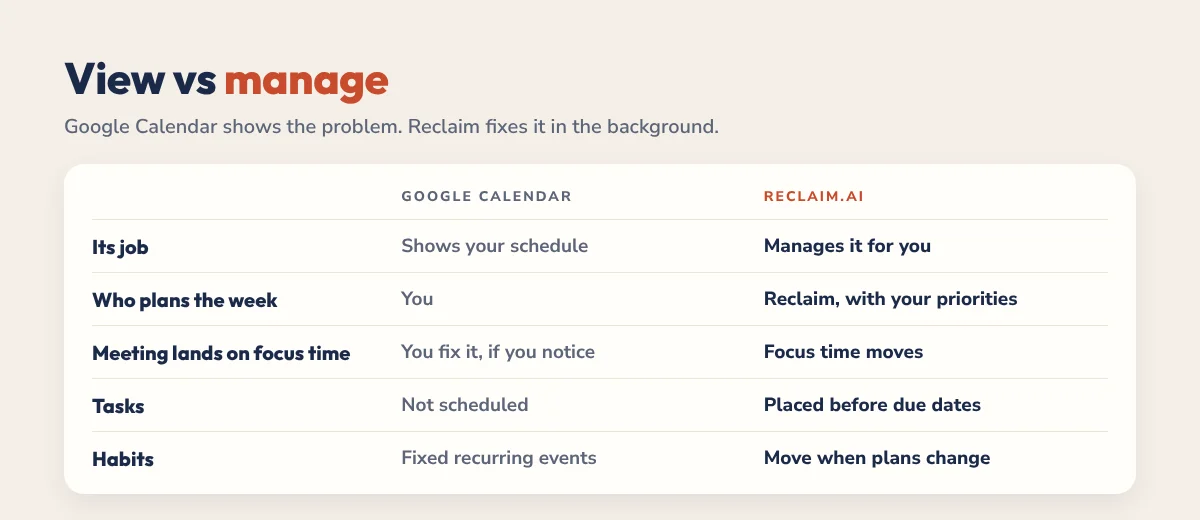
| Google Calendar | Reclaim.ai | |
|---|---|---|
| Its job | Shows your schedule | Manages your schedule for you |
| Who plans the week | You | Reclaim, with your priorities |
| When a meeting lands on focus time | You fix it, if you notice | Focus time moves to another slot |
| Tasks | Not scheduled | Placed in free time before their due dates |
| Habits | Fixed recurring events | Flexible, move when plans change |
| Calendars | Google and Outlook | |
| Price | Free (Gemini and Focus Time need Workspace) | Free plan, paid from about $10 a month billed yearly |
For many people that difference is nice to have. For ADHD brains, where remembering, noticing and re-planning are exactly the hard parts, it’s often the difference between a calendar that works and one that gets ignored.
What About Gemini in Google Calendar?
Google has added Gemini to Calendar and Gmail. On Google Workspace plans, you can ask Gemini about your schedule, check availability and create events, and Calendar can suggest Focus Time blocks and meeting times when you invite colleagues.
It’s useful, but it works differently from Reclaim:
- Gemini acts when you ask. It doesn’t watch your week or move your work when a meeting lands.
- Focus Time stays where you put it. Google’s Focus Time blocks decline invites, but they don’t move to a new slot when your day changes.
- No task scheduling. There’s no list of tasks with priorities and due dates that gets placed and re-placed automatically, and no habits that reschedule themselves.
- Many features need Workspace. Focus Time and Gemini in Calendar are part of paid Google Workspace plans.
For ADHD, the “when you ask” part is the catch. On a scattered day you won’t remember to ask Gemini to rebuild your afternoon. Reclaim does it in the background, and with Reclaim 2.0 you can still chat with it and approve changes in Preview Mode. For a wider comparison, read can ChatGPT or Claude manage your calendar?
Three Everyday Examples
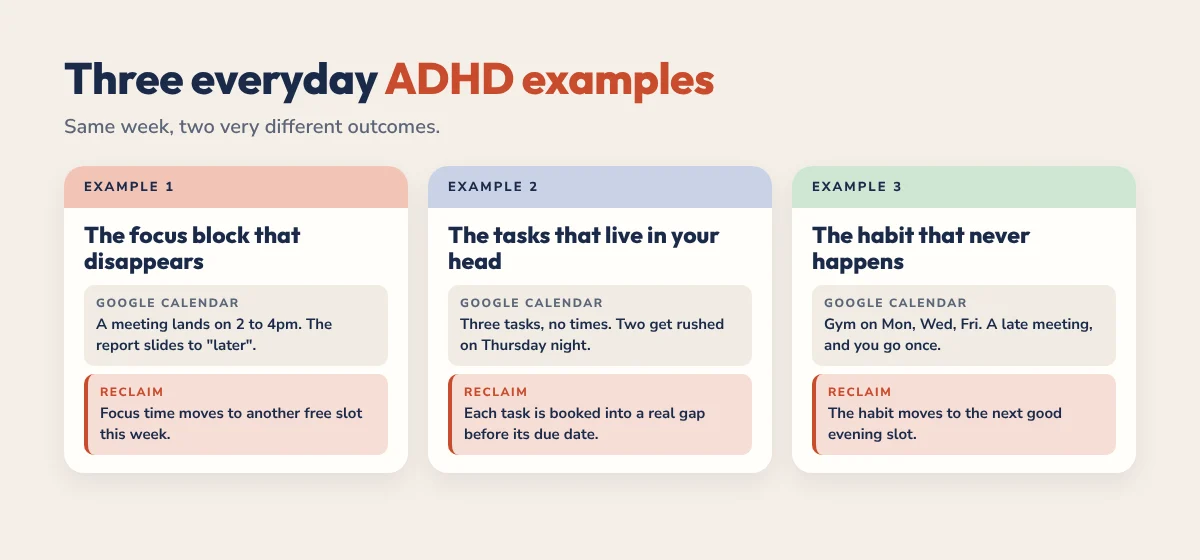
1. The focus block that disappears
Google Calendar: you block 2 to 4pm for a report. A meeting gets booked into it, or you accept it without thinking. The report slides to “later” and quietly never happens.
Reclaim: you set a weekly focus goal. When a meeting takes that slot, Reclaim finds another block for your focus time, so the report still has time this week.
2. The tasks that live in your head
Google Calendar: you have three tasks this week: reply to a client (1 hour), finish a proposal (2 hours), update a budget (30 minutes). None of them has a time, so they float in your head and two get done in a rush on Thursday night.
Reclaim: you add them as tasks with a time estimate and due date. Reclaim books them into real gaps on Tuesday, Wednesday and Thursday, and moves them if your week changes.
3. The habit that never happens
Google Calendar: you add “Gym” on Monday, Wednesday and Friday at 6pm. A late meeting moves Wednesday, Friday plans change, and by Sunday you went once.
Reclaim: you set “Exercise, 3 times a week, evenings”. When something clashes, the habit moves to the next good slot instead of disappearing.
When Google Calendar Is Enough
Stick with Google Calendar if you:
- Already have a planning routine that works and like manual control.
- Have few meetings and a mostly self-directed day.
- Live in Apple Calendar (Reclaim works with Google and Outlook, not iCloud).
- Want the simplest possible setup.
Add Reclaim if you:
- Keep losing focus time to meetings.
- Forget to schedule tasks you genuinely want to do.
- Struggle to re-plan when the day changes.
- Want routines like exercise or a daily plan to actually happen.
Pricing: The Real Cost
| Tool | Free option | Paid |
|---|---|---|
| Google Calendar | Free with any Google account | Google Workspace (per user, monthly) adds Gemini, Focus Time and business email |
| Reclaim.ai | Lite: 1 calendar sync, unlimited tasks, unlimited buffers, 1 habit, 1 scheduling link | Starter about $10 a month billed yearly (about $12 monthly), Business about $15 billed yearly |
Reclaim’s paid plans add unlimited habits and task app integrations like Todoist. Students and educators can get 50% off. Prices change, so check Reclaim’s pricing page for current numbers.
How to Try Reclaim Without Leaving Google Calendar
You don’t replace Google Calendar. Reclaim works on top of it, and everything still shows up in Gmail and on your phone.
- Sign up for Reclaim’s free plan with your Google account.
- Connect the calendar you actually use, usually your work calendar.
- Set working hours honestly, not aspirationally.
- Add one habit, the routine you skip most.
- Add three tasks with time estimates and due dates.
- Leave it for a week. Don’t tweak settings. Then decide.
Using Todoist? Follow our Todoist and Reclaim setup guide to schedule your tasks automatically. For the full feature list, read our Reclaim.ai review for ADHD.
Pair Your Calendar With a Planner
A calendar handles when. It doesn’t give you a place to brain dump, choose today’s priorities or reflect on how the day went. Our 2027 ADHD Planner has a daily Top 3, brain dump, energy check, dopamine menu and habit trackers that work alongside Google Calendar or Reclaim. Try the free 31-page ADHD Lite first, or set up your calendar with our ADHD calendar guide.
The Bottom Line
Google Calendar is a good calendar. Reclaim.ai turns it into a system that keeps working when your attention doesn’t. If you’re organised and meeting-light, Google Calendar (with or without Gemini) is enough. If focus time keeps vanishing and tasks keep floating, add Reclaim’s free plan on top and give it one week.
FAQ
Is Reclaim.ai better than Google Calendar for ADHD?
For most adults with ADHD, yes. Google Calendar shows your schedule, but Reclaim schedules your tasks and habits, protects focus time and moves things when plans change, which removes a lot of daily re-planning.
Can I use Reclaim and Google Calendar together?
Yes. Reclaim works on top of Google Calendar. You keep using Google Calendar as your main view, and Reclaim manages tasks, habits and focus time in the background.
Can Gemini in Google Calendar replace Reclaim.ai?
Not fully. Gemini can read your calendar, check availability and create events when you ask, and Google Calendar can suggest Focus Time. But it doesn’t schedule tasks by priority and due date or move focus time and habits automatically when plans change.
Does Reclaim work with Outlook or Apple Calendar?
Reclaim works with Google Calendar and Outlook. Apple Calendar (iCloud) isn’t supported, so Apple Calendar users would need to move their main calendar to Google or Outlook first.
Is Reclaim.ai free?
Yes, Reclaim has a free Lite plan with 1 calendar sync, unlimited tasks, unlimited buffers, 1 habit and 1 scheduling link. Paid plans start at about $10 a month billed yearly.
Can I go back to just Google Calendar?
Yes. Disconnect Reclaim and your Google Calendar keeps working as before. Your events stay in Google Calendar.