
Study Planner: How to Create a Study Plan That Actually Works
Most students don’t fail because they don’t study. They fail because they study the wrong thing at the wrong time: cramming the night before, rereading notes that already feel familiar and leaving the hardest subject for “later”. A study planner fixes that by deciding in advance what you will study, when, and how.
This guide shows you what a study planner is, what to put in it, how to create a study plan in six steps and the study methods that make the plan pay off. You can start with our free student planner, which has everything below built in.
Quick answer: A study planner is a schedule that tells you what to study and when. To create one, list your exams and deadlines, add your classes and fixed commitments, count the time you have left, then give each subject regular study blocks across the week. Start revision early, mix subjects, test yourself instead of rereading and review the plan every Sunday.
What Is a Study Planner?
A study planner is a planner built around learning. Instead of only listing deadlines, it shows when you will work on each subject, how you will revise and how much time is left before each exam. It can be paper, a digital planner on a tablet or a simple spreadsheet.
The difference between a to-do list and a study planner is time. “Revise chemistry” is a wish. “Chemistry, past paper questions, Tuesday 4 to 5 pm” is a plan.
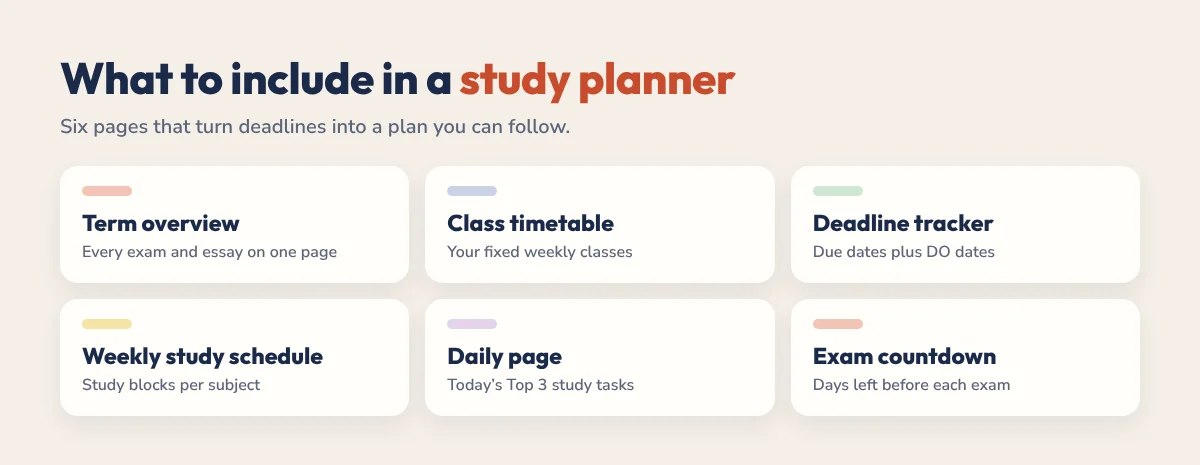
What to Include in a Study Planner
- Semester or term overview: every exam, essay and project on one page.
- Class timetable: your fixed lectures, seminars and labs.
- Deadline tracker with DO dates: the due date plus the date you will start.
- Weekly study schedule: study blocks for each subject.
- Daily page: today’s Top 3 study tasks.
- Exam countdown: how many days are left, so revision starts on time.
- Subject trackers: topics to cover and how confident you feel about each.
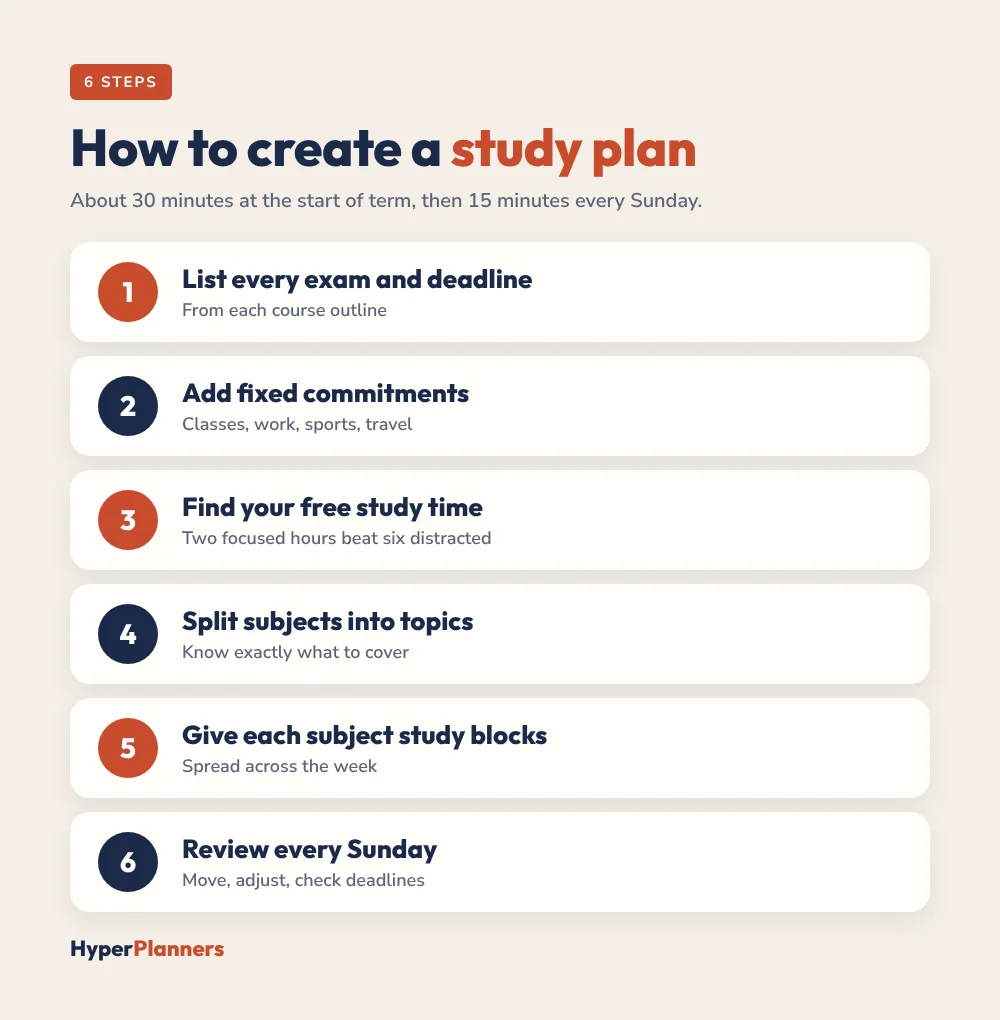
How to Create a Study Plan in 6 Steps
- List every exam and deadline. Go through each course outline and write them all in your term overview.
- Add your fixed commitments. Classes, work shifts, sports and travel go on your weekly page first.
- Find your free study time. Look at the gaps. Be honest: two focused hours beat six distracted ones.
- Split each subject into topics. Break every exam into the topics you need to cover.
- Give each subject regular study blocks. Spread them across the week, with harder subjects in your best-energy hours. Our time blocking for students guide shows how.
- Review every Sunday. Move unfinished topics, check next week’s deadlines and adjust the plan. For more habits, see our time management for students tips.
Example: A Weekly Study Schedule
| Day | Afternoon study block | Evening study block |
|---|---|---|
| Monday | Biology: read chapter 5 and make notes | History: essay plan |
| Tuesday | Statistics: problem set | Biology: flashcards |
| Wednesday | History: essay draft | Rest |
| Thursday | Biology: practice questions | Statistics: review mistakes |
| Friday | History: edit essay | Rest |
| Saturday | Mixed review: all three subjects | Free |
| Sunday | Weekly review (15 minutes) | Free |
Notice that each subject comes back two or three times a week, and there are rest evenings built in. A plan you can keep beats a perfect plan you abandon by Wednesday.
Study Methods That Make Your Plan Work
A study planner decides when you study. These methods, which are well supported by learning research, decide how:
- Spaced practice: study a topic several times spread over days or weeks instead of in one long session.
- Retrieval practice: test yourself with flashcards, past papers or blank-page recall instead of rereading.
- Interleaving: mix different topics or problem types in one session, especially in maths and science.
- Short focused sessions: work in 25 to 50 minute rounds with breaks. See Pomodoro vs time blocking.
- Explain it: teach the topic out loud as if to a friend. Gaps show up fast.
Build these into your plan. Instead of “Revise biology”, write “Biology: 20 flashcards on cell biology, then one past paper question”.
How to Plan for Exam Season
- Start four weeks out. Count back from each exam and mark the start of revision in your planner.
- Map topics to weeks. Give every topic at least two sessions before the exam.
- Leave the last week for practice. Past papers under timed conditions.
- Protect sleep and rest. Tired revision is slow revision.
5 Study Planning Mistakes to Avoid
- Planning every minute. A schedule with no slack breaks at the first late class. Leave free evenings and a buffer block.
- Only tracking due dates. Add a DO date for every assignment so you start early.
- Rereading instead of testing. Rereading feels productive but sticks less than quizzing yourself.
- Leaving the hardest subject last. Put it in your best-energy hours, not at 10 pm.
- Never reviewing the plan. Ten minutes every Sunday keeps the plan matched to real life.
Paper or Digital Study Planner?
Both work. Paper is simple and distraction-free. A digital planner on a tablet adds hyperlinks, so you can jump from your term overview to today’s page in one tap, and you can erase and move study blocks when plans change. If you are choosing a device or app, see our guide to the best digital planner for university students. Studying with ADHD? Our ADHD digital planner for college students guide covers setups that stick.
Get a Free Study Planner
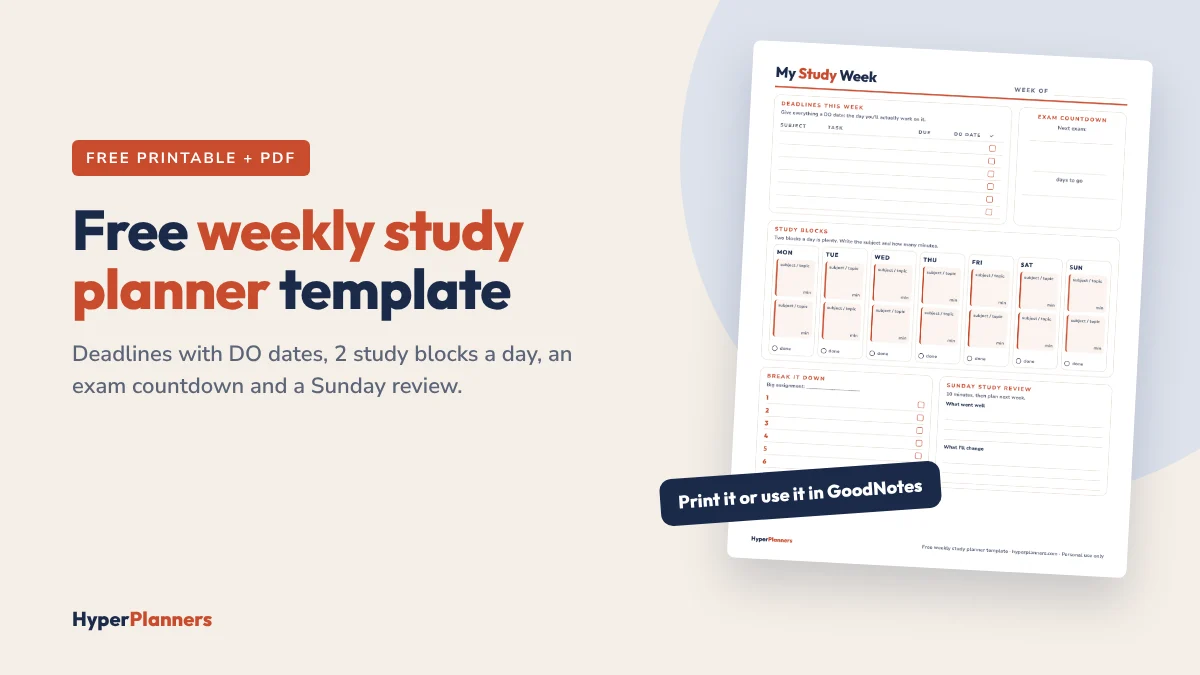
Need something quick? Start with our free one-page weekly study planner template: a deadlines table with DO dates, two study blocks a day, an exam countdown, a “break it down” box for big assignments and a 10-minute Sunday review. Print one each week or use the PDF in GoodNotes.
Want the full semester system?
Our free student planner is a hyperlinked PDF dated for 2027. It includes a semester overview, class timetable, deadline tracker with DO dates, Break It Down pages for big projects and an exam countdown. It works in GoodNotes, Notability and any PDF app.
Not sure which planner fits you? Take our free 60-second ADHD planner quiz and get a match, plus a free version to try first.
Study Planner FAQ
What is a study planner?
A study planner is a schedule that shows what you will study and when. It usually includes your deadlines, class timetable, weekly study blocks and an exam countdown.
How do I make a study plan?
List your exams and deadlines, add your fixed commitments, find your free time, split each subject into topics and give each subject regular study blocks across the week. Review the plan every Sunday.
How many hours a day should I study?
It depends on your course and goals. Many students do well with two to four focused hours outside class on most days, with more during exam season. Focused time matters more than total hours.
How far in advance should I start revising?
Around four weeks before an exam is a good default for most courses. Starting early lets you space out your revision, which helps you remember more.
Is a digital study planner better than paper?
Neither is better for everyone. Digital planners are easier to edit and navigate with hyperlinks, while paper is simple and distraction-free. Choose the one you will open every day.
Start Your Study Plan This Week
Write down every exam date, add your classes and give each subject two study blocks this week. That’s a study plan. Improve it every Sunday from there.