
ADHD Calendar: How to Set Up a Calendar That Actually Works for You
For many adults with ADHD, the calendar is full of good intentions and missing the things that matter. Appointments get added late, reminders fire at the wrong moment and the week ahead stays invisible until it arrives. The problem usually isn’t the app. It’s how the calendar is set up.
This guide shows how to set up an ADHD calendar step by step, which settings make the biggest difference and how to pair a calendar with a planner so nothing falls through the gaps. It is part of our guide to choosing an ADHD planner for adults.
Quick answer: An ADHD-friendly calendar uses one calendar for everything, a few colour-coded categories, travel and buffer time around events, and two alerts for anything important: one to start getting ready and one to leave. Add deadlines as DO dates, block recurring routines, and review the coming week every Sunday. Use the calendar for anything with a time, and a planner for daily priorities.
Why Calendars Often Fail With ADHD
- Too many calendars. Work, personal, school and family in different places means you never see the whole picture.
- Alerts at the wrong time. A reminder at the start time is too late if you need 20 minutes to get ready.
- Time blindness. Events next week feel far away until they are suddenly today. Learn more about ADHD time blindness.
- Only events, no tasks. The calendar shows meetings, but not the work you need to do around them.
- No review habit. A calendar you never look at can’t help you.
How to Set Up an ADHD Calendar in 8 Steps
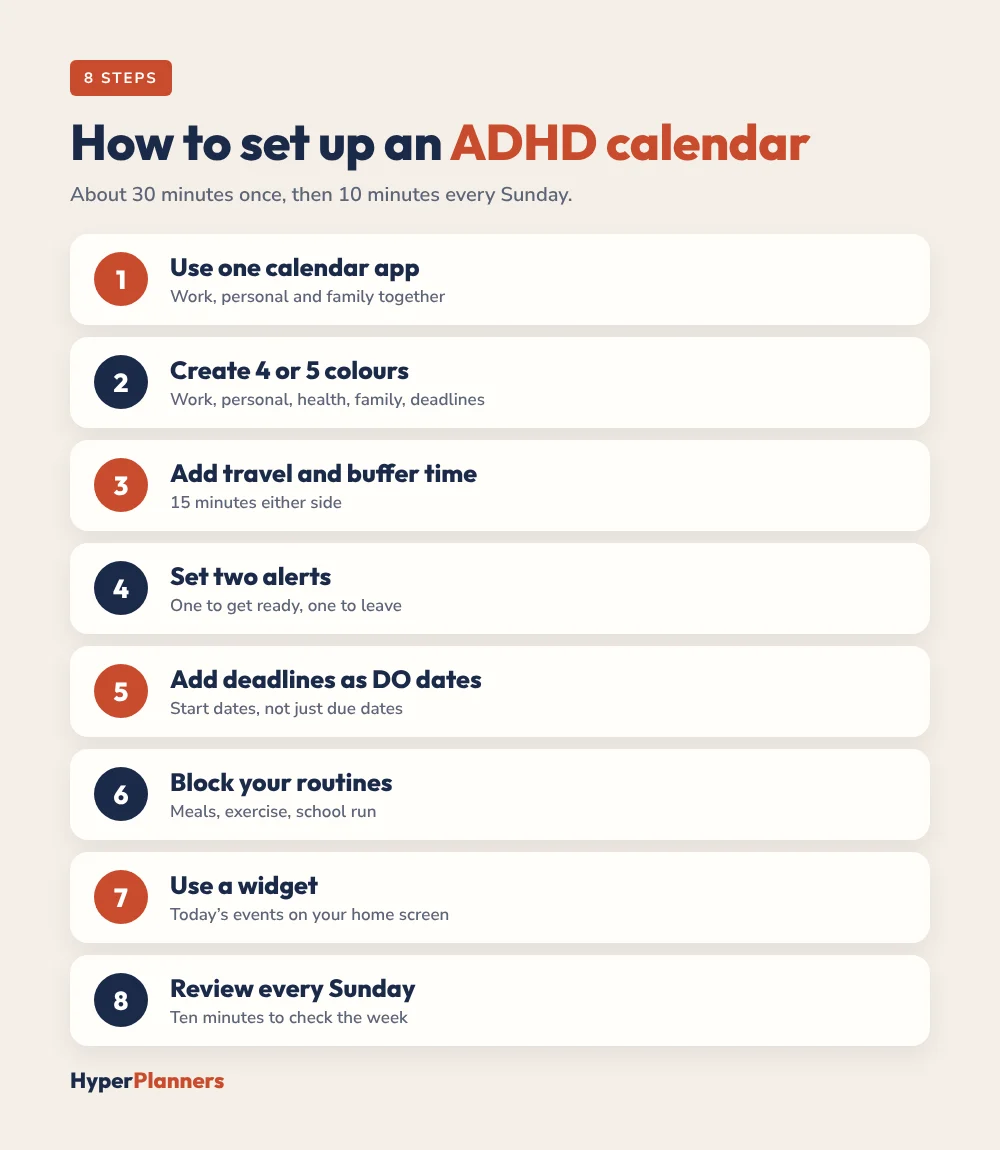
- Use one calendar app. Pick Google, Apple or Outlook and bring every calendar into it, so work, personal and family events all show in one view.
- Create 4 or 5 colour categories. For example: work, personal, health, family and deadlines. More than that becomes noise.
- Add travel and buffer time. Put 15 minutes before and after appointments, and add travel time as its own block.
- Set two alerts for important events. One to start getting ready, one to leave. For a 2 pm appointment, try 1:30 and 1:45.
- Add deadlines as DO dates. Put a “start” event a week or two before each deadline, not just the due date.
- Block your routines. Add recurring blocks for meals, exercise, the school run and a weekly review.
- Use a widget or lock screen view. Put today’s events where you will see them without opening the app.
- Review the week every Sunday. Ten minutes to check what’s coming and add anything missing.
Calendar Settings That Help Most
| Setting | Why it helps with ADHD |
|---|---|
| Default alert of 30 minutes | Gives you time to stop and switch tasks |
| Second alert at 10 minutes | A final nudge to leave or log on |
| Week view as default | Shows what’s coming, not just today |
| Colour by category | Read your day at a glance |
| Travel time on events | Stops back-to-back plans that can’t work |
| Shared family calendar | Everyone sees changes without you having to remember to tell them |
Exact setting names differ between Google Calendar, Apple Calendar and Outlook, but all three support custom alerts, colours and shared calendars.
Calendar vs Planner: Use Both
A calendar is great at anything with a time and a place. It is bad at priorities, brain dumps and “I’ll do it this afternoon” tasks. That is where a planner comes in.
| Use your calendar for | Use your planner for |
|---|---|
| Appointments and meetings | Your daily Top 3 |
| Deadlines and DO dates | Brain dumps and ideas |
| Recurring routines | Loose time blocks for tasks |
| Reminders and alerts | Wins, notes and reflections |
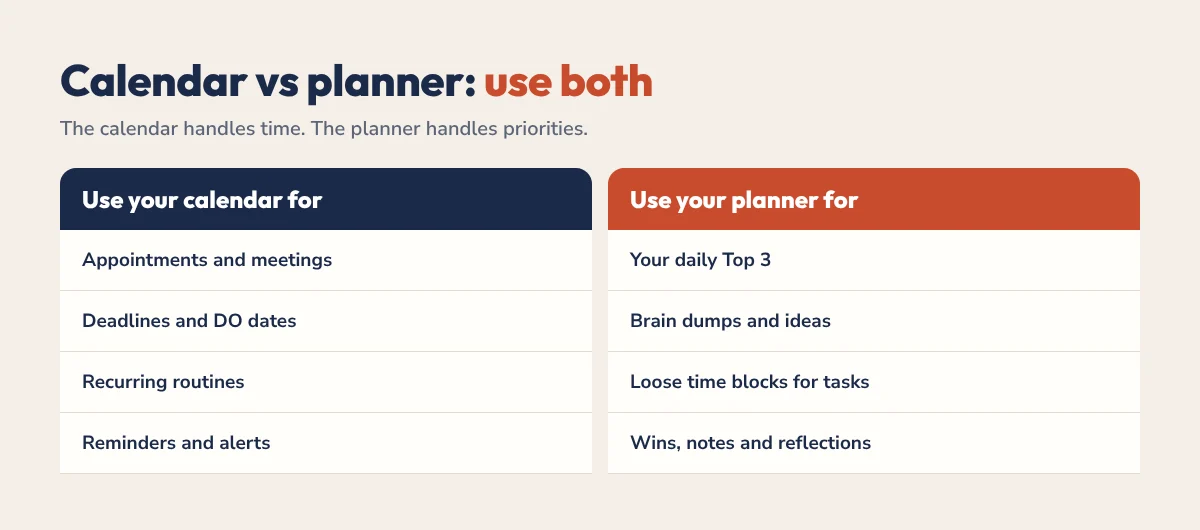
Each morning, look at your calendar first, then pick your Top 3 in the planner and fit them around the fixed events. Our time blocking for ADHD guide shows how to do this with loose blocks.
Should You Use an AI Calendar?
AI scheduling tools can automatically find time for tasks and habits around your meetings, which some people with ADHD find helpful. Others find automatic changes confusing. If you’re curious, our comparison of Reclaim.ai vs Google Calendar for ADHD covers the trade-offs. Want to test it yourself? Reclaim has a free plan (affiliate link).
Paper or Wall Calendar Too?
A visible monthly calendar on a wall or fridge works well alongside a digital one, especially for families. It keeps big dates in sight even when your phone is in your pocket. Just make sure one calendar is the “master” so nothing gets lost between them. For a time-based plan of your week, see how to make a weekly schedule.
An ADHD Calendar for Families
- Share one family calendar. School events, appointments and activities go in one shared calendar everyone can see.
- Give each person a colour. You can tell at a glance who needs to be where.
- Add prep events. “Pack swim bag” the night before swimming saves the morning rush.
- Hold a 10-minute family check-in. Look at the week together on Sunday evening. For more on sharing the mental load, read our ADHD planner for women guide.
Common ADHD Calendar Mistakes
- Adding everything as an event. Twenty small tasks as calendar events turn into a wall of alerts you ignore. Put tasks in your planner.
- Never deleting old events. Remove or move what didn’t happen, so the calendar stays honest.
- Ignoring alerts. If you dismiss every alert, change the timing or the sound until it works.
- Skipping the weekly review. It is the single habit that makes the calendar useful.
For more ways to make time visible, see our ADHD time management guide.
A Planner That Works With Your Calendar
Our free ADHD planner is designed to sit next to your calendar. Each day has a Top 3, a brain dump, loose time blocks and a dopamine menu. It works in GoodNotes, Notability and any PDF app.
ADHD Calendar FAQ
What is the best calendar for ADHD?
The best calendar is the one you already check every day. Google Calendar, Apple Calendar and Outlook all work well with ADHD when you use one calendar for everything, colour categories, buffer time and two alerts for important events.
How do I use a calendar with ADHD?
Put every appointment in one calendar, add travel and buffer time, set alerts for when to get ready and when to leave, add deadlines as DO dates and review the week every Sunday.
Should I put tasks in my calendar?
Only tasks that must happen at a set time. Put everything else in a planner or task list, or your calendar fills with alerts you start to ignore.
How many reminders should I set with ADHD?
Two for anything important: one to start getting ready, often 30 minutes before, and one to leave or log on, often 10 minutes before.
Do I need a planner if I have a calendar?
A calendar handles times and reminders, while a planner handles priorities, brain dumps and flexible tasks. Many people with ADHD find using both works best.
Start This Sunday
Merge your calendars into one app, pick four colours and add two alerts to your next three appointments. Then do a ten-minute review every Sunday. That’s an ADHD calendar.