
How to Make a Weekly Schedule You Can Actually Stick To (+ Examples)
A weekly schedule is a map of when things happen: work, classes, meals, exercise, rest. Done well, it removes hundreds of small decisions from your week. Done badly, it becomes a colour-coded wish list you abandon by Wednesday.
This guide shows you how to make a realistic weekly schedule in seven steps, with example schedules for work, students and parents, and a free template you can print or use on a tablet. For goals and tasks on top of your schedule, see our weekly planner guide.
Quick answer: To make a weekly schedule, start with the fixed commitments that never move, add sleep and meals, then block time for your most important work and recurring routines. Leave buffers between blocks and at least one open evening. Use the same basic structure every week and adjust it on Sunday. A schedule that is 70 to 80 percent planned is easier to keep than one that fills every hour.
Weekly Schedule vs Weekly Planner
The two are related but different. A weekly schedule shows when: a time grid with blocks for work, classes, gym and family. A weekly planner shows what: goals, tasks and priorities for the week. Most people get the best results using both, with the schedule as the frame and the planner as the content.
How to Make a Weekly Schedule in 7 Steps
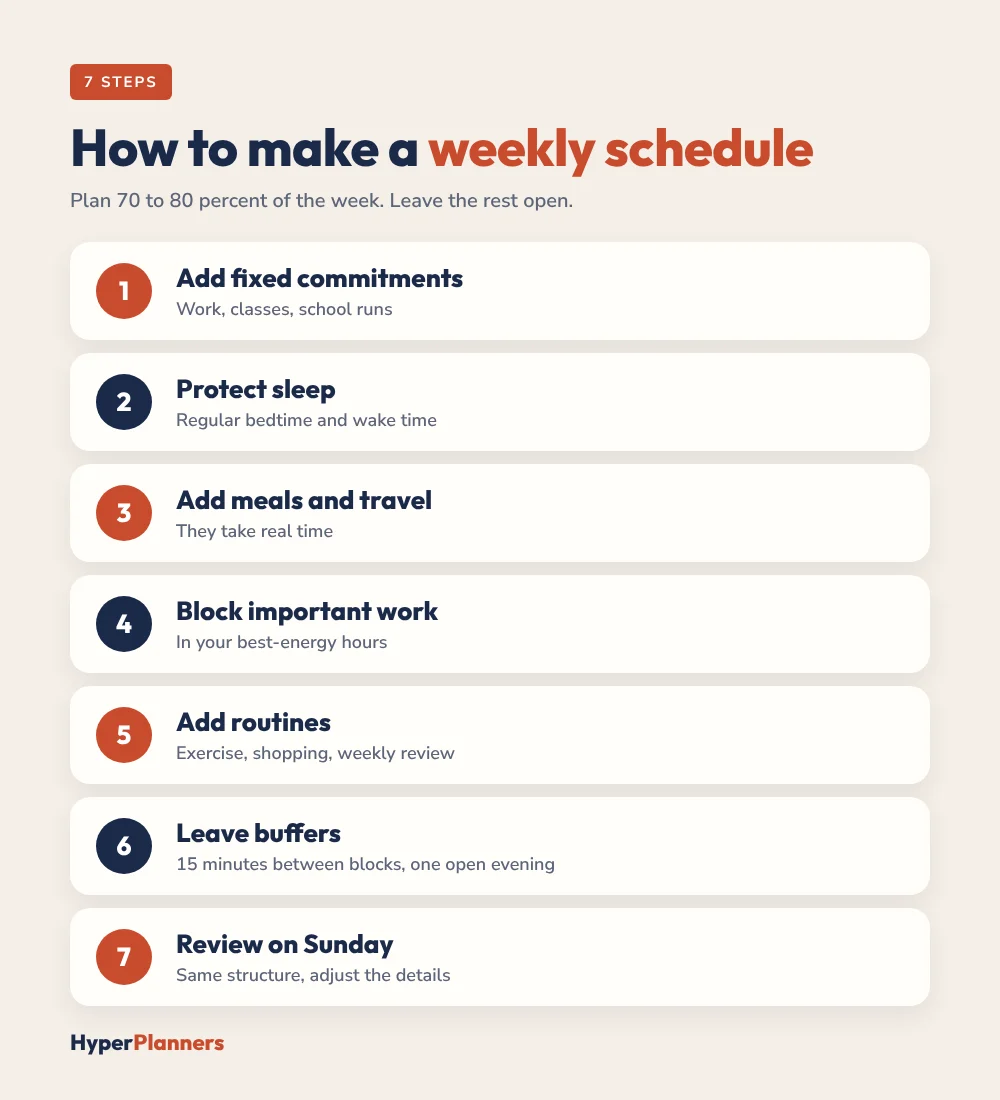
- Add fixed commitments. Work hours, classes, school runs and anything else that can’t move.
- Protect sleep. Set a regular bedtime and wake time, and block them in.
- Add meals and travel. These take real time and are easy to forget.
- Block your most important work. Put your hardest tasks in your best-energy hours, often the morning.
- Add recurring routines. Exercise, weekly shopping, cleaning and a weekly review.
- Leave buffers. 10 to 15 minutes between blocks and one open evening for anything that runs over.
- Review on Sunday. Keep the same structure and adjust only what’s different this week.
Example Weekly Schedules
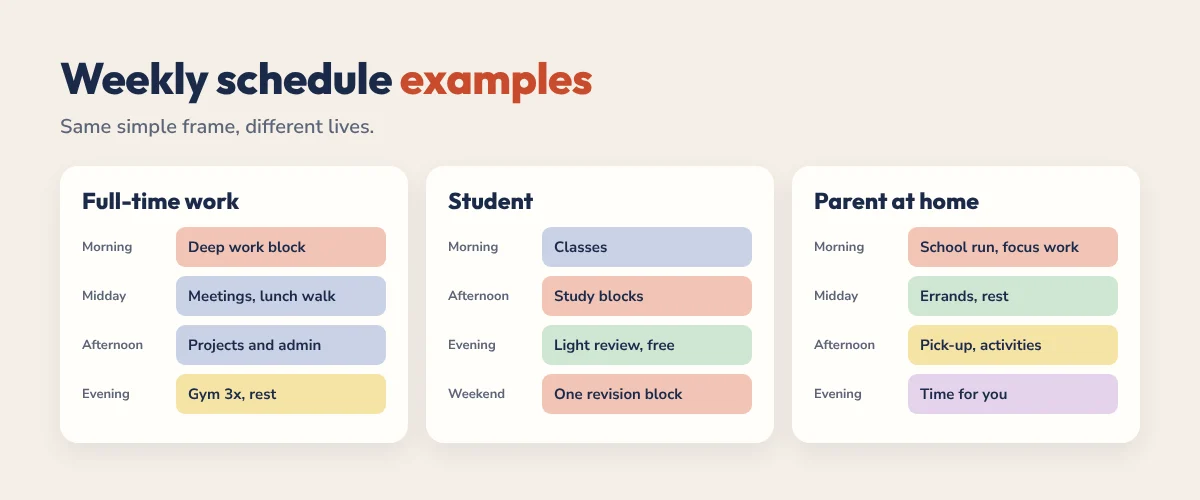
Full-time work
| Time | Mon to Fri | Weekend |
|---|---|---|
| 7:00 to 8:00 | Wake, breakfast, commute | Slow morning |
| 8:30 to 11:00 | Deep work block | Exercise |
| 11:00 to 12:30 | Meetings and email | Errands |
| 12:30 to 1:30 | Lunch and a walk | Family time |
| 1:30 to 5:00 | Projects and admin | Free |
| 6:00 to 7:00 | Gym (Mon, Wed, Fri) | Free |
| 7:00 to 10:30 | Dinner, rest, wind down | Sunday: weekly review |
Student
| Time | Weekdays | Weekend |
|---|---|---|
| Morning | Classes and lectures | Sleep in, then exercise |
| Afternoon | Study blocks between classes | Revision block (2 hours) |
| Evening | Light review, free time | Social and rest |
For a fuller study example, see our study planner guide.
Parent at home
| Time | Weekdays | Weekend |
|---|---|---|
| 7:00 to 9:00 | Breakfast and school run | Family breakfast |
| 9:30 to 12:00 | Focused work or household projects | Family outing |
| 12:00 to 3:00 | Errands, admin, rest | Free |
| 3:00 to 7:00 | School pick-up, activities, dinner | Meal prep |
| 8:00 to 10:00 | Time for you | Sunday: plan the week |
Tips for a Schedule That Sticks
- Plan for an average week, not a perfect one. Leave 20 to 30 percent unscheduled.
- Theme your days. Mondays for admin, Wednesdays for deep work. Fewer decisions.
- Batch small tasks. Email, calls and errands in one or two blocks.
- Use alarms for transitions. A reminder 10 minutes before each block helps you switch on time.
- Keep the template the same. Change the details each week, not the whole structure.
5 Weekly Schedule Mistakes to Avoid
- Scheduling every hour. A full grid breaks at the first late meeting. Keep some white space.
- Forgetting transitions. Getting ready, travel and switching tasks all take time. Add them.
- Copying someone else’s schedule. A 5 am routine only works if you are a morning person. Build around your own energy.
- Ignoring weekends. Rest, chores and family time need a place too, or they spill into the week.
- Never updating it. If a block keeps failing, move it. The schedule should fit your life, not the other way round.
What to Do When the Week Falls Apart
Some weeks won’t go to plan: a sick child, a deadline moved, a bad night’s sleep. When that happens, don’t rebuild the whole schedule. Keep the fixed commitments, pick the one or two blocks that matter most for the rest of the week and let the others go. Next Sunday, start again from your usual template.
If you find you’re rescheduling the same blocks every week, that’s useful information. It usually means the block is in the wrong slot, too long, or not as important as you thought.
Time Blocking Your Schedule
Time blocking is the natural next step: once your weekly schedule is in place, you give each block a specific task. Our beginner’s guide to time blocking walks through it, and the ADHD version uses looser blocks for unpredictable days.
Paper, Digital or Calendar?
A calendar app is perfect for fixed events and reminders. A printable or digital weekly schedule template is better for seeing the whole week at a glance and planning around it. Many people keep fixed events in their calendar and plan the rest on a weekly page. Our calendar setup guide covers the calendar side.
Free Weekly Schedule Template
Our free time blocking template includes a weekly page, a daily page and a loose time blocks page. It’s a hyperlinked PDF you can print or use in GoodNotes, Notability and any PDF app.
Weekly Schedule FAQ
How do I make a weekly schedule?
Add fixed commitments first, then sleep, meals and travel. Block your most important work in your best-energy hours, add routines like exercise, leave buffers and review the schedule every Sunday.
What is the difference between a weekly schedule and a weekly planner?
A weekly schedule shows when things happen in time blocks. A weekly planner focuses on what to do: goals, tasks and priorities. They work best together.
How much of my week should I schedule?
Around 70 to 80 percent. Leaving time unscheduled gives room for delays, surprises and rest, which makes the schedule easier to keep.
What should be in a weekly schedule?
Work or classes, sleep, meals, travel, your most important work blocks, exercise and routines, buffers and free time.
Is there a free weekly schedule template?
Yes. The free HyperPlanners time blocking template includes a weekly page you can print or use on a tablet in GoodNotes or Notability.
Build Yours This Sunday
Start with what can’t move, protect your sleep, block one deep work session a day and leave an evening open. That’s a weekly schedule you can actually keep.