
Minimalist Digital Planning: A Simple System to Focus on What Matters
Most digital planners promise to organise your whole life. Then you open one and find 600 pages, 14 trackers and a sticker book. Within a week you’re spending more time managing the planner than doing the work.
Minimalist digital planning flips that around. You keep only the pages that earn their place, plan in a few minutes a day and spend the rest of your time actually doing things. This guide shows you how to set up a minimalist digital planner, what to include, a simple daily and weekly routine and how to keep it from getting cluttered again. For the weekly side of the system, see our weekly planner guide.
Quick answer: Minimalist digital planning means using as few pages and tools as possible to plan your days. A simple setup has three parts: a weekly page with three goals, a daily page with a Top 3 and loose time blocks, and one brain dump page for everything else. Use a hyperlinked planner so every page is one tap away, stick to a pen and highlighter, and spend no more than 5 minutes a day planning.
What Is Minimalist Digital Planning?
Minimalist digital planning is a way of planning on a tablet or phone that focuses on the few things that actually move your week forward: your priorities, your time and a place to empty your head. Everything else is optional.
It isn’t about having a boring planner or doing less. It’s about removing the friction and decisions that come with complicated systems, so planning takes minutes instead of an hour.
Why Minimal Works Better in a Digital Planner
- Hyperlinks remove clutter. In a hyperlinked planner you tap straight to today, so even a big file feels small. Our guide to hyperlinked planners explains how they work.
- Erasing is free. Plans change. Digital pages let you move things without crossing out a mess.
- Duplicate only what you use. Need two brain dump pages this week? Copy one. Never use the meal planner? Delete it.
- Always with you. One planner on your tablet or phone replaces a notebook, sticky notes and three apps.
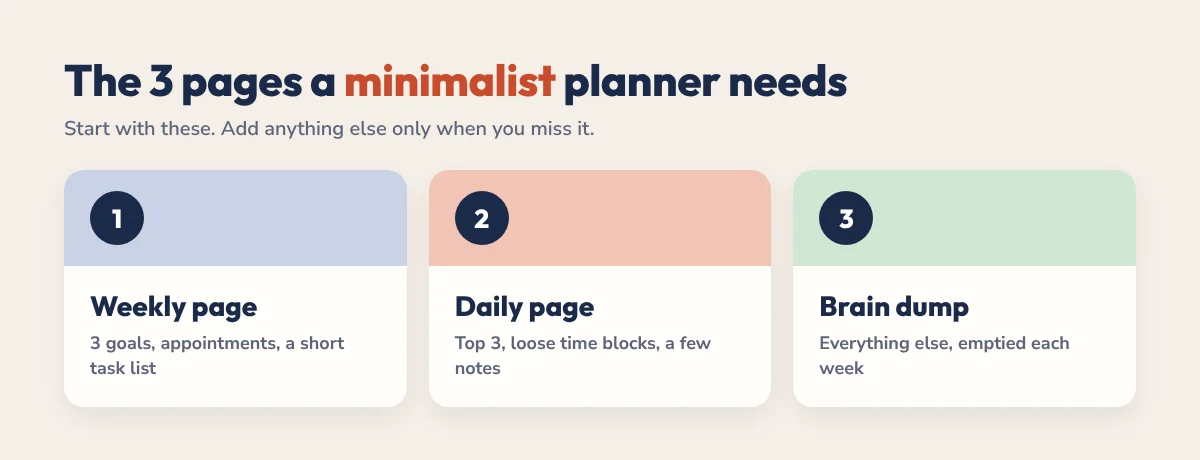
The 3 Pages a Minimalist Planner Needs
1. A weekly page
One page with your three goals for the week, fixed appointments and a short list of tasks you want to get to. This is where you decide what matters before the week fills up.
2. A daily page
A Top 3, a few loose time blocks (morning, afternoon, evening) and a small space for notes. If a day needs more than that, it probably has too much in it. Our time blocking guide shows how to use blocks without making a rigid schedule.
3. A brain dump page
One page for every idea, errand and worry that pops into your head. Empty it daily or weekly, move the important items to a day and let the rest go.
That’s the whole core system. Add a habit tracker or a monthly view only if you find yourself missing it after a few weeks.
What to Leave Out
- Trackers you won’t fill in. If you haven’t used it in two weeks, delete it.
- Long daily to-do lists. Twenty items means nothing gets priority.
- Decorative stickers and covers. Fun once, but they slow you down every day.
- Duplicate systems. One planner, not a planner plus three apps plus sticky notes.
- Too many pens. A pen and a highlighter are enough. Use the lasso tool to move things.
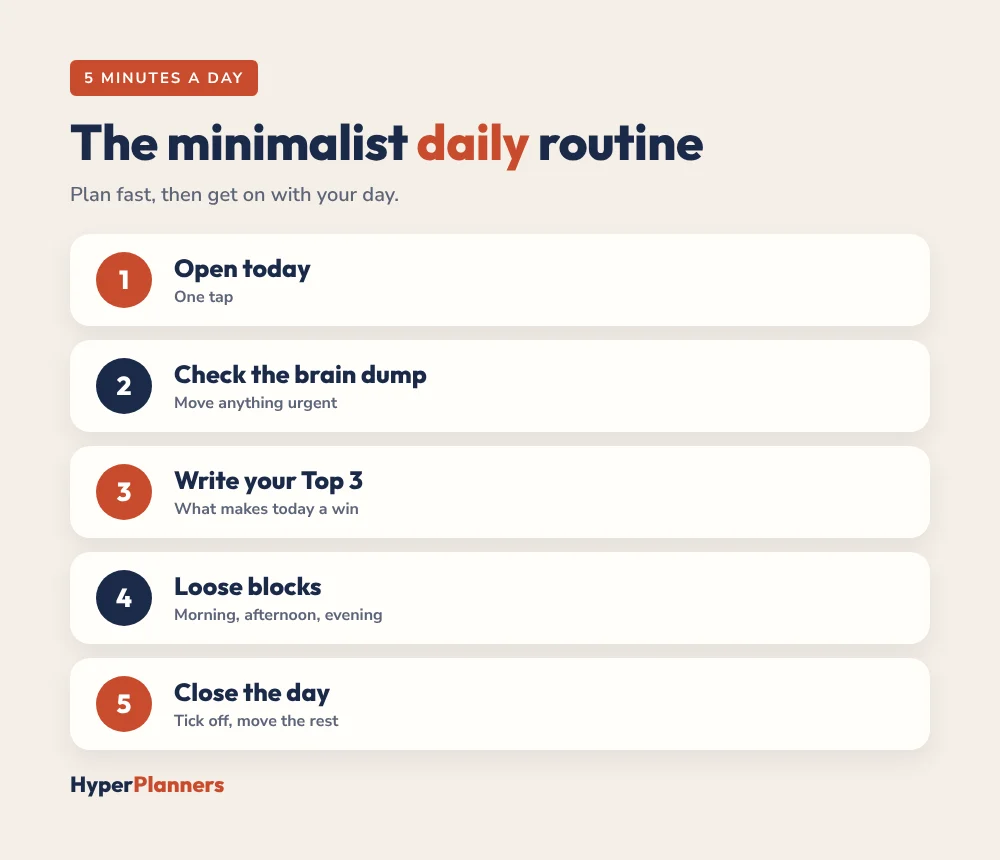
A 5-Minute Daily Routine
- Open today’s page with one tap.
- Glance at your brain dump and move anything urgent to today.
- Write your Top 3. The three things that would make today a success.
- Give each a loose block: morning, afternoon or evening.
- At the end of the day, tick off what’s done and move the rest without guilt.
Want a ready-made routine to start from? Try our free daily schedule builder.
A 15-Minute Weekly Review
- Clear the brain dump. Cross off what’s done, move what matters, delete the rest.
- Look back. Note one win and one thing to change.
- Check the calendar for next week’s appointments and deadlines.
- Pick three goals for the week.
- Spread them across the days, leaving at least one lighter afternoon as a buffer.
Our weekly reset routine turns this into a full Sunday checklist if you want more structure.
Minimalist Planner Layouts Compared
| Layout | What it includes | Best for |
|---|---|---|
| Daily Top 3 | Three priorities and notes | Busy days, fast planning |
| Loose time blocks | Morning, afternoon, evening | Flexible or unpredictable days |
| Week on one page | Goals, appointments, tasks | Seeing the whole week at once |
| Brain dump | Blank space for everything else | Clearing your head |
Best Apps for Minimalist Digital Planning
Any app that opens a hyperlinked PDF works. GoodNotes and Notability are the most popular on iPad, Xodo and Samsung Notes work well on Android, and Xodo or Drawboard PDF on Windows tablets. Pick one and stay with it. See our best digital planning apps roundup to compare them, and our GoodNotes import guide to get set up.
Common Mistakes
- Starting minimal, then adding everything back. Add a page only when you’ve missed it three times.
- Planning for an hour on Sunday. 15 minutes is enough.
- Treating the plan as a contract. It’s a guide. Move things when life happens.
- Switching planners every month. Simplify the one you have instead.
Free and Simple Planners to Start With
Our free time blocking template is about as minimal as it gets: a weekly page, a daily page and a loose time blocks page, hyperlinked for GoodNotes, Notability and any PDF app. If you’d like a short daily layout with a Top 3 and a brain dump built in, the free 31-page ADHD Lite works well for anyone who wants less, not just people with ADHD. Browse all of them on our free downloads page.
Want one planner for everything but still keep it simple? The 2027 All-in-One Planner is fully hyperlinked, so you can use only the sections you need and ignore the rest.
Minimalist Digital Planning FAQ
What is minimalist digital planning?
It’s a way of planning on a tablet or phone using only the essential pages: a weekly page with three goals, a daily page with a Top 3 and loose time blocks, and a brain dump page.
What should a minimalist digital planner include?
A weekly overview, a short daily page with a Top 3 and time blocks, and one brain dump page. Add a habit tracker or monthly view only if you actually need them.
How long should minimalist planning take?
About 5 minutes a day and 15 minutes for a weekly review. If it takes longer, remove pages or steps.
Is a hyperlinked planner good for minimalist planning?
Yes. Hyperlinks let you tap straight to the page you need, so even a full-year planner feels simple and uncluttered to use.
Is there a free minimalist digital planner?
Yes. The free HyperPlanners time blocking template has a weekly page, a daily page and a loose time blocks page, and ADHD Lite is a free 31-page planner with a Top 3 and brain dump.
Start With Three Pages
Open a weekly page, a daily page and a brain dump page. Use only those for one week. You’ll plan faster, think more clearly and finally have a planner that works for you instead of the other way round.