
Tools & Apps
March 2026 | 9 min read
Reclaim.ai Review 2026: Is It Actually Good for ADHD?
Reclaim.ai promises to schedule your day automatically. For ADHD brains that struggle to plan manually every morning, that’s a significant claim. Here’s what it actually does, where it genuinely helps, and the two real limitations nobody talks about.
HyperPlanners
ADHD Planning Guides | Updated March 26, 2026
Disclosure: Some links in this post are affiliate links. If you sign up through them, we may earn a small commission at no extra cost to you. This never influences our reviews — the pros, cons, and verdicts are based on genuine evaluation. Learn more about how we review tools.
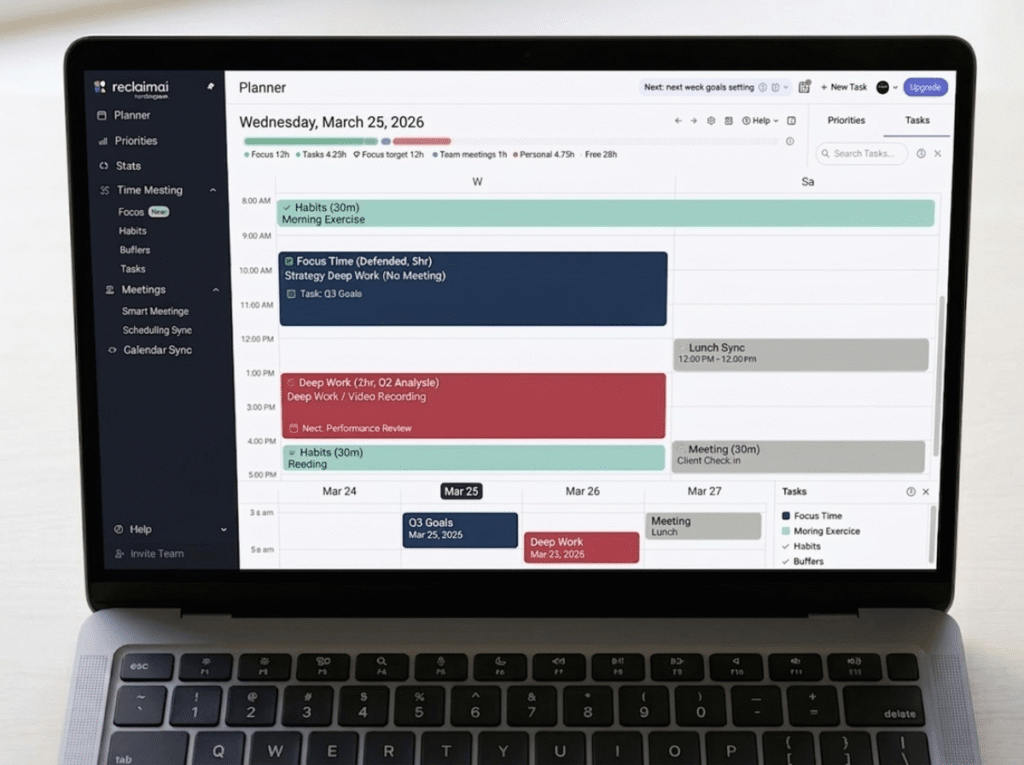
What is Reclaim.ai and how does it work?
Reclaim.ai is an AI scheduling assistant that sits on top of your existing Google Calendar or Microsoft Outlook account. It doesn’t replace your calendar — it reads it, analyses your commitments, and then automatically finds the best available slots for your tasks, habits, focus time, and breaks.
The core mechanic is simple: you tell Reclaim what you need to do and when it has to be done, and it places those items in your calendar automatically. When a meeting gets added or a task takes longer than expected, it reschedules everything else around the change without you having to manually move anything.
Think of it as having an assistant who rebuilds your schedule every morning before you wake up — based on your actual priorities, your real deadlines, and what you have the energy for.
It now operates as part of Dropbox, having been acquired in 2024. Reclaim has defended over 186 million focus hours across its user base and saves users an average of 7.6 hours weekly according to their internal data.
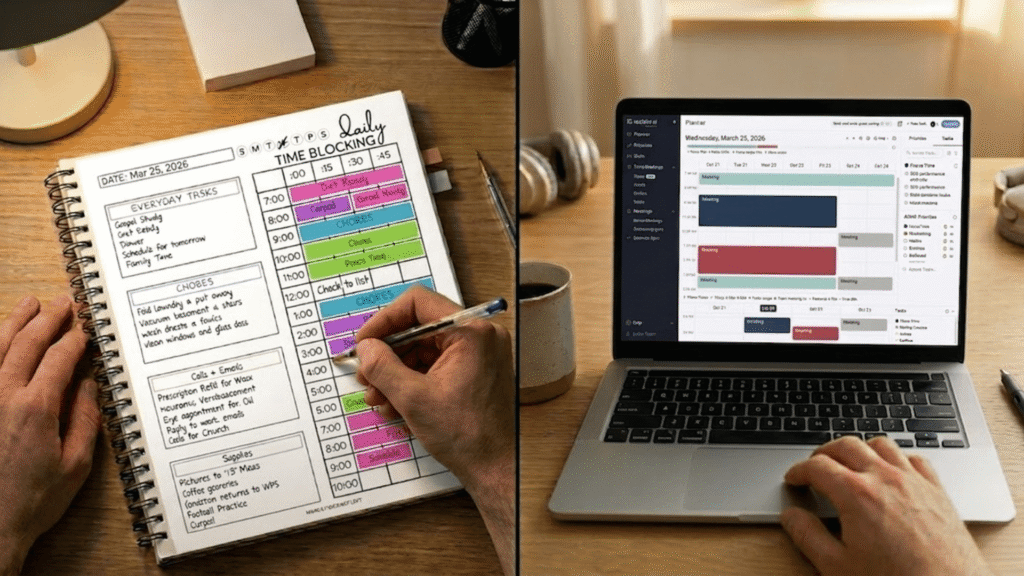
Why Reclaim.ai is different for ADHD brains
Most productivity advice for ADHD focuses on what to do once you’re working. Reclaim addresses the step before that — getting the work onto the calendar in the first place, which for many ADHD brains is the hardest part of every day.
There are four specific ADHD challenges where Reclaim makes a meaningful difference:
Time blindness
Reclaim auto-schedules focus blocks based on your real available time, not an imaginary version of your day where everything fits perfectly.
ADHD benefit: No more planning three hours of work into a day that only has 90 minutes of actual free slots.
Decision fatigue at task start
The “what should I work on now?” question is answered before you even open your computer. Reclaim tells you what’s scheduled right now.
ADHD benefit: Removes the daily blank-calendar paralysis that causes ADHD procrastination spirals.
Habit building
Reclaim’s Habits feature finds the optimal recurring time for routines like exercise, planning, email review, or medication — flexing around your real schedule each week.
ADHD benefit: Habits automatically reschedule when meetings clash, rather than just disappearing from the day entirely.
Focus time protection
Reclaim automatically defends blocks of uninterrupted deep work time. It marks them as free when your calendar has space, then locks them as commitments fill in.
ADHD benefit: Deep work sessions don’t silently disappear as meetings pile up — they get actively protected and rescheduled.
💡The ADHD sweet spot for Reclaim: It works best for ADHD professionals with meeting-heavy calendars — people whose days fragment unpredictably and who struggle to manually rebuild their schedule every time something changes. If your days are self-directed with few external meetings, the automation is less necessary.
For a full comparison of time blocking tools built for ADHD, see: Best Time Blocking Apps for ADHD 2026
Reclaim.ai key features for ADHD users
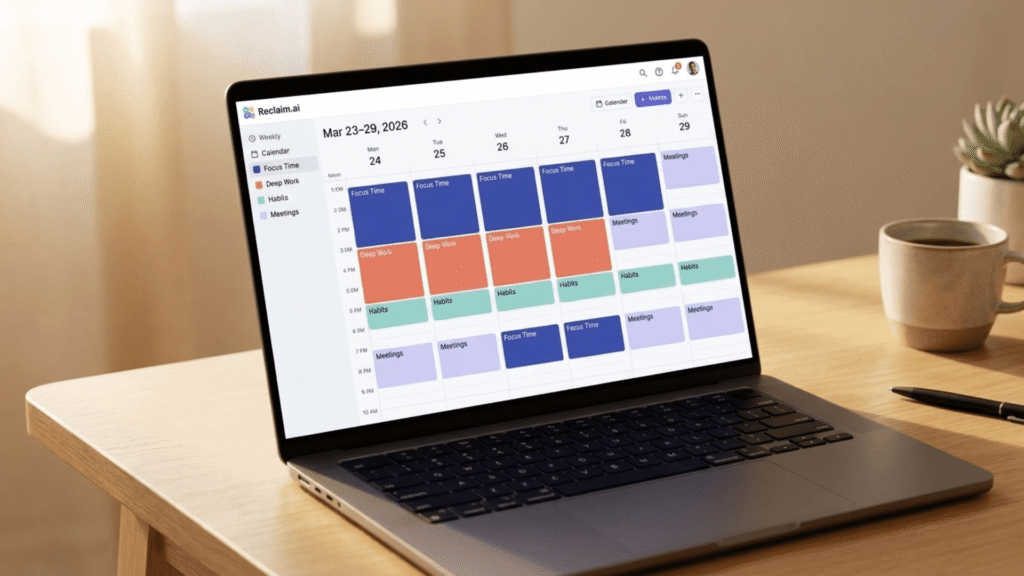
Reclaim.ai Focus Time — how it works
You set a weekly focus time goal — say, 15 hours of deep work — and Reclaim automatically finds the best available slots, protects them, and reschedules them when meetings take over. Focus blocks show as free on your calendar when the calendar has space, then automatically convert to busy blocks as meetings fill in — so colleagues can still book meetings, but Reclaim ensures focus time survives somewhere in the week.
Reclaim.ai Tasks — automatic scheduling
You add tasks with deadlines, time estimates, and priority levels. Reclaim then schedules them into your calendar automatically — finding the best available slot given your other commitments. The AI has rescheduled over 880 million scheduling conflicts, continuously re-optimising as your week changes. Tasks from Todoist, Asana, ClickUp, Jira, Linear, and Google Tasks all sync directly.
Reclaim.ai Habits — the best feature for ADHD
This is the feature most directly relevant to ADHD. You set recurring routines — “30 minutes of exercise, 3 times per week, anytime between 7am and 9am” — and Reclaim finds the best slot each week automatically. If a habit gets bumped by a higher-priority event, Reclaim instantly reschedules it to ensure you still get time for the routine.
Reclaim.ai Buffer Time — transitions between tasks
Reclaim automatically adds travel or recovery time before and after meetings, detects meetings with location data and adds appropriate travel buffers, and can enforce no-meeting periods. For ADHD adults who need transition time between tasks, this feature removes the anxiety of back-to-back commitments.
14-day free trial
Try Reclaim.ai free — no credit card needed
Free Lite plan available forever. 14-day Business trial on signup. Cancel any time.
Reclaim.ai pros and cons — honest ADHD review
Works well for ADHD
Real limitations to know
Reclaim.ai pricing 2026 — all four plans explained
Reclaim has four tiers. Paid plans start at $10 per user per month billed annually, which is significantly below major competitors like Motion at $19/month. All new accounts get a 14-day Business trial before dropping to the free Lite plan if you don’t upgrade.
Lite
Free
1 user · no credit card
Starter
$10
per seat/month (billed annually)
Most useful for ADHD
Business
$15
per seat/month (billed annually)
Enterprise
$22
per seat/month (billed annually)
💡Which plan for ADHD individuals: Start on the free Lite plan to test the basic scheduling. If you want unlimited habits and task manager integrations — which is where the ADHD benefit really kicks in — the Starter plan at $10/month is the right upgrade. The Business plan is for teams. Annual billing saves 20% versus monthly, and switching from Motion or Clockwise gets you 20% off for 6 months.
Is Reclaim.ai right for you?
Use Reclaim if you…
Look elsewhere if you…
Reclaim.ai vs digital planner — which do you need?
The most common question we get about Reclaim: “If I have this, do I still need a digital planner?” The honest answer: they solve completely different problems. Using one doesn’t replace the other.
Reclaim.ai
Manages your calendar
Reclaim is your scheduling engine — it decides when you work on things.
HyperPlanners Digital Planner
Manages your thinking
The planner is your thinking space — it helps you decide what’s worth scheduling.
The workflow that works best for ADHD adults: use Reclaim to defend your scheduled blocks and handle logistics, then use your HyperPlanners daily page to write your Big 3 priorities, set intentions, and do end-of-day reflection. Reclaim runs in the background — the planner is the five minutes that make everything else intentional.
Our verdict — March 2026
8.2
/ 10 — Recommended for ADHD professionals
Genuinely useful — with two real caveats
Reclaim.ai is one of the most impactful productivity tools available for ADHD adults with busy, meeting-heavy calendars. The automatic habit rescheduling and focus time defense address real ADHD pain points that no planner alone can solve. The absence of a mobile app and iCloud support are genuine limitations worth knowing before signing up — but for Google Calendar users working primarily on desktop, neither is a dealbreaker. Start with the free Lite plan and upgrade to Starter ($10/month) if the habit and task integrations click for you.
★ Affiliate link · Free Lite plan available forever · No credit card required to start
Pair it with a planner
Tools & Apps
Best Time Blocking Apps for ADHD in 2026
Sunsama, Tiimo, Amazing Marvin and more — honestly reviewed. Plus the subscription-free alternative. Read guide
Productivity & Planning Tips
Five Digital Planner Habits That Actually Stick
The 8-minute daily routine that works with or without any app.
ADHD & Executive Function
ADHD & Executive Function
How to prime your brain before hard tasks using small enjoyable activities.