
Metricool Review 2026: Is the Free Plan Still Worth It for Small Creators?
Disclosure: some links in this review are affiliate links. If you sign up through them, we may earn a commission at no extra cost to you. It never changes our verdict. How we handle affiliate links.
If you sell digital products, run a small shop or manage your own brand, social media can eat hours you don’t have. You open Pinterest to schedule a few pins, then Instagram, then you try to remember what you posted last week. Metricool promises to put all of that in one calendar with analytics on top.
I’ve used Metricool to schedule HyperPlanners content on Pinterest and Instagram, and I’ve also used Buffer. This review covers what Metricool does well, what changed on the free plan in 2026 and who should pay for it.
Quick answer: Metricool is one of the best value social media tools for solo creators and small shops, especially if Pinterest and Instagram are your main channels. The free plan now allows 20 scheduled posts a month for one brand, with 30 days of analytics and no LinkedIn or X. That’s enough to test it properly. If you post most days, the Starter plan at about $25 a month (around $20 billed yearly) removes the post limit, keeps your full analytics history and adds LinkedIn.
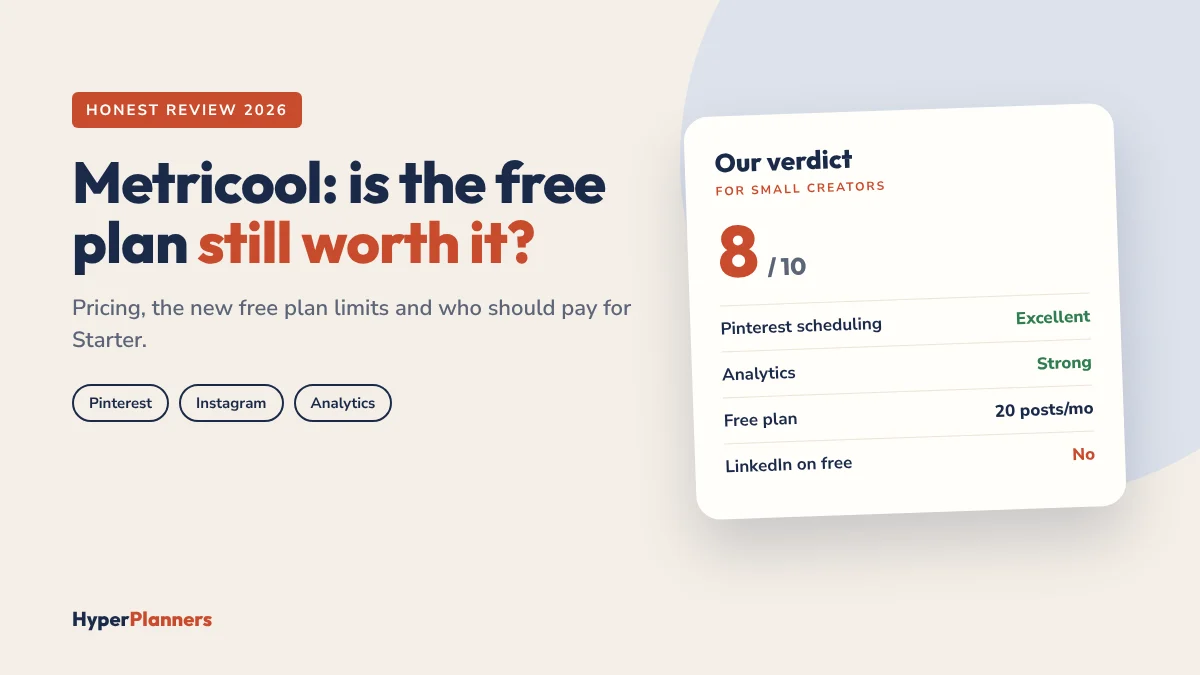
Metricool at a Glance
| Details | |
|---|---|
| Best for | Solo creators, small shops and digital product sellers |
| Strongest channels | Pinterest, Instagram, Facebook, TikTok |
| Free plan | 1 brand, 20 scheduled posts a month, 30 days of analytics |
| Paid plans from | About $25 a month, or around $20 a month billed yearly |
| Our rating | 8 out of 10 |
Prices and limits were checked in October 2026. Metricool changes its plans from time to time, so confirm on its pricing page before you upgrade.
What Is Metricool?
Metricool is a social media planner and analytics tool. You connect your accounts once, then plan, schedule and measure everything from one calendar. It supports Instagram, Facebook, Pinterest, TikTok, YouTube, Google Business Profile, LinkedIn and more.
The big difference from many schedulers is that analytics are part of the product, not an afterthought. You see which posts worked, when your audience is active and how competitors are doing, in the same place you schedule.
What Changed on the Free Plan in 2026
If you read older reviews (including the first version of this one), you’ll see 50 free posts a month. That’s no longer the case. Here’s the free plan today:
- 1 brand, with all its social accounts grouped together.
- 20 scheduled posts a month.
- 30 days of analytics history.
- 5 competitor profiles to track.
- A small number of AI credits for captions.
- No LinkedIn or X connections. Those need a paid plan or add-on.
Twenty posts sounds small, but it’s enough for about one post every weekday on one channel, or a few pins plus a few Instagram posts a week. For a new shop, that’s a fair test. For a busy Pinterest strategy, you’ll outgrow it in the first couple of weeks.
Metricool Pricing: Free vs Starter vs Advanced
| Plan | Price | Brands | Best for |
|---|---|---|---|
| Free | $0 | 1 | Testing it, or posting a few times a week |
| Starter | About $25/month, or around $20/month billed yearly | Up to 5 | Solo creators who post most days |
| Advanced | About $67/month, or around $53/month billed yearly | 15 and up | Agencies and teams that need approvals and client access |
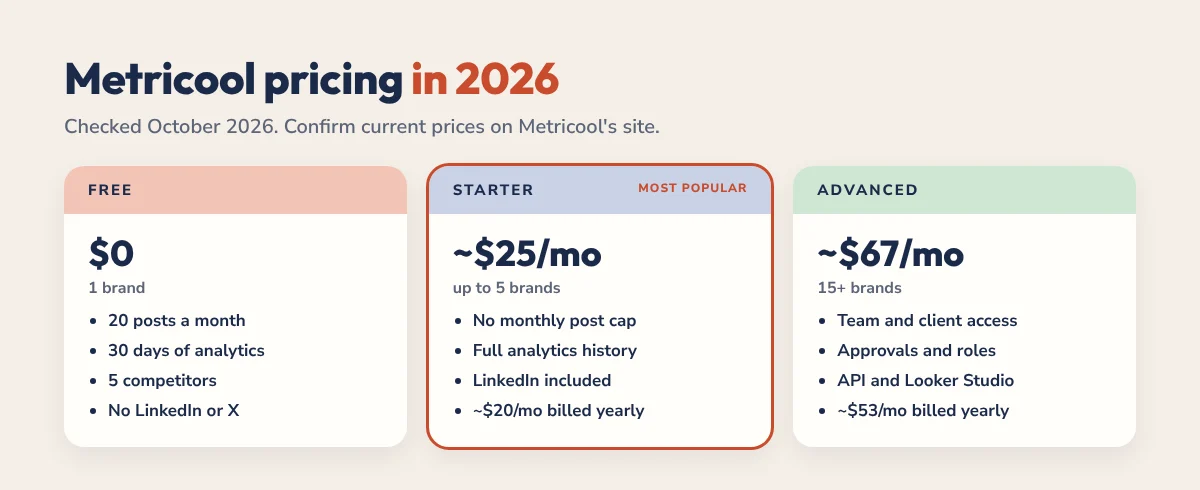
Starter is the plan most small creators end up on. It removes the monthly post cap (fair use applies), keeps your full analytics history, tracks far more competitors and lets you connect LinkedIn. X costs extra on every plan, and Canva is built in on all plans.
One thing to watch: paid plans renew automatically. If you only want a month, set a reminder to cancel or downgrade before the renewal date.
Scheduling: Where Metricool Shines
Pinterest is where Metricool earns its place for digital product sellers. You can create a pin with its image, title, description and link, choose the board and schedule it for a good time. You can also send the same pin to different boards on different days, which is how many shops stretch one design across a week.
A pin keeps sending traffic for months, so a steady schedule matters more than daily effort. Batch 10 to 20 pins in one sitting, schedule them and get back to making products.
Feed posts, carousels, Reels and Stories can all be scheduled, with a preview of how your grid will look. You can also schedule the first comment. The calendar view makes it easy to spot gaps and keep a steady rhythm.
Analytics that are actually useful
You don’t need dozens of charts. The ones worth checking every week are simple: your best posts, follower growth, the best times to post and which channel brings the most clicks. Metricool shows all four in one dashboard instead of three separate apps.
A Simple Weekly Workflow for Digital Product Sellers
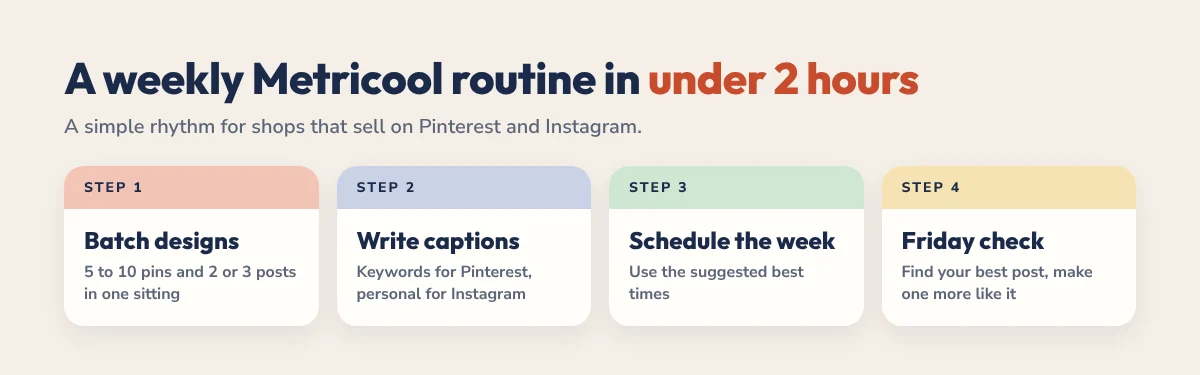
- Pick your channels. For most planner and printable shops that’s Pinterest first, then Instagram.
- Batch your designs. Make 5 to 10 pins and 2 or 3 Instagram posts in one sitting, for example in Canva inside Metricool.
- Write once, adjust per channel. Keyword-rich descriptions for Pinterest, shorter and more personal captions for Instagram.
- Schedule the week using Metricool’s suggested times.
- Check analytics every Friday. Note your best post and make one more like it next week.
That’s about one to two hours a week. If planning your content week is the hard part, our time blocking guide shows how to protect a regular slot for it.
Metricool vs Buffer
Buffer is the other tool small creators usually consider (we use Buffer for some channels too). Here’s how the free plans compare in October 2026:
| Feature | Metricool Free | Buffer Free |
|---|---|---|
| Accounts | 1 brand (several networks) | Up to 3 channels |
| Posting limit | 20 scheduled posts a month | 10 queued posts per channel at a time |
| Analytics | 30 days, plus competitor tracking | 30 days, basic |
| LinkedIn on free plan | No | Yes |
| Paid price | About $25/month for up to 5 brands | About $6/month per channel |
| Best for | Analytics and Pinterest-heavy creators | Simple, clean scheduling |
Choose Metricool if you want analytics, competitor tracking and strong Pinterest scheduling in one place. Choose Buffer if you only need simple scheduling for one to three channels, want LinkedIn for free or prefer paying per channel.
What I Don’t Like
- The free plan got smaller. 20 posts a month is a test, not a long-term plan for daily posting.
- LinkedIn and X aren’t free. If LinkedIn is your main channel, Buffer’s free plan is the better start.
- The mobile app is weaker than the desktop. Plan your week on a computer and use the app for quick checks.
- The AI caption writer is average. It’s a fine starting point, but you’ll rewrite most of it.
- Automatic renewals. Set a reminder if you’re only testing a paid plan.
Who Should Use Metricool?
Use it if:
- You sell digital or physical products and Pinterest or Instagram drives your traffic.
- You want scheduling and analytics in one tool.
- You post across two or more channels for one brand.
- You want to see what competitors in your niche post.
Skip it if:
- You only post on one platform. Its own scheduler is probably enough.
- LinkedIn is your main channel and you don’t want to pay.
- You need a polished mobile-first tool.
Verdict: 8 out of 10
Metricool is still one of the best value social media tools for small creators, even after the free plan got smaller. Start free, schedule a full week of content and check the analytics after 30 days. If you hit the 20-post limit and the numbers show your posts are working, Starter is worth it.
Planning your content around a busy week? Our digital planners include weekly pages and trackers that work well as a content calendar, and you can try them free from our free downloads page. For another honest tool review, read our Reclaim.ai review.
Metricool FAQ
Is Metricool free?
Yes. Metricool has a free plan with no time limit. In October 2026 it includes 1 brand, 20 scheduled posts a month, 30 days of analytics and tracking for 5 competitors. No credit card is needed.
How much does Metricool cost?
The Starter plan costs about $25 a month, or around $20 a month billed yearly, for up to 5 brands. Advanced starts at about $67 a month. X connections cost extra on every plan. Check Metricool’s pricing page for current prices.
Is Metricool good for Pinterest?
Yes. You can create pins with titles, descriptions and links, choose boards, schedule at suggested times and track impressions, saves and clicks. It’s one of the strongest Pinterest schedulers for small shops.
Can I use LinkedIn on Metricool’s free plan?
No. In 2026 LinkedIn and X connections are not included on the free plan. LinkedIn is available on paid plans, and X is a paid add-on.
Is Metricool better than Buffer?
It depends on what you need. Metricool is better for analytics, competitor tracking and Pinterest. Buffer is simpler, includes LinkedIn on its free plan and charges per channel, which can be cheaper if you only use one or two.
Does Metricool renew automatically?
Yes. Paid plans renew automatically, so set a reminder to cancel or downgrade before the renewal date if you’re only testing.