
Digital Planner 2026: Best Free and Paid Options
It’s almost 2026, and if you’re looking for the perfect digital planner to start the new year organized, you’re in the right place.
The digital planning world has exploded in the past few years, and with hundreds of options available, choosing the right 2026 digital planner can feel overwhelming. Should you go free or paid? Hyperlinked or static? GoodNotes-specific or universal?
In this guide, I’ll break down the best digital planners for 2026—both free and paid—so you can find the perfect fit for your planning style, device, and budget.
Whether you’re a complete beginner looking for a free option to test the waters, or a seasoned digital planner ready to invest in premium features, this comparison will help you make the right choice.
Let’s dive in.
Why Choose a Digital Planner for 2026?
Before we get into specific planners, let’s quickly address why digital planning is taking over traditional paper planners:
Benefits of digital planning:
- Unlimited space – Never run out of pages.
- Easy corrections – Erase and edit without mess.
- Searchable – Find notes instantly across all pages.
- Eco-friendly – No paper waste.
- Portable – One device, unlimited planners.
- Customizable – Add stickers, colors, and sections digitally.
- Automatic backups – Never lose your planner
The 2026 advantage: Starting a new planner at the beginning of the year gives you 12 full months of organized planning. December is the perfect time to choose your 2026 planner, set it up, and hit the ground running on January 1st.
What to Look for in a 2026 Digital Planner
Not all digital planners are created equal. Here’s what separates great planners from mediocre ones:
Essential Features:
1. Hyperlinked Navigation The biggest difference between basic and premium digital planners is hyperlinked navigation. This means clickable tabs and buttons that let you jump between months, weeks, and days instantly—no scrolling through 365+ pages.
Why it matters: A 2026 planner without hyperlinks is like using a website without a menu. You’ll waste time hunting for pages instead of actually planning.
2. Device & App Compatibility Make sure your planner works with your device and preferred apps:
- iPad users: GoodNotes, Notability, Noteshelf
- Android users: Xodo PDF Reader, Samsung Notes
- Desktop/laptop: OneNote, PDF Expert, Adobe Acrobat
3. Complete Year Coverage Your 2026 planner should include:
- All 12 months (January – December 2026)
- 52 weekly spreads
- Daily pages (or space for daily planning)
- Future planning pages (2027 overview)
4. Layouts That Match Your Style Consider what you’ll actually use:
- Minimalists: Clean, simple layouts with lots of white space
- Visual planners: Decorative designs, color-coding options
- Productivity focused: Time blocking, priority sections, habit trackers
- All-in-one: Combined scheduling, journaling, and goal-tracking
5. File Format & Size
- PDF format works universally (best compatibility)
- File size under 100MB (easier to load and sync)
- Portrait vs landscape orientation (depends on device preference)
Now, let’s look at specific planners for 2026.
Free Digital Planners for 2026
If you’re new to digital planning or want to try before investing, these free options for 2026 are excellent starting points.
1. HyperPlanners Free 2026 Digital Planner ⭐ (Our Top Pick)
Price: FREE
Hyperlinked: ✅ Yes
Compatible Apps: GoodNotes, Notability, Xodo, PDF Expert, OneNote
Devices: iPad, Android, Windows, Mac
Best For: Beginners, minimalists, anyone who wants a clean, functional planner
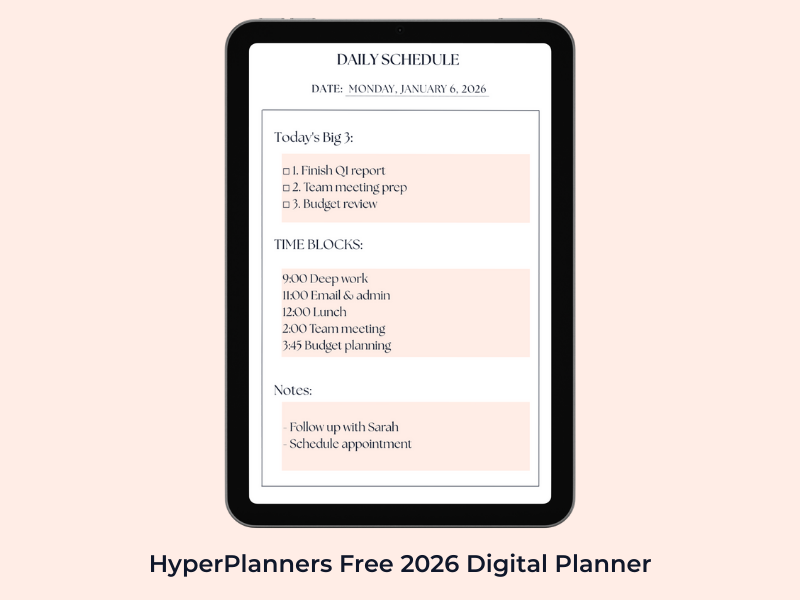
What’s Included:
- 12 monthly overview pages (Jan-Dec 2026)
- 52 weekly spreads with time blocking sections
- Daily planning pages with “Big 3 Priorities” space
- Habit tracker templates
- Goal-setting pages for quarterly planning
- Notes sections
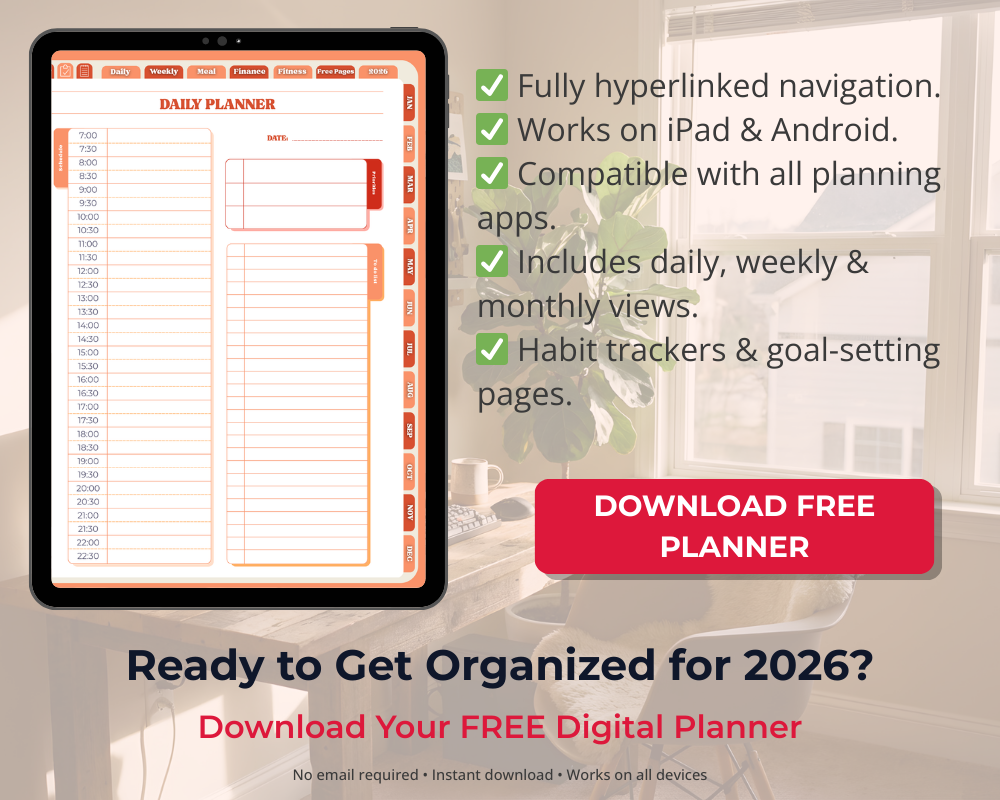
- Full hyperlinked navigation with “Today” quick-jump button
Why We Recommend It: This is our own planner (yes, I’m biased, but hear me out). What makes this different from other free planners is the hyperlinked navigation system. Most free planners force you to scroll endlessly—ours lets you jump to any date with one tap.
It’s designed specifically for people who want to build consistent planning habits without paying $20+ upfront. The minimalist design means it loads fast, doesn’t distract you with excessive decoration, and focuses on actual productivity.
Perfect for:
- First-time digital planners
- People who prefer function over decoration
- Budget-conscious students or professionals
- Anyone testing if digital planning works for them
2. Goodreads Free Monthly Planner 2026
Price: FREE
Hyperlinked: ❌ No (static PDF)
Best For: Reading enthusiasts who want integrated book tracking
Some creators on Etsy and Gumroad offer free basic monthly planners. These typically include:
- 12 monthly calendar pages
- Basic to-do lists
- Limited customization
Pros:
- Completely free
- Simple and straightforward
- Good for casual planning
Cons:
- Not hyperlinked (lots of scrolling)
- Basic features only
- Often just monthly view (no weekly or daily)
- Limited or no habit tracking
Verdict: Fine for very casual use, but if you’re serious about planning in 2026, the lack of hyperlinks will frustrate you quickly.
3. Printable PDFs Converted to Digital
Price: FREE (from various blogs and websites)
Hyperlinked: ❌ No
Best For: People who want to test digital planning with zero commitment
You can find free printable 2026 calendars online and import them into your note-taking app. Websites like Calendarpedia offer basic layouts.
Pros:
- Completely free
- Wide variety of designs
- Easy to find
Cons:
- Designed for printing, not digital use
- No hyperlinks or digital features
- Usually just calendar grids (no planning features)
- Not optimized for tablets
Verdict: Only suitable for testing if your device/app works before committing to a real planner.
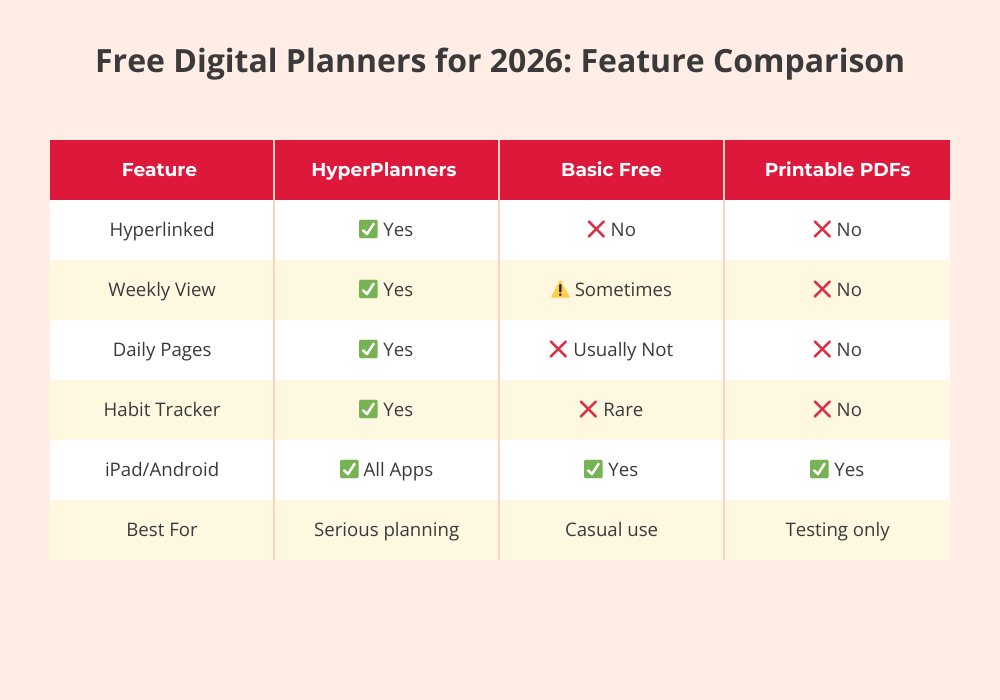
Bottom line for free planners: If you’re going to use a free 2026 digital planner, choose one that’s actually designed for digital use with hyperlinked navigation. Scrolling through hundreds of pages defeats the purpose of going digital.
Best Paid Digital Planners for 2026
If you’re ready to invest in premium features, design, and functionality, these paid options offer the best value for 2026.
1. The Keystone Digital Planner 2026
Price: $18-25 (varies by retailer)
Hyperlinked: ✅ Yes
Compatible Apps: GoodNotes 6 (optimized)
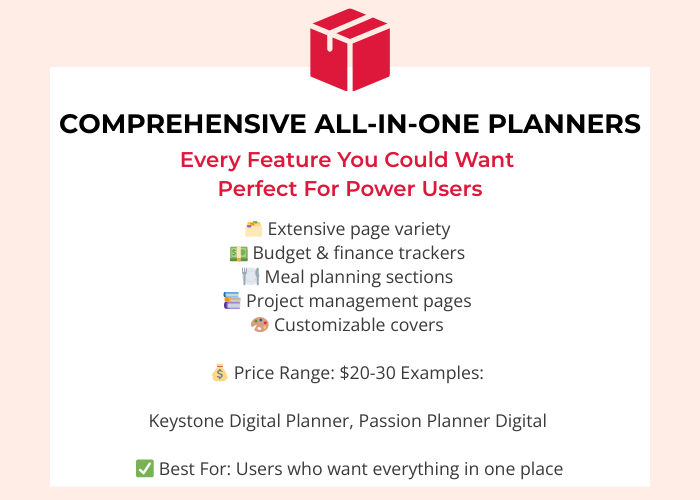
Best For: Power users who want everything in one planner
What’s Included:
- Comprehensive yearly, monthly, weekly, and daily views
- Goal tracking and vision board pages
- Extensive habit trackers (daily, weekly, monthly)
- Finance tracker with budget pages
- Meal planning sections
- Password tracker
- Customizable covers
- Sticker sets included
Pros:
- All-in-one solution (calendar, journal, tracker, planner)
- Beautiful, polished design
- Regular updates and customer support
- Large active community
Cons:
- GoodNotes-specific (limited compatibility)
- Can feel overwhelming if you don’t use all features
- Larger file size (slower loading on older iPads)
- Price point may be high for beginners
Verdict: If you want a premium, feature-rich planner and use GoodNotes on iPad, this is one of the best investments. However, the learning curve is steep—expect to spend time exploring features.
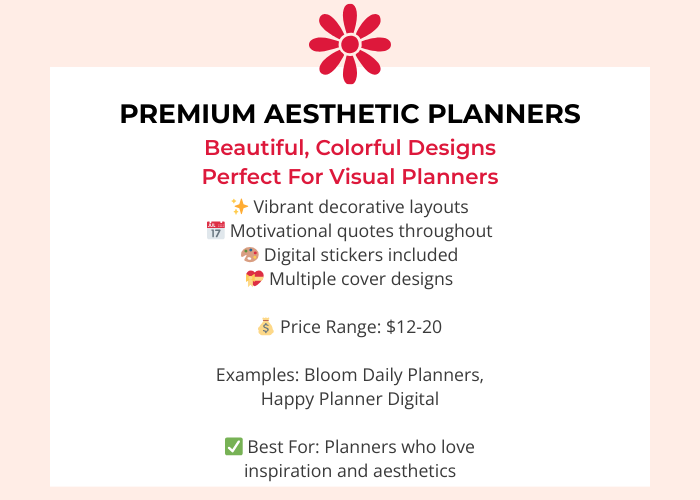
2. Bloom Daily Planners Digital 2026
Price: $12-15
Hyperlinked: ✅ Yes
Compatible Apps: Most PDF apps (universal)
Best For: Aesthetic planners who love colorful, inspiring designs
What’s Included:
- Vibrant, colorful layouts
- Motivational quotes throughout
- Vision board templates
- Gratitude and reflection sections
- Undated option available
- Stickers and decorative elements
Pros:
- Beautiful, inspiring design
- Works across multiple apps
- Great for creative types
- Positive, motivational vibe
Cons:
- Design-heavy (may feel cluttered to minimalists)
- Less focus on productivity features
- File size can be large due to graphics
Verdict: Perfect if aesthetics motivate you to plan consistently. If you prefer clean, minimal design, look elsewhere.
3. Clever Fox Planner Pro Digital Edition 2026
Price: $15-20
Hyperlinked: ✅ Yes
Compatible Apps: Universal PDF
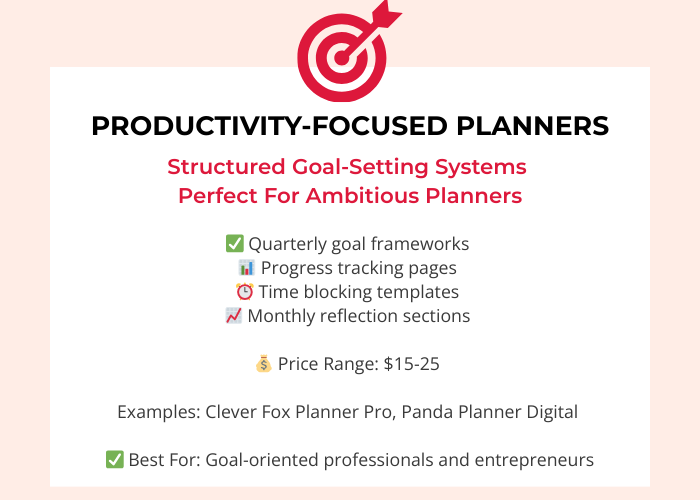
Best For: Goal-oriented professionals and entrepreneurs
What’s Included:
- Structured goal-setting framework
- Weekly priorities and action items
- Monthly reviews and reflections
- Time blocking templates
- Project management pages
- Expense tracking
Pros:
- Productivity-focused design
- Proven planning methodology
- Professional, clean layout
- Great for business owners
Cons:
- Less decorative (very functional)
- Steeper learning curve for casual users
- May feel rigid if you prefer flexible planning
Verdict: Ideal for ambitious planners who want structure and accountability. Not for casual, free-form planning.
4. Digital Planner Addict 2026 Collection
Price: $9-12 (individual) or $30 (bundle)
Hyperlinked: ✅ Yes
Compatible Apps: Multiple (including Android-friendly options)
Best For: People who want variety and theme options
What’s Included:
- Multiple cover designs (botanical, minimalist, vibrant)
- Mix-and-match layouts
- Themed monthly designs
- Seasonal stickers included
Pros:
- Great value (especially bundle)
- Variety keeps planning fresh
- Works on Android tablets (rare!)
- Frequent sales and discounts
Cons:
- Quality varies between themes
- Some layouts less functional than others
- Customer support is limited
Verdict: Best bang for your buck if you like switching up designs throughout the year. The bundle offers incredible value.
5. Happy Planner Digital 2026
Price: $20-30
Hyperlinked: ⚠️ Partial (depends on version)
Compatible Apps: GoodNotes, Notability
Best For: Fans of the physical Happy Planner brand
What’s Included:
- Digital version of popular paper planner
- Disc-binding aesthetic (for brand continuity)
- Extension packs available
- Matching digital stickers sold separately
Pros:
- Brand recognition and trust
- Familiar layout if you’ve used paper version
- Extension packs for customization
Cons:
- Expensive compared to competitors
- Not fully optimized for digital (mimics paper too closely)
- Stickers sold separately (additional cost)
- Hyperlinking inconsistent
Verdict: Only worth it if you’re already a Happy Planner loyalist. Otherwise, better value exists elsewhere.
Paid Planner Comparison Table
| Planner | Price | Hyperlinked | Apps | File Size | Best For |
|---|---|---|---|---|---|
| Keystone | $18-25 | ✅ Full | GoodNotes | Large | Power users |
| Bloom | $12-15 | ✅ Full | Universal | Medium | Aesthetic lovers |
| Clever Fox | $15-20 | ✅ Full | Universal | Small | Goal-focused |
| Digital Planner Addict | $9-30 | ✅ Full | Multi-platform | Medium | Variety seekers |
| Happy Planner | $20-30 | ⚠️ Partial | GoodNotes | Large | Brand fans |
Why Digital Planner 2026 Is Better Than Paper
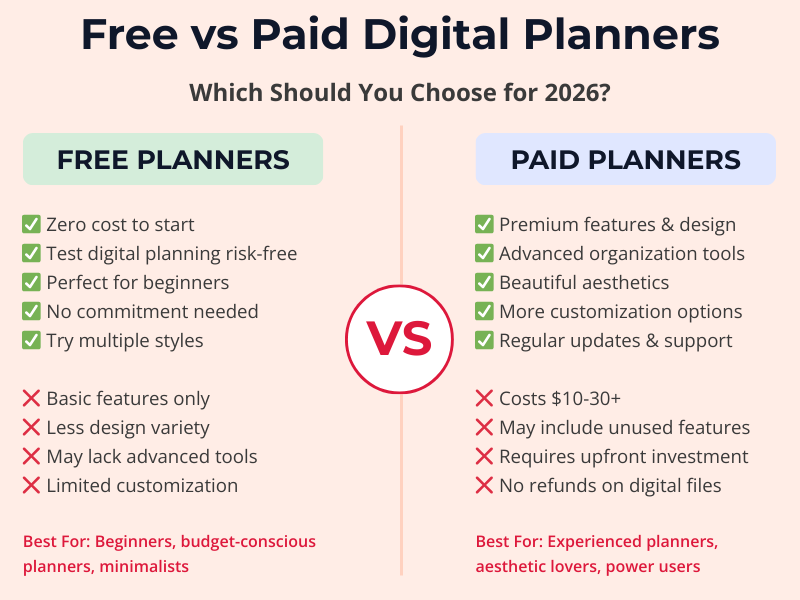
Choose a FREE planner if:
- ✅ You’re new to digital planning and want to test it
- ✅ You prefer minimalist, distraction-free layouts
- ✅ You’re on a tight budget
- ✅ You value functionality over aesthetics
- ✅ You want to try different planning styles before committing
Choose a PAID planner if:
- ✅ You’ve been digital planning for a while and know it works for you
- ✅ You want advanced features (finance tracking, meal planning, etc.)
- ✅ Design and aesthetics motivate you to plan consistently
- ✅ You need app-specific optimizations (like GoodNotes stickers)
- ✅ You’re willing to invest in better organization
The truth: A well-designed free planner with hyperlinks beats a poorly optimized paid planner every time. Don’t assume expensive = better. Focus on features that match your actual planning habits.
How to Choose the Right 2026 Digital Planner for YOU
Ask yourself these questions:
1. What’s my planning style?
- Detailed scheduler: Need hourly time blocks? Choose planners with robust daily pages
- Big picture thinker: Prefer weekly/monthly overviews? Look for flexible layouts
- Habit tracker: Want to monitor routines? Prioritize planners with built-in trackers
- Goal-focused: Need reflection pages? Choose planners with goal-setting frameworks
2. What device will I use?
- iPad + GoodNotes: Most options available (widest compatibility)
- iPad + Notability: Most planners work, but check compatibility
- Android tablet: Fewer options; prioritize universal PDFs, use Xodo
- Desktop/laptop: OneNote-compatible or PDF readers
3. Do I need hyperlinks?
Short answer: YES.
If your planner has more than 50 pages (and a 2026 planner should have 300+), hyperlinks are essential. Scrolling wastes time and makes you less likely to use the planner consistently.
4. What’s my budget?
- $0: Start with our free planner or other reputable free options
- $10-15: Sweet spot for quality paid planners with good features
- $20+: Premium planners with extensive features (only worth it if you’ll use everything)
5. What features do I actually need?
Be honest. Do you really need:
- Finance tracking? (Or do you use a separate app?)
- Meal planning? (Or do you wing it?)
- Extensive journaling space? (Or do you prefer separate journal?)
Avoid feature bloat. More features ≠ better planner. Choose what you’ll actually use.
How to Set Up Your 2026 Digital Planner
Once you’ve chosen your planner, here’s how to get started:
Step 1: Download and Import
- Purchase/download your chosen planner
- Import into your preferred app (GoodNotes, Xodo, etc.)
- Tip: Make a backup copy before you start using it
Step 2: Customize Your Cover
Many planners offer multiple cover designs. Choose one that motivates you or matches your aesthetic.
Step 3: Set Up Your First Month
- Navigate to January 2026
- Add any known appointments and events
- Set your goals for the month
- Familiarize yourself with the layout
Step 4: Test the Navigation
- Try jumping between months, weeks, and days
- Bookmark frequently used pages
- Make sure hyperlinks work properly
- Learn any special features (tabs, stickers, templates)
Step 5: Build the Habit
The best planner is worthless if you don’t use it. Start with our 8-minute daily planning routine to build consistency.
Need detailed setup instructions? Check out our complete guide: How to Use a Digital Planner on iPad & Android
Common 2026 Digital Planner Questions
Q: When should I start using my 2026 planner?
A: Start in December 2025 (now!). Use the last few weeks of 2025 to get comfortable with the layout, set up your January, and plan your 2026 goals. Hit January 1st running, not learning.
Q: Can I use the same planner on multiple devices?
A: Yes, if you use cloud sync (iCloud, Google Drive, Dropbox). However, some apps sync better than others. GoodNotes syncs seamlessly across iPads. Cross-platform (iPad to Android) requires manual file transfers.
Q: What if I don’t like my planner after buying it?
A: Most Etsy sellers offer no refunds on digital products (you can’t “return” a downloaded file). That’s why starting with a free planner to test is smart. If you do purchase, read reviews carefully and check return policies.
Q: Dated vs. undated planners—which is better?
A: For 2026, choose a dated planner. It removes friction (no manually writing dates) and creates structure. Undated planners are better for inconsistent planning or when starting mid-year.
Q: How do I add my own pages or sections?
A: Depends on your app:
- GoodNotes: Use the “+” button to add blank pages, then template them
- Notability: Duplicate existing pages and modify
- Xodo: Limited editing; best to choose a complete planner upfront
Q: Can I print my digital planner?
A: Technically yes (it’s a PDF), but defeats the purpose. Digital planners are designed for screen use—printed versions often look odd and lose hyperlink functionality. If you want a paper planner, buy one designed for printing.
Q: What’s the difference between a digital planner and a regular PDF?
A: Digital planners are specifically designed for stylus use on tablets:
- Hyperlinked navigation
- Optimized layouts for screens
- Interactive elements
- Tablet-friendly page sizes
Regular PDFs are static documents without these features.
Q: Do I need an Apple Pencil or stylus?
A: Not required, but highly recommended. You can type in most planning apps, but handwriting feels more natural for quick notes, doodling, and creative planning. Budget styluses (like Logitech Crayon) work fine.
Q: How do I make sure my planner data is backed up?
A:
- Enable cloud sync in your app settings
- Export your planner monthly as a backup PDF
- Use your device’s automatic cloud backup (iCloud, Google Drive)
What If You Change Your Mind Mid-Year?
Don’t worry—it happens!
One beauty of digital planning is flexibility. If your 2026 planner isn’t working by March, you can:
- Switch to a different planner (start fresh)
- Modify your current planner (add/remove pages)
- Combine planners (use multiple for different purposes)
- Archive the old one and move on (no paper waste!)
Unlike paper planners, there’s no guilt about “wasting” an expensive notebook. Digital planners are low-risk experimentation.
Final Verdict: Our 2026 Planner Recommendations
Best Free 2026 Planner:
HyperPlanners Free Digital Planner
Perfect for beginners, minimalists, and anyone testing digital planning. Fully hyperlinked, works on all devices, zero cost.
Best Budget Paid Planner ($10-15):
Bloom Daily Planners Digital 2026
Beautiful design, universal compatibility, great value. Ideal if aesthetics motivate you.
Best Premium Planner ($20+):
Keystone Digital Planner 2026
If you want every feature imaginable and use GoodNotes on iPad, this is the gold standard. Worth the investment for power users.
Best for Android Users:
Digital Planner Addict 2026 Collection
One of the few that explicitly supports Android tablets with Xodo. Great value in bundle format.
Best for Goal-Focused Planning:
Clever Fox Planner Pro Digital Edition
Structured methodology, accountability features, professional layout. Perfect for ambitious planners.
Ready to Start Planning Your Best Year Yet?
The right digital planner isn’t about having the most features or the prettiest design—it’s about finding the tool that you’ll actually use consistently.
Whether you choose a free minimalist option or invest in a premium planner, the key to success in 2026 is building daily planning habits.
Our recommendation? Start with a free planner this week. Get comfortable with digital planning. Then, if you find you want more features or different aesthetics, upgrade in January with confidence.
Don’t wait until January 1st to start planning 2026. The most successful planners begin in December, building momentum so they hit the new year organized and ready.
Next Steps:
- Download a 2026 planner (start with free if you’re unsure)
👉 Get Our Free 2026 Digital Planner → - Set up your planning app (need help?)
👉 Read our complete setup guide → - Build planning habits (make it stick)
👉 Learn the 8-minute daily routine → - Choose the right apps (maximize your device)
👉 See our app recommendations →
What 2026 planner are you choosing? Drop a comment below and let me know what features matter most to you!
Related Articles
📌 What is a Hyperlinked Planner? The Ultimate Beginner’s FAQ
📌 How to Use a Digital Planner on iPad & Android: Complete Setup Guide
📌 Best Apps for Digital Planning in 2025-2026 (Free + Paid)
📌 Five Digital Planner Habits That Actually Work (8-Minute Daily Routine)
📌 Hyperlinked vs. Static Planners: The Ultimate Guide to Choosing Right
At HyperPlanners, we believe the best digital planner is the one you’ll actually use. Whether free or paid, simple or complex, find what works for YOUR planning style and build the habits that make 2026 your most organized year yet.